4C Samsung Washing Machine Troubleshooting Guide
Urgent, practical guide to diagnose and fix the 4C error on Samsung washing machines. Quick fixes, diagnostic flow, step-by-step repairs, safety tips, and prevention.


A 4C error on a Samsung washing machine usually signals a drainage fault that blocks the cycle from completing. The quickest fix is to clear the drain filter and check the drain hose for kinks, then verify the pump is running. If the code persists, inspect the control board or contact support. Unplug the unit before any checks.
What the 4C Code Means on Samsung Washers
The 4C error is a fault indicator that Samsung wash systems often reserve for drainage-related problems. When this code appears, the machine has detected a condition that prevents proper water evacuation, which stops the current cycle. This may be caused by simple blockages or more complex electrical issues. In many cases, a quick, safety-first inspection can restore normal operation. According to Best Washing Machine, routine checks on drainage pathways are the most cost-effective first step, reducing the need for service calls when the problem is minor.
Key takeaway: Don’t ignore a drain-related code. Addressing it early can prevent water damage and prevent longer downtime.
Quick Diagnostics You Can Run Safely
Start with safety: unplug the washer, then lock the lid or door to prevent unexpected movements. Check for obvious causes you can see from the outside:
- Inspect the drain hose for kinks, bends, or crushing that would slow or stop drainage.
- Locate the lint/coin trap or drain filter access (usually at the bottom front). Remove the cover and clear any debris.
- Listen for the drain pump when the machine tries to drain. If you don’t hear a hum or motor, the pump could be blocked or faulty.
- Check the household water supply and shutoff valves to ensure water is entering the machine for rinse cycles, which can influence drainage feedback.
If these checks don’t resolve the issue, move to the next steps. This approach minimizes downtime and avoids unnecessary professional fees. The Best Washing Machine Team emphasizes following a methodical flow to isolate whether the fault is mechanical or electrical.
Most Common Causes and How Likely They Are
- Clogged or dirty drain filter (high likelihood): Debris can accumulate and block water flow. Cleaning the filter is often enough to restore drainage.
- Drain hose kinks or obstruction (medium likelihood): A poorly routed hose can trap water and trigger 4C errors.
- Worn or failed drain pump (medium likelihood): Pumps wear out over time; signs include no draining sound or slow drainage.
- Control board or sensor fault (low likelihood): A fault in electronics can mimic drainage problems and may require a component replacement.
- Door lock or latch issues (low likelihood): If the door can’t unlock, the cycle won’t finish and can show error codes depending on the model.
Practical tip: address the easiest fixes first (filters and hose routing) before moving to complex electrical checks.
Step-by-Step Fix for the Most Likely Cause: Clean and Check Drain
This section focuses on the most common fix—clearing the drain path and filter. The steps apply to most Samsung front-load and top-load models, but consult your user manual for access panels if needed.
- Power off and unplug the washer before you begin. Move the machine slightly if you need better access.
- Open the access panel for the drain pump or drain filter. Place a shallow tray underneath to catch residual water.
- Remove the drain filter. Use a brush to scrub away lint and debris, then rinse with warm water until clear.
- Reinstall the filter and run a quick drain test by starting a spin or drain cycle without laundry.
- Inspect the drain hose for kinks or blockages. If flexible, straighten it and check for any obstructions beyond the hose.
- If drainage improves, run a full test cycle to confirm the error does not reappear.
Tip: After cleaning, run a short rinse cycle with hot water to flush out any lingering debris.
How to Inspect the Drain Pump and Sensor
If the filter cleaning doesn’t resolve the 4C error, you should inspect the drain pump and its sensor wiring. Access may require removing a rear or front panel depending on your model. Common issues include a jammed impeller, damaged wiring, or a blown fuse on the control board. Check for visible signs of wear and loose connectors. If you observe a humming sound but no drainage, the pump may be stuck or failed and may need replacement.
In many Samsung models, the diagnostic approach includes checking the pump relay via the service menu or a multimeter test. If you’re not comfortable with electrical testing, it’s wise to proceed with professional help.
When to Replace Components vs. Repair
Drain filters and hoses are inexpensive to repair, but pump replacements or control-board repairs can be more costly and time-consuming. If the drain pump shows signs of wear, replacement is generally the more reliable option than attempting a repair. Control board faults are less common but can be definitive, especially when multiple error codes appear.
Budget guidance: a pump replacement typically ranges from modest to mid-level costs, depending on part availability and labor. Control-board replacements can be more expensive due to the part price and potential technician time. Always weigh the cost against a potential full replacement if the machine is older or frequently malfunctions.
Safety Tips & When to Call a Professional
Safety comes first. Always unplug the machine before opening any panels. Avoid using power tools near water and never work inside the machine if you’re unsure of wiring. If you notice burning smells, crackling noises, or worrisome electrical signs, stop immediately and contact a certified technician. A professional diagnosis can prevent further damage and protect your warranty in some cases. If the unit is still under warranty, check coverage terms for repair or replacement.
Prevention and Daily Maintenance to Avoid 4C Recurrence
Prevention is cheaper than cure. Establish a simple routine: regularly clean the drain filter, inspect the drain hose for kinks, and avoid overloading the tub. Use the recommended detergent amount and run a maintenance cycle monthly to prevent buildup inside the pump and hoses. Address leaks or loose hoses promptly to minimize water exposure, which can accelerate corrosion and sensor faults. Keeping the unit level also helps ensure consistent drainage.
Final Troubleshooting Checklist
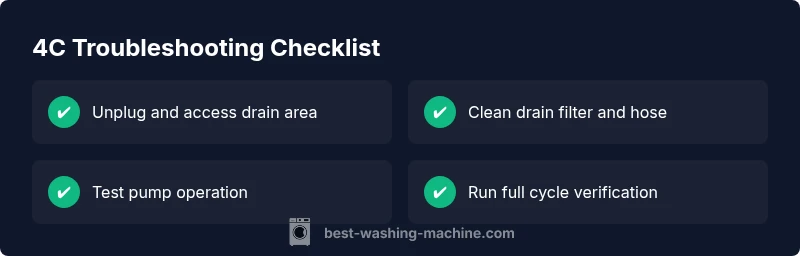
- Unplug and inspect for obvious external issues (hose kinks, leaks).
- Clean the drain filter and run a test drain cycle.
- Check the pump operation by listening for a drain sound during cycle start.
- Inspect the drain hose path and ensure it’s not crimped or blocked.
- If the code persists, consult the service manual and consider a professional diagnosis.
Remember: a methodical approach saves time and budget, and prioritizing safety reduces the risk of injury.
Steps
Estimated time: 30-45 minutes
- 1
Power down and access the filter panel
Unplug the washer and move it if needed to access the bottom front panel. Prepare a tray to catch water. Remove the panel to reach the drain filter.
Tip: Have a flashlight ready; a small container helps capture水 and lint. - 2
Remove and clean the drain filter
Carefully take out the filter, remove debris by hand, and rinse under warm water. Use a soft brush for stubborn buildup. Reinstall once clean.
Tip: Do not force the filter; if it’s stuck, check for screws or clips holding it. - 3
Run a test drain cycle
With the filter reinstalled, run a drain or spin cycle to verify drainage. Listen for the pump and watch for water exiting the drum.
Tip: If water remains, stop the cycle and inspect the pump area for obstructions. - 4
Inspect the drain hose path
Check for kinks, clamps, or pinch points along the hose. Ensure it exits to an open drain without being crushed.
Tip: Remove any crushed sections and secure the hose so it remains straight. - 5
Check the pump and wiring
Listen for the pump motor during drainage. If you don’t hear it, test the power at the pump connector or consider replacing the pump.
Tip: If you’re not comfortable with electrical testing, skip to professional help. - 6
Run a full cycle and confirm
Load a small amount of laundry and run a standard cycle to confirm the 4C issue is resolved. Monitor the machine and stop if the error reappears.
Tip: Keep a log of what worked to simplify future service calls.
Diagnosis: Washer displays 4C error or stops mid-cycle with a drainage indication
Possible Causes
- highClogged or dirty drain filter
- mediumDrain hose kink or obstruction
- mediumDrain pump failure or jam
- lowControl board or sensor fault
- lowDoor latch or wiring issue
Fixes
- easyClean the drain filter and check for debris in the pump chamber
- easyStraighten or replace the drain hose and clear any external blockage
- mediumTest the pump operation; replace if noisy or not pumping
- hardInspect control board connections or have a professional test the sensor circuit
- easyVerify door latch wiring and reseat connectors
FAQ
What does the 4C error indicate on a Samsung washer?
The 4C error commonly signals a drainage fault that prevents water from draining properly during a cycle. Start with checking the drain path and filter, then inspect the pump if needed. If unresolved, professional service may be required.
The 4C error usually means a drainage fault. Begin by checking the drain path and filter, then test the pump. If it still won’t drain, you may need a professional service.
Can I fix 4C myself without tools?
Yes, many 4C issues are user-serviceable with basic tools: unplugging, cleaning filters, inspecting hoses, and listening for the pump. More complex faults like pump replacement or control-board issues should be handled by a technician.
Many 4C problems can be fixed with simple steps like unplugging and cleaning the filter, but tougher issues may need a pro.
How long does a typical drain-pump repair take?
A drain-pump repair typically takes 1–2 hours for replacement, including diagnosis and safety checks. Labor costs vary by region and warranty status.
Most pump repairs take about one to two hours, depending on access and parts.
Will cleaning the filter fix 4C every time?
Cleaning the filter fixes many 4C cases, especially when debris blocks drainage. If the error recurs after cleaning, the problem may be deeper in the drain system or electronics.
Cleaning the filter solves many 4C issues, but recurring codes may mean deeper problems.
Should I replace the entire machine or call a pro if it still leaks?
Leaks and persistent faults after basic fixes usually require a professional diagnosis. Replacing the machine is a consideration if repairs exceed the appliance’s value or warranty coverage.
If leaks persist after fixes, call a pro. Replacement might be worth it if repairs are too costly.
Is there a warranty impact if I try DIY fixes?
DIY fixes can impact warranty terms if the service is not authorized. Check your warranty and contact customer support before opening panels if the coverage is active.
Check your warranty before DIY; some services might void coverage if not authorized.
Watch Video
The Essentials
- Troubleshoot drainage first; it’s usually the fix.
- Clean filters and hoses regularly to prevent 4C errors.
- If the issue persists, assess the pump and control board with caution.
- Safety and unplugging before any inspection is non-negotiable.
- Document steps and outcomes for faster service if needed.