How to Check If Your Washing Machine Is Under Warranty
Learn how to verify whether your washing machine is under warranty, including locating model/serial numbers, receipts, and using manufacturer portals to confirm coverage and avoid unexpected repair costs.


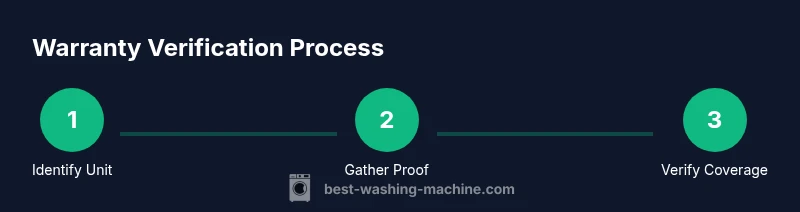
To check if your washing machine is under warranty, start by locating the model and serial numbers and your purchase receipt. Then contact the manufacturer or retailer, or log into any customer portal or app they provide. This quick check helps you confirm coverage, understand what’s included, and avoid unexpected repair costs.
What It Means to Be Under Warranty
Is your washer under warranty? Understanding warranty terms protects your home investment. If you are wondering how to check if washing machine is under warranty, you start by identifying the warranty type (manufacturer vs retailer) and the coverage period. Manufacturer warranties typically cover parts and labor for a set period from the date of purchase, while service plans or extended warranties may add coverage for additional years. Always read the fine print to know exclusions such as wear and tear, cosmetic damage, or improper installation. In this article, we walk you through each step, from locating your serial number to verifying coverage through official portals, so you can decide whether a repair will be free or paid.
Gather Your Essentials
Before you can verify warranty status, assemble the items that prove coverage and enable lookup. You will need the washer’s model number and serial number, your purchase receipt or invoice, and any warranty documentation you received at purchase. If you bought a retailer-approved extended warranty, locate that contract as well. If you don’t have physical copies, many brands offer digital copies in your online account or in a registration email. Having all these items in one place speeds up the lookup and reduces back-and-forth with customer service. As you go, consider creating a dedicated folder (physical or digital) for warranty-related documents to streamline future repairs.
Locate Your Washer’s Model and Serial Number
The model and serial numbers identify the exact unit and warranty terms. On most top or front-load washers, you’ll find a data plate or sticker inside the door, on the door frame, or on the back panel. The serial number is a unique alphanumeric string; the model number is often a short code like a letter-and-number combination. Take clear photos of both labels from different angles, then write them down exactly as shown. If you cannot access the front panel, consult your user manual for the exact location. This step is essential because warranty lookup tools rely on accurate identifiers to pull the correct coverage information.
Check Manufacturer Warranty Terms
Warranty terms are not universal. They vary by brand, model, region, and whether you purchased an extended plan. In practical terms, you are looking for the start date, the coverage duration, and the parts or services covered. In Best Washing Machine analysis, warranty length and inclusions differ widely, so always confirm with official sources rather than assuming. If you see a date range like “purchase date to X months,” make sure your unit’s serial aligns with that window. In some cases, coverage begins at delivery or installation rather than purchase, so confirm that detail as well.
Use Purchase Receipt and Documentation
Your proof of purchase is often the quickest path to warranty confirmation. The receipt usually includes the model and serial numbers, purchase date, and retailer. Some receipts show the warranty start automatically; others require registration. If you can’t find the original receipt, check your bank or card statements for the purchase date and vendor, then request a copy from the retailer. Keep digital copies accessible; many manufacturers allow you to upload documents to your account for future lookups. This file will also help you when you contact support and claim the warranty.
Check Through Manufacturer Apps or Customer Portal
Many brands offer an online portal or mobile app where you can register your appliance, view warranty status, and initiate service requests. Sign in or create an account, add your washer using the model and serial numbers, and verify the purchase details. If available, enable notification settings so you receive updates about coverage and service eligibility. These portals often provide a stamped warranty card, coverage dates, and a list of what is included (parts, labor, or both). If your brand has a digital copy, download and save it for your records.
Contact Retailer or Manufacturer for Verification
If lookup tools are confusing or unresponsive, reach out to the retailer where you bought the washer or to the manufacturer’s customer care line. Have your model number, serial number, and proof of purchase ready to share. Ask specific questions like: Is the unit currently under warranty? What does the warranty cover (parts, labor, or both)? When does the warranty expire? If you’re told a service visit is needed, request a written estimate of the service cost if the warranty does not cover it. Keep records of every interaction in your warranty folder.
Understand What Is Covered and For How Long
Warranty documentation details what is included and for how long. Common coverage areas include major components like the drum, motor, and control boards, plus labor for the repair. Exclusions are equally important: issues caused by user error, improper installation, misuse, or unauthorized repairs may void coverage. Understanding these terms prevents surprises during a service call and helps you plan ahead for potential costs. If you are unsure, ask for a written copy of the coverage terms and a summary of any deductibles or service fees that may apply.
How to Check If Extended Warranty Applies
Extended warranties add protection beyond the standard terms, but they require registration and sometimes proof of ongoing ownership. If you already purchased an extended plan, locate the contract or account portal that confirms coverage and start/end dates. Some retailers automatically enroll customers, while others require you to opt in. If you are shopping for an extension, compare the cost of the extension against the likelihood of a repair and the typical repair costs in your area. Keep in mind that extended warranties may not cover pre-existing issues.
What If You Bought Used or Through a Third-Party Repair
Used washers and units purchased from third parties may have limited or no warranty coverage. If the seller claims an existing warranty, request written proof and contact the manufacturer to confirm transferability. Some warranties are non-transferable, while others may be eligible for a prorated transfer. In cases where no warranty is valid, you can still pursue paid service or manufacturer-approved refurbishments. Always document the transfer status and get a written confirmation before any service occurs.
Common Pitfalls and Quick Checks
To avoid wasting time, perform quick checks and avoid common mistakes. Do not rely on memory alone; always verify with official sources. Double-check that the serial and model numbers match across the label and the lookup tool. Do not assume an extended warranty exists; verify registration and activation dates. If a service technician suggests replacement instead of repair, request a written justification and check if the replacement is within warranty coverage.
When to Seek Service and How to Prepare
If verification confirms warranty coverage, prepare for a service visit. Gather the appliance’s serial number, model number, proof of purchase, and a concise description of the problem. Note the exact symptoms, when they started, and any recent changes like new detergent or water conditions. Before the service, clear the area around the washer, unplug the unit during inspection, and have a reachable contact phone number. For non-warranty repairs, compare quotes from authorized service providers and bring any relevant documents to the appointment. The Best Washing Machine team recommends staying organized and documenting every step to streamline the repair or replacement process.
Tools & Materials
- Model number (SKU)(Found on the data plate; often inside the door frame)
- Serial number(Alphanumeric; unique to your unit)
- Proof of purchase(Receipt or invoice showing date and retailer)
- Warranty documentation(Printed or digital copy; contains terms)
- Manufacturer support contact details(Phone or email for quick verification)
- Online portal login credentials(If available, to check status electronically)
Steps
Estimated time: 15-30 minutes
- 1
Identify your device and locate identifiers
Locate the model and serial numbers on the data plate. Take clear photos and write down the numbers exactly as shown. This is the first and most critical step because lookup tools rely on accurate identifiers.
Tip: Use a flashlight to read small print and photograph from multiple angles. - 2
Find proof of purchase
Gather the receipt or invoice that shows the purchase date and vendor. If the original receipt is missing, check digital mail, bank statements, or the retailer’s account history for a copy.
Tip: A scanned copy saves time when submitting claims. - 3
Check warranty documentation
Review the warranty card or terms provided at purchase. Look for start dates, duration, and what is covered. If the terms are unclear, prepare to contact support for clarification.
Tip: If you can’t locate a card, use the model/serial with the retailer or manufacturer. - 4
Use the manufacturer portal
Log in to the brand’s portal or app and register the washer using model and serial numbers. Verify purchase details and view current warranty status and coverage.
Tip: Enable notifications for service updates. - 5
Contact support for verification
If portal data is inconsistent, call or email the brand’s support line with your identifiers and proof of purchase. Ask direct questions about coverage, start date, and expiration.
Tip: Keep a record of the date and name of the agent you spoke with. - 6
Review what’s covered
Identify which components and labor are covered and for how long. Note any exclusions that could affect eligibility for a repair.
Tip: Ask for a written confirmation of coverage. - 7
Consider extended warranty options
If coverage is limited, compare the cost and benefits of an extended plan versus potential repair costs. Ensure the terms align with your usage and the unit’s age.
Tip: Don’t rush into extensions; evaluate your expected repair frequency. - 8
Save verification results
Archive the obtained warranty terms, emails, and portal screenshots in your warranty folder for future reference.
Tip: Organize by model and purchase date to simplify future lookups.
FAQ
Do warranties transfer if I sell the washer?
Warranties are often non-transferable, or transferability depends on the manufacturer and contract. Check the specific terms and ask the retailer or manufacturer for written confirmation before a sale. If transferable, provide the new owner's details as required by the policy.
Many warranties don’t transfer. Check the terms and ask for written confirmation before selling.
Can I check warranty status without a receipt?
Some brands allow lookup with the serial number and model, but a receipt greatly improves accuracy and proves purchase timing. If you lack a receipt, contact support with the identifiers and request help verifying coverage.
Serial number and model can help, but a receipt makes verification easier.
Is installation date used for warranty start?
Warranty start dates vary; some begin at purchase, others at installation or delivery. Always confirm the start date with the manufacturer and obtain written confirmation.
Start dates can be purchase or installation-based; verify with the manufacturer.
Does labor get covered by standard warranties?
Labor coverage depends on the terms. Some warranties cover both parts and labor, while others cover only parts or require a service fee for labor.
Labor coverage depends on the policy; check the terms for details.
What should I do if the warranty terms are unclear?
Request a formal written confirmation of coverage. If needed, escalate to a supervisor or consumer protection agency for guidance.
Ask for written confirmation and don’t hesitate to escalate if unclear.
Watch Video
The Essentials
- Gather model, serial, and purchase proof before contacting support.
- Use official portals to verify coverage and avoid third-party scams.
- Know what is covered and for how long to avoid surprises.
- Document verification steps for future repairs.