Resetting an IFB Washing Machine: A Step-by-Step Guide
Learn how to reset your IFB washing machine safely with a clear, step-by-step method. This guide covers power resets, error codes, and essential precautions to avoid damage.


To reset an IFB washing machine, unplug the unit, wait 60 seconds, then perform a soft reset via the control panel. If the issue persists, try a hard reset following your model's manual and run a short test cycle to verify operation. Always prioritize safety and consult the manual for model-specific steps.
how to reset washing machine ifb
Understanding the need for a reset starts with recognizing how IFB control logic works. When a washer encounters an intermittent fault—such as a momentary power fluctuation, a stuck button, or a temporary misread of load balance—the microcontroller can enter a fault state. A reset clears that state, reboots the control software, and allows the machine to start fresh. While brand forums may describe many codes and symptoms, the core idea remains consistent: a controlled restart reduces confusion for the system and often resolves non-severe faults without service calls. The phrase how to reset washing machine ifb appears frequently in support threads, but the safest approach remains structured, model-aware steps. After the reset, observe the display for any recurring hints and consult your user manual if a specific error code reappears.
Preparation Before Reset
Before you begin the reset process, gather a few basics and set up a safe workspace. Ensure your hands are dry, the floor is free of water, and the machine is in a stable position. If your model provides a service panel, check whether opening it is recommended for resets—many IFB units rely entirely on the digital keypad for reinitialization. Have a clean towel handy for any condensation, a phone to capture any error codes, and the machine’s manual for model-specific instructions. Remember: a reset is a troubleshooting step, not a repair guarantee. If you see persistent leakage, abnormal noises, or damage, stop and seek professional help.
Soft Reset: Quick Restart Methods
Soft resets are the safest first step and can clear minor glitches without opening the machine. Start with the simplest method: unplug the unit, wait 60 seconds, then plug it back in. If your model supports a keypad reset, press and hold the designated buttons for a few seconds until the display reinitializes. This approach comes without disassembly and is often enough to restore normal function after a transient fault. After performing a soft reset, run a short empty wash to verify that the control panel responds correctly and that there are no new error indicators.
How to reset washing machine ifb: Hard Reset and When to Use It
If a soft reset doesn’t restore normal operation, a hard reset—when documented for your model—may be necessary. A hard reset typically involves a more deliberate sequence, possibly combining power cycling with a specific button pattern. Because this step moves deeper into the control logic, it should be used only if your manual explicitly allows it. A hard reset resets internal memory to a known good state, which can clear stubborn faults that a soft reset cannot. After completing a hard reset, promptly test a small load cycle to confirm the machine behaves correctly and to rule out recurring faults.
Step-by-Step Reset Procedures (High-Level Overview)
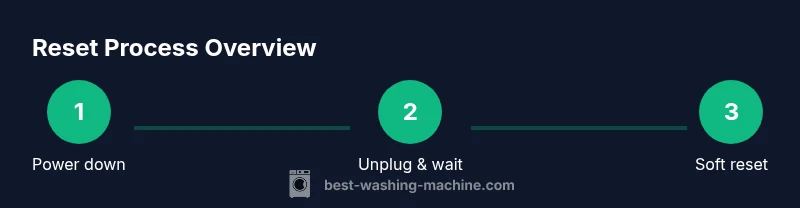
Below is a high-level overview of the general reset flow. For the exact, model-specific actions, refer to the STEP-BY-STEP block in this article and your IFB manual. The aim is to reinitialize electronics, clear memory faults, and re-enter normal operation mode without causing water damage or electrical hazards. Always ensure the unit is unplugged during any internal checks and only re-connect after you have completed the required actions.
Safety Considerations and Warnings
Resetting an appliance carries minor risks if performed improperly. Never attempt resets if there is visible water leakage near electrical outlets or if the machine shows signs of physical damage. Always unplug before removing panels or accessing wiring. If you are unsure about a step, consult your manual or contact a qualified technician. Keep children and pets away from the machine during any reset procedure. This guide emphasizes safety first to prevent electric shock and water exposure.
Common Mistakes and How to Avoid Them
Common mistakes include ignoring power safety, attempting resets while the machine is still connected to a wet outlet, and skipping the test wash after a reset. To avoid these issues, always unplug before starting, dry the area, and run a test cycle with no laundry after completing the reset. If an error code persists, double-check the manual for code meanings and ensure you are using the correct reset sequence for your specific IFB model.
After Reset: Verifying Functionality and Maintenance Tips
Once the reset completes, observe the display and listen for normal operation. Confirm that the drum fills with water, agitates, drains, and spins as expected. If a wash completes without issues and the door locks normally, you’ve likely resolved the fault. Dry the exterior, inspect the door seal for signs of wear, and review your detergent usage to prevent future errors. Regular maintenance, such as cleaning the lint filter and checking hoses, helps sustain reliability after a reset.
When to Seek Professional Help
If resets fail to restore normal operation, or you notice persistent leakage, unusual noises, or error codes that reappear, it’s time to contact a professional. Persistent faults may indicate a sensor or control-board issue that requires diagnostic testing and potential replacement parts. Consulting the IFB support portal or a qualified technician can prevent further damage and ensure safe operation.
Tools & Materials
- IFB washing machine user manual(Model-specific reset steps and error code meanings.)
- Dedicated, dry workspace(Ensure space around the machine is dry; helpful for unplugging.)
- Screwdriver set (Phillips and flat-head)(Only if you need to access service panels; many resets rely on the keypad.)
- Multimeter (optional)(If you test power at the outlet or circuit; not necessary for standard resets.)
- Soft cloth or towel(Use to clean up any condensation or spills.)
- Basic safety gear (gloves, eye protection)(For service mode or if handling water near electrical components.)
Steps
Estimated time: 25-35 minutes
- 1
Power down and unplug
Fully disconnect the machine from the wall outlet. Wait at least 60 seconds to allow residual power to dissipate and to reset any minor memory faults.
Tip: Keep the cord away from damp surfaces and ensure the outlet is dry before reconnecting. - 2
Check control panel for reset options
Inspect the display for reset prompts or a dedicated reset sequence. If your model lists a specific combination, prepare to perform it exactly as described.
Tip: If you’re unsure about the sequence, consult the manual to avoid repeating faults. - 3
Perform a soft reset via keypad
Reconnect power, then press and hold the identified buttons for several seconds to reinitialize the control board. Watch for the display to reinitialize or show a default ready state.
Tip: Avoid pressing multiple unrelated buttons; stick to the documented combination. - 4
Test with a short cycle
With the door closed, start a brief wash without laundry to confirm pumps, valves, and motor respond correctly.
Tip: Listen for normal cycling sounds and check for unusual vibrations or leaks. - 5
If needed, perform a hard reset
If the manual allows it, execute the deep reset sequence. This may involve a more complex pattern or service access steps. Do not proceed unless explicitly documented for your model.
Tip: Proceeding without documentation can void warranties or cause damage. - 6
Verify operation and finalize
Run a full cycle with laundry to ensure proper operation under normal load. If issues reappear, record the error codes and contact support.
Tip: Document any error codes and the steps you took for quick support reference.
FAQ
What does a reset do on an IFB washing machine?
A reset clears the fault state and reboots the control board so the washer can start fresh. It does not repair physical damage but can resolve temporary electronics glitches. If issues persist, further diagnosis may be needed.
A reset clears the fault state and restarts the control board, which fixes temporary electronics glitches. If problems continue, seek further diagnosis.
Can I reset without the manual?
You can try a general soft reset pattern (unplug, wait, reconnect, and use standard reset buttons if your model supports it). However, model-specific steps improve success and safety. Always consult the manual if available.
You can attempt a general soft reset, but model-specific steps are safer and more likely to work.
Is resetting safe for clothes and cycles?
Resetting only affects the control electronics; it does not modify your laundry or detergent. After a reset, run a test cycle to confirm normal operation before resuming regular use.
Resetting targets the electronics, not the clothes. Run a quick test cycle to ensure everything works.
What if the reset fails?
If resets fail, the fault may be hardware-related or the model requires service mode not accessible to users. Check error codes in the display, consult the manual, and contact IFB support if needed.
If resets fail, it may require professional service. Check any error codes and contact support.
How long should a reset take?
A typical soft reset plus a test cycle takes about 15-25 minutes. A hard reset, when appropriate, may take longer depending on the model and access to service features.
Usually about 15 to 25 minutes for a soft reset and test; longer if a hard reset is needed.
What safety steps are essential?
Always unplug before touching the machine, keep the area dry, and avoid opening panels unless specified by the manual. If you smell burning or see water leakage, stop and unplug immediately.
Unplug first, stay dry, and only follow documented steps. Stop if you smell burning or see leaks.
Watch Video
The Essentials
- Power down completely before any reset action.
- Soft resets solve most transient faults safely.
- Consult the manual before attempting a hard reset.
- Test with a short wash to verify functionality.
- Seek professional help if issues persist.