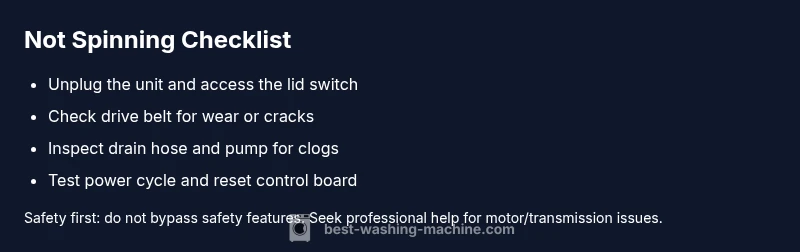
If Washing Machine Is Not Spinning: Quick Troubleshooting Guide
Learn safe, step-by-step methods to diagnose and fix a washing machine that won't spin. Practical checks, common causes, and pro tips from Best Washing Machine.


Most often, not spinning is caused by a faulty lid switch, a worn drive belt, or a clogged drain/pump that stops the spin. For safety, unplug the washer, test the lid switch, and inspect the belt and drain path. If it still won’t spin, follow the diagnostic flow or contact Best Washing Machine for help. These checks apply to both front-load and top-load models.
Why a non-spinning washer matters
If washing machine is not spinning, the issue can escalate beyond a few damp socks. According to Best Washing Machine, a non-spinning wash is often a signal of a failing component or drainage issue that, if ignored, can lead to further damage and higher repair costs. Left unchecked, water may pool in the drum, fabrics may come out soaking or wrinkled, and the energy wasted in failed spins adds up over time. Even when the fix is simple, ignoring it can shorten the life of the motor and drive system. This section explains the most common culprits in plain terms and outlines a safe, methodical approach to diagnose them. Based on Best Washing Machine analysis, many spin issues originate from a defective lid switch, a worn or broken drive belt, or a clogged pump that prevents drainage during the spin cycle. Recognizing these patterns helps homeowners, renters, and operators target the right fix quickly, saving time and money.
Common causes at a glance
There are several frequent reasons a washer refuses to spin. The lid switch that senses when the door or lid is closed is a common failure point for top-load machines. A worn or snapped drive belt is another frequent culprit, especially in older models. Front-load washers rely on a different mechanism (often a motor coupling or belt) that can fail with heavy loads. A clogged drain pump or kinked drain hose can prevent the drum from reaching spin speed because the machine cannot complete the draining phase. Less common but possible are electronic control faults, such as a faulty timer or control board, or an obstructed belt path due to lint and debris. Always start with simple checks: lid switch operation, visible belt condition, and drain flow, before moving to more complex diagnostics.
Safety first: unplug, test, and protect yourself
Before you touch anything, unplug the washer and flip the circuit breaker if available. Do not bypass safety switches or poke around live components. If you must move the machine, disconnect power and discharge any capacitors according to the manual. Keep children and pets away, and wear safety gloves if you plan to reach inside the cabinet. This guide favors a safe, conservative approach: address the simplest faults first and avoid forcing any parts. When in doubt, pause the work and consult a professional. Best Washing Machine emphasizes that nearly all spin-related repairs involve mechanical parts or electrical safety systems that can pose a shock risk if mishandled.
Diagnostic flow: symptom to solution
Symptom: Washer won't spin.
Causes and likelihood:
- Lid switch failure or misalignment — high
- Worn or broken drive belt (top-load models) — medium
- Clogged drain pump or kinked drain hose — low
- Motor/transmission issue in some front-load models — low
- Control board or timer fault — low
Possible fixes:
- Test lid switch with a continuity check; replace if faulty — easy
- Inspect drive belt for cracks or wear; replace if damaged — medium
- Clear pump/filter and ensure the drain path is unblocked; test drainage — easy
- Reset or reprogram the control board; power-cycle the unit — easy
- For suspected motor/transmission problems, or if the unit remains unresponsive, call a professional — hard
Steps
Estimated time: 20-40 minutes
- 1
Power down and unplug
Ensure the washer is completely powered off and unplugged. If possible, switch off the circuit breaker to eliminate any residual voltage. This protects you during inspection and prevents accidental shocks while you work around moving parts.
Tip: Keep the plug and cord away from water and damp areas. - 2
Verify lid switch engagement
Close the lid and listen for the switch click, or use a multimeter to test continuity. A switch that doesn’t close reliably will stop the drive from starting the spin. Replace the switch if testing shows it’s defective or out of spec.
Tip: Some models require you to remove a panel to access the switch; label wires before disconnecting. - 3
Inspect the drive belt
For top-load models, locate the belt path around the motor and pulley. Look for cracks, fraying, or oil contamination. If damaged, replace with the correct belt type for your model.
Tip: Take a photo before disassembly to ensure correct belt routing. - 4
Check the drain pump and hose
Disconnect and inspect the drain pump and hose for clogs or kinks. Remove any debris that blocks water flow. Run a test drain with the hose disconnected to confirm smooth flow.
Tip: Do not pull hoses with force; disconnect clamps gently to avoid damage. - 5
Test for motor coupling or transmission issues
If your washer is front-load, inspect the motor coupling for wear. A damaged coupling is a common reason for loss of spin. Replace if worn and ensure correct alignment.
Tip: Some models require special tools or parts; consult the manual if unsure. - 6
Reset the control board
Power the unit back on and perform a full reset or reprogram the cycle as per the user manual. This can clear minor control glitches that prevent spinning.
Tip: If your model supports a factory reset sequence, follow it exactly. - 7
Reassemble and test with a light load
Reattach any panels and replug the machine. Run a test cycle with a small amount of laundry. Observe whether the drum achieves full spin speed without pauses.
Tip: Use a balanced load to prevent further cycling issues. - 8
Evaluate the result and plan next steps
If the washer spins, monitor for recurring symptoms. If not, continue with professional diagnosis; some issues require specialized tools or replacement parts.
Tip: Document what you checked and replaced for the technician.
Diagnosis: Washing machine won't spin
Possible Causes
- highLid switch failure or misalignment
- mediumWorn or broken drive belt (top-load models)
- lowClogged drain pump or kinked drain hose
- lowMotor/transmission issue in some front-load models
- lowControl board or timer fault
Fixes
- easyTest lid switch with a continuity check; replace if faulty
- mediumInspect drive belt for cracks or wear; replace if damaged
- easyClear pump/filter and ensure the drain path is unblocked; test drainage
- easyReset or reprogram the control board; power-cycle the unit
- hardFor suspected motor/transmission problems, or if the unit remains unresponsive, call a professional
FAQ
Why won't my washing machine spin even though it drains water?
A machine that drains but won’t spin often has a lid switch fault or a belt/pulley issue. Check the lid switch engagement and inspect the drive belt for wear. If the path is clear and the switch is functioning, the issue may lie with the motor or control board.
If it drains but won’t spin, likely a lid switch or belt problem. Check the switch and belt, and clear the drain path.
Can a faulty lid switch prevent spinning?
Yes. A defective lid switch can prevent the drum from spinning by signaling the machine that the door isn’t closed. Test with continuity and replace if needed.
A bad lid switch can stop the spin; test and replace if faulty.
Is a worn drive belt common in older machines?
Drive belts wear over time, especially in older top-load models. Inspect for cracks or signs of wear and replace as needed.
Belts wear with age; check and replace if cracked or frayed.
What should I check first if the washer won't spin?
Start with safety unplugging, inspect the lid switch, then check the belt and drain path. These are the most common and easiest fixes.
First unplug, check lid switch, then belt and drainage.
When is it time to call a professional?
If the spin issue persists after basic checks, or if you suspect motor, transmission, or control-board faults, seek professional service.
Call a pro if basic checks don’t fix it or you suspect motor/control issues.
Can spinning issues indicate warranty problems?
Some spin-related problems may be covered under warranty if the issue stems from a manufacturing defect. Check your warranty terms and manufacturer guidelines.
Warranties may cover spin problems if due to defects; review terms.
Watch Video
The Essentials
- Power down before inspections
- Test lid switch and belt first
- Clear the drain path to enable proper draining
- Use a controlled reset before calling a pro