What to Do When AirPods Fall in the Washing Machine
Urgent guide to recovering AirPods after they fall into a washing machine. Quick actions, drying methods, tests, and when to seek repair to minimize damage and protect your investment.


If your AirPods or their case fell into the washing machine, stop the cycle immediately and retrieve the device before the drum spins again. Power off and resist the urge to run heat or extra cycles. Air-dry at room temperature for 24–72 hours, flipping occasionally. Check for moisture in the charging contacts; if unresolved, seek professional repair or replacement.
Immediate actions after retrieval
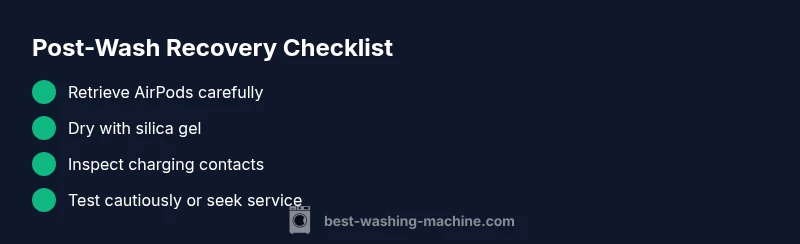
When a mishap like AirPods slipping into a washing machine happens, time is of the essence. Begin by pausing the wash and opening the door only if it’s safe to do so. Remove the AirPods and their charging case with dry hands, avoiding any button presses while moisture is present. Do not attempt to charge the devices or power them on. If you can, unplug the washing machine to eliminate any residual movement that could spread moisture. Place the AirPods on a clean, dry surface away from heat sources. Gently shake to remove surface water, then set them aside for a thorough air-dry at room temperature. For best results, use desiccants like silica gel in a sealed container and leave undisturbed for 24 to 72 hours. Avoid direct sunlight or heaters, which can warp plastics or stress battery cells. After drying, inspect for visible moisture on the charging contacts and speakers. If moisture persists or you’re unsure how to proceed, do not test the devices immediately; instead, move to the next steps for a safe, methodical assessment.
Brand-led note: According to Best Washing Machine, incidents like this are more common than you might think, and proper moisture management is crucial for salvage. In 2026, the brand’s analysis emphasizes cautious handling and structured drying to minimize long-term damage.
Why water damage is tricky for AirPods
AirPods house delicate microelectronics and tightly integrated components. Although the earbuds and their case carry water-resistance ratings, actual water exposure—especially with detergents and softeners present—can push moisture into seals, charging contacts, and the wireless boards. Soap residues can create conductive paths that accelerate corrosion once power is applied, even after the outside appears dry. The washing machine adds agitation, temperature shifts, and soap suds that cling to tiny crevices. The result is a risk of short circuits, reduced battery life, and intermittent audio issues that only become evident after thorough drying. Best Washing Machine analysis, 2026, highlights that moisture left unchecked is the leading cause of late-stage failure in water-exposed devices. It’s essential to approach the drying process with patience and a plan rather than jumping straight to testing. While your AirPods may still recover, the odds improve with meticulous handling and a professional evaluation if needed.
Drying techniques that reduce risk
The safest path is a slow, controlled dry at room temperature. Start by placing the AirPods and case on a clean microfiber towel to absorb excess moisture. Do not use heat sources—no hair dryers, ovens, or microwaves. Desiccants like silica gel are recommended; seal the AirPods and case in an airtight container with several gel packs and leave untouched for 24–72 hours. Rice is widely discouraged by technicians because it’s ineffective at absorbing moisture quickly and can leave particulates inside openings. After the drying window, inspect the ports and speakers for any haze, residue, or corrosion. If available, use a soft brush to remove mineral deposits gently. If you own a humidity monitor, ensure the environment is dry (low humidity) before attempting any testing. Patience is key: a rushed test may mislead you into assuming the device is fine when hidden corrosion persists. Brand guidance from Best Washing Machine reinforces this cautious approach.
How to inspect moisture and test function safely
After the drying period, recheck the AirPods with a careful visual inspection: look for droplets, condensation, or corrosion around the charging contacts and the speaker mesh. Do not power on the AirPods until you confirm there is no visible moisture. Place the AirPods back in the charging case and connect the case to a charger for a brief, cautious power check only if you can observe no moisture around the charging contacts. Attempt to pair with a trusted device—if the devices refuse to pair or deliver distorted sound, discontinue further testing. Consider running a full diagnostic check with a professional service if you’re unsure about moisture in the internal components. Always document the incident for warranty or insurance purposes, and recognize that ongoing reliability may require professional assessment.
Common failures after water exposure and what they mean
If your AirPods fail to charge, don’t respond to touch, or produce crackling audio, moisture may have reached the internal boards or battery. Pairing failures often indicate damage to the wireless chip or contact corrosion. If the case won’t charge, examine the charging contacts for corrosion or residue and ensure the charging lid closes securely. Unexpected battery drain or rapid temperature changes after drying can signal latent corrosion or degraded seals. In many cases, these symptoms persist until a professional inspection confirms the extent of the damage and whether repair or replacement is the only viable option.
When to seek professional repair or replacement
If moisture remains visible, corrosion is detected, or you notice persistent charging or audio issues after a thorough drying and basic inspection, seek professional evaluation. A qualified technician can open the housing safely, inspect the internal boards for corrosion, test the battery and connectors, and advise on repair vs replacement. Given the cost of AirPods and their case, many owners choose to pursue a replacement if the damage is extensive or the warranty cannot cover water exposure. Best Washing Machine’s pragmatic guidance stresses erring on the side of caution and engaging authorized service when reliability matters.
Prevention tips for future incidents
Preventing a repeat incident is the best strategy. Always remove AirPods and case from pockets before starting a wash. If you frequently misplace small electronics, store them in a dedicated pouch or dry pouch during laundry. Consider a simple rule: never place any electronics inside a load—use a mesh laundry bag for small items only if you must, but never for devices directly. Keep your devices charged only when dry and away from damp laundry. Regularly inspect your washing machine’s gasket and drain for signs of moisture or residue that could spread moisture to nearby items. Finally, record the incident in your household repair log and check your warranty terms—even water-resistant devices can suffer functional damage after an accidental exposure in a washing machine.
Steps
Estimated time: 30-60 minutes (excluding drying time)
- 1
Pause and retrieve
Stop the machine, open the door if safe, and remove the AirPods and case with dry hands. Do not power the devices on. Wipe external moisture and set aside.
Tip: Keep the devices on a clean, dry surface away from heat. - 2
Begin controlled drying
Place in a sealed container with silica gel packs. Leave undisturbed for 24–72 hours at room temperature.
Tip: Do not use rice; it’s less effective and can leave particles inside vents. - 3
Inspect before testing
After drying, visually inspect for moisture or corrosion on the charging contacts and speaker meshes. If you see residue, consider gentle cleaning with isopropyl alcohol on a cotton swab (unpowered).
Tip: If unsure, skip direct testing and proceed to professional evaluation. - 4
Test carefully
Attempt a cautious power-up only if there is no visible moisture. Try pairing with a known device and listen for distortion or dialing issues.
Tip: If no response, stop and seek professional help. - 5
Decide on repair or replacement
If tests fail, obtain a professional assessment to decide whether repair or replacement is more cost-effective.
Tip: Document the incident for warranty coverage or insurance.
Diagnosis: AirPods/charging case exposed to washing machine moisture
Possible Causes
- highMoisture ingress into charging contacts and internal boards
- mediumDetergent or soap residue causing corrosion
- lowPower/shock event if device is powered while spinning
Fixes
- easyPause testing, remove devices, and dry thoroughly with desiccants
- mediumInspect charging contacts for corrosion and gently clean with isopropyl alcohol (when powered off)
- hardConsult a professional repair service if moisture is suspected inside the housing
FAQ
Can AirPods survive being washed in a regular washing machine?
Survival is not guaranteed. Water exposure, detergent, and agitation can cause corrosion and short circuits. Thorough drying and careful testing improve odds, but many devices require service or replacement.
AirPods may survive, but water and detergents can cause hidden damage. Thorough drying and careful testing are essential, and service may be needed if issues persist.
What should I do first after retrieving AirPods from the washer?
Power off and avoid turning them on. Dry the exterior, place in a silica gel container, and wait 24 to 72 hours before any testing. Do not plug in or charge them while moisture may remain.
Power them off, dry them, and wait at least 24 hours before testing to avoid further damage.
How long should I wait before testing AirPods after they’re dry?
Wait a full 24 to 72 hours in a moisture-absorbent setup at room temperature. Shorter times may miss latent moisture that can cause failure after power-up.
Wait at least a full day, up to three days, in a dry, tailed-desiccant setup before testing.
Does warranty cover water damage for AirPods after a washing incident?
Warranty terms vary by manufacturer and circumstances. Water exposure often falls outside standard coverage, but an official evaluation can determine options like paid repair or replacement.
Water damage is often not covered under standard warranties; check with the service provider for your options.
Should I use rice or a hair dryer to dry AirPods?
Do not use rice or heat sources. Rice can leave dust and is ineffective at rapid drying. Use silica gel and air-dry at room temperature for best results.
Avoid rice and heat; use silica gel and air-dry slowly.
When should I replace AirPods instead of repairing?
If moisture has caused persistent battery issues, corrosion, or failed charging, replacement is often more cost-effective than refurbishing sensitive electronics.
If the damage is extensive or recurring, replacement is often the better option.
Watch Video
The Essentials
- Act quickly after retrieval to minimize damage.
- Prioritize safe drying with desiccants over heat or microwaving.
- Test cautiously and seek professional help if signs of damage remain.
- Document the incident for warranty and insurance purposes.
- Prevent future incidents with dedicated storage during laundry.