How to Get Your Washing Machine to Start
Learn how to diagnose and fix startup issues for your washing machine with a practical, safety-first approach. From power checks to door latch tests and resets, this guide covers top-load and front-load models for homeowners and renters.


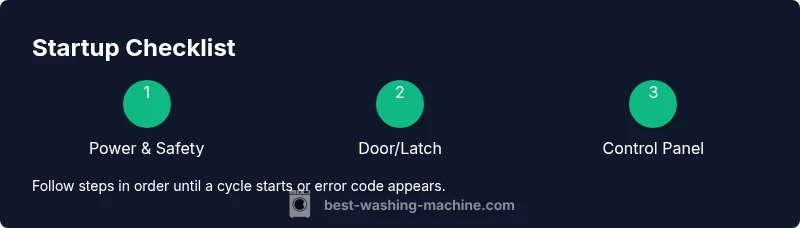
By the end of this guide you’ll know exactly how to get a washing machine to start—from power checks to door latch tests and reset procedures. You’ll perform quick, safe checks in minutes, with model-aware tips for both top-load and front-load machines. If issues persist, you’ll recognize when to call a professional.
Understanding why a washer won't start
When your washing machine won't start, the cause is rarely mysterious. Most failures trace back to a simple safety or control issue rather than a blown motor. According to Best Washing Machine, taking a structured approach to startup problems yields quick wins and helps protect the appliance. In this section we’ll map out the common culprits and how to test for each without risking damage to the machine or your home’s electrical system. A clear plan reduces frustration and speeds up a repair that saves water, energy, and time.
Key factors include power availability, door/lid safety switches, control panel glitches, and load-related safety checks. Even small issues, like a tripped circuit or a loose plug, can prevent the drum from starting. By learning to verify each area, you can isolate the root cause in minutes and decide whether to proceed with a DIY fix or call a technician.
Quick safety checks before you start
Before you poke around the machine, set safety first. Ensure the washer is unplugged or the circuit is switched off when you inspect electrical components. Check the outlet with a tester to make sure it’s live, and confirm the corresponding circuit breaker hasn’t tripped. If you’re dealing with a GFCI-protected outlet, test that as well. Inspect the power cord for cracks or burn marks. Keep pets and kids away from the work area, and never place metal tools near live components. These steps protect you and prevent accidental damage to the washer.
Check the door latch or lid switch
The door latch or lid switch is a common startup gatekeeper. If the switch is loose, damaged, or misaligned, the washer may sense the door as open and refuse to start. Inspect the latch for wear, ensure the strike engages firmly when the door is closed, and test by gently pressing the switch as you try to start a cycle. If you hear a click but nothing happens, the switch or wiring could be faulty and require replacement. Always unplug before inspecting electrical components and check for visible signs of damage.
Inspect the control panel and selector timer
A stuck button, a cracked control panel, or a failed timer can prevent the washer from moving past the initial startup steps. Look for unresponsive keys, error indicators, or blinking lights that don’t align with the selected cycle. If you suspect a glitch, perform a soft reset by unplugging for 60 seconds or turning off the breaker, then plug back in. If the model supports a diagnostic mode, running it can reveal error codes that guide replacement or repair decisions.
Assess the drum load and balance
Overloading a washer or an unbalanced load can stop a startup sequence as a safety precaution. Remove excess items, redistribute the contents evenly, and ensure the drum can rotate freely by giving it a gentle manual turn. If the drum binds or feels unusually stiff, there may be an issue with the drum bearing, pulley, or drive belt. Do not force the drum; seek professional guidance if you detect grinding noises or abnormal resistance.
Reset procedures and power cycling
Many startup problems resolve with a simple reset. After verifying power and latch health, unplug the unit (or switch the circuit off) for at least one minute. Reconnect, select a light load or empty cycle, and attempt to start. If your model has a dedicated reset sequence, follow the manufacturer’s steps exactly. Keep a log of any error codes shown during startup to reference if you need to contact support.
Front-load vs top-load startup quirks
Front-load washers can be more sensitive to door latch alignment and drum rotation due to their high-speed spins, while top-load models may rely more on lid switches and cycle selectors. Understanding these differences helps you tailor your checks: front-load checks often start with door latch integrity and gasket cleanliness, while top-load checks emphasize lid switch and exterior wiring. Both share the need for proper power and load balance.
Tools & Materials
- Voltage tester(to verify outlet power and test the door switch circuit)
- Flat-head screwdriver(for panel screws and terminal covers)
- Phillips-head screwdriver(for control panel screws and trim pieces)
- Flashlight(to view inside panels and behind the cabinet)
- Multimeter (optional)(check continuity or resistance if you’re comfortable)
- Owner’s manual or model diagram (optional)(locate the door latch, wiring harness, and service info)
- Safety gloves (optional)(protect hands while probing electrical components)
Steps
Estimated time: 25-40 minutes
- 1
Power down and unplug
Disconnect the washer from the power source to prevent electrical shock while inspecting components. If unplugging isn’t possible, turn off the circuit breaker and wait a moment to reduce residual charge. This step minimizes risk as you test controls and access internal parts.
Tip: Always confirm no voltage with your tester before touching exposed connectors. - 2
Test outlet and circuit
Plug a small lamp into the same outlet or use a tester to confirm it’s live. If the outlet is dead, reset the circuit breaker and re-test. A dead outlet is a common but easily fixed cause of a non-start.
Tip: If you must reset a breaker, wait 30 seconds before restoring power and retry. - 3
Inspect the door latch
With the unit unplugged, examine the latch for wear, misalignment, or damaged springs. Press the latch and observe whether it engages when the door closes. A faulty latch commonly prevents startup and may require replacement.
Tip: Compare to the diagram in the manual to ensure correct latch height and alignment. - 4
Reset the control panel
If the panel is unresponsive, perform a soft reset by unplugging for 60 seconds and wiring back in. For models with a reset sequence, follow the manual precisely. After reset, attempt a short cycle to verify responsiveness.
Tip: Note any error codes shown after reset; they guide the next steps. - 5
Check the drum load
Remove items and redistribute so the drum rotates freely. If the drum feels stiff or binds, avoid forcing movement. Imbalanced or jammed loads can trigger safety interlocks that halt startup.
Tip: Rotate the drum by hand to confirm smooth movement before reloading. - 6
Test start and cycle selector
Reconnect power and choose a light cycle. Firmly press Start and observe any motor hum, beeps, or LED signals. If there is no response, the control board or wiring could be faulty and require service.
Tip: Document the exact cycle and any indicators to help diagnostics later. - 7
Run a diagnostic or short cycle
If your model supports diagnostic tests, run them as directed in the manual. Otherwise, start an empty wash to see if the machine advances beyond initial checks. Note any error codes and respond accordingly.
Tip: Keep the manual handy for code meanings and recommended actions.
FAQ
What is the most common reason a washing machine won't start?
Power issues, a tripped breaker, a loose or unplugged cord, or a faulty door latch are the most frequent culprits. Start with these checks before pursuing more complex repairs.
The most common start issues are power or safety-related problems like a faulty door latch or an unplugged cord.
How do I test the door latch safely?
With the unit unplugged, inspect the latch mechanism for wear and test by gently pressing the latch as you attempt to start a cycle. If there’s no click or proper engagement, replace the latch or check wiring.
Unplug the machine, inspect the latch for wear, and test its engagement when closing the door.
Should I reset the washer by unplugging it?
Yes. Unplug the washer for at least 60 seconds (or switch off the breaker), then plug back in and try a cycle again. This clears minor glitches.
A simple unplug-and-plug reset often clears glitches and restores startup function.
What error codes indicate a startup problem?
Check your model’s manual for specific codes. Common issues relate to door safety, water inlet, or control board faults, which guide your next steps.
Error codes point to the likely fault area; consult the manual for exact meanings.
When should I call a technician?
If you suspect a motor, drive belt, or PCB fault, or if power issues persist after checks, a professional assessment is warranted.
Call a pro if the issue involves the motor, belt, or control board after basic checks.
Watch Video
The Essentials
- Verify power supply before troubleshooting.
- Check door latch first for most startup failures.
- Reset the control board if needed.
- Redistribute the load to fix balance-related starts.
- Consult a technician for motor or PCB faults.