Why Is My Washing Machine Not Starting? Quick Troubleshoot Guide
Urgent, actionable troubleshooting steps to diagnose why your washing machine won't start. Learn power checks, door latch tests, panel resets, and when to call a pro.


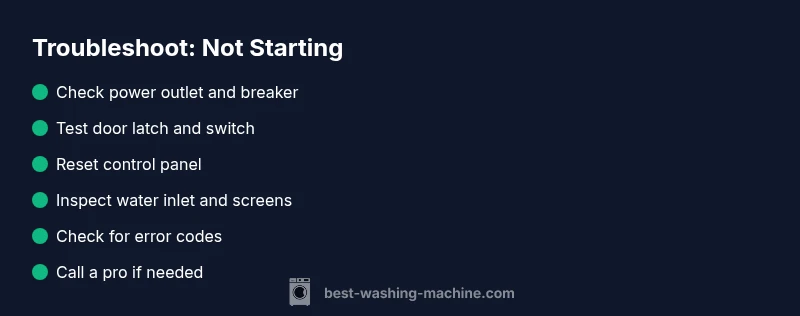
Most washers fail to start due to a simple power or safety lock issue. First, verify the outlet is live and the circuit breaker is not tripped. Then confirm the door is fully closed and the door lock engages. If it still won't start, unplug the machine for 60 seconds to reset the control panel, then plug back in and press Start again.
Common Causes at a Glance
When a washing machine won't start, the root causes are usually simple and safe to address. Start by confirming basic power and safety checks, then move to more specific components. Common culprits include power supply issues, a faulty door latch, and a non-responsive control panel. Understanding these priorities helps you move from quick fixes to more involved diagnostics without unnecessary frustration. According to Best Washing Machine, most non-starts stem from power or safety-lock problems, so begin with the easy checks and escalate only if needed. This approach saves time and protects you from risky, unnecessary interventions.
- Power supply issues: tripped breaker, dead outlet, faulty cord
- Safety lock: door latch not engaging, child lock active
- Control panel: unresponsive buttons or failed display
- Minor wiring faults: loose connections or damaged harnesses
- Water valve or drain lockouts: some models won’t start until safety conditions are met
By focusing on these areas first, you can often restore operation quickly and safely.
Electrical and Power Issues
Power reliability is the most frequent reason a washer won’t start. Begin with the simplest checks before disassembling any components. Plug another device into the same outlet to confirm it’s live. If the outlet is good but the machine won’t power up, test the circuit breaker in your home’s panel. A tripped breaker or a blown fuse is a common, fixable reason for non-start. Inspect the washing machine’s power cord for visible damage or bent prongs; avoid using a damaged cord. If you’re using an extension cord or power strip, disconnect it and plug directly into a wall outlet—many models won’t start or show errors when fed through intermediate power sources.
If the outlet and breaker are fine, try a controlled reset by unplugging the unit for 60 seconds, then plugging back in. This resets the control board and can clear minor glitches that prevent startup. After reconnecting, select a basic cycle and press Start. If the machine still doesn’t respond, the issue may lie with the control board or a safety switch that requires professional assessment.
Door Lock and Start Switch
A frequently overlooked reason for a non-start is a faulty door lock or start switch. Front-load and many top-load models require a secure door latch to engage before the cycle will begin. If the door appears closed, but the lock indicator light isn’t steady or the door switch can’t verify closure, the machine won’t start as a safety precaution. Inspect the door seal for obstructions and ensure nothing is preventing the latch from engaging fully. On some models, you can hear a click or see an LED when the latch is activated; if you don’t, the latch or wiring to the switch may be defective.
If you suspect the latch is the culprit, test the door switch with a multimeter if you have one, or temporarily bypass with expert guidance only. Do not attempt to bypass safety features unless you are fully trained. A faulty door lock is a common but fixable problem; replacing the latch often resolves the startup fault quickly and safely.
Control Panel and Settings
A non-responsive control panel can mimic a startup failure. Check that the display is lit; if nothing appears, the unit may have a power or motherboard issue. Verify that you haven’t engaged a child lock or a delay-start feature by reviewing the user manual for your model. Some models lock the keypad after long idle periods or when a specific sequence is pressed; releasing the lock or exiting the delay can restore startup. If you’ve recently installed a new detergent or added fabric softener, ensure the dispenser isn’t causing a jam that prevents a cycle from initiating.
Soft reset strategies can also help: unplug the unit for 60 seconds, reinsert the plug, and perform a basic Start. If the panel remains unresponsive, the control PCB or wiring harness could be failing, requiring professional service.
Water Supply and Drain Readiness
Some machines won’t start if the water inlet valves are stuck or if the tub can’t fill. While the actual start button doesn’t require water, certain cycles won’t advance if the machine detects a failure in the water supply system. Check that the hot and cold water hoses are connected properly and that screens inside the inlet valves aren’t clogged. If water won’t fill, you may see a code or hear a humming sound followed by a beep rather than a full start. Ensure the water taps are open and that hoses aren’t kinked or blocked. For models with fabric softener compartments or sensors, ensure they’re not triggering a fault that halts startup.
If you suspect a valve or sensor fault, running a test cycle with no clothes and observing whether the drum fills and tumbles can help pinpoint the issue. Remember: never force the door while hoses or valves are connected; turn off power and disconnect water supply if you need to service those components.
Error Codes and Diagnostics
Many modern washers display error codes that guide troubleshooting. If your unit remains silent, look for a blinking light pattern, an error code on the display, or a beeping sequence. Consult the user manual or manufacturer’s site to interpret codes. Common codes relate to door latch faults, water inlet problems, or sensor malfunctions in the control board. Record any codes exactly as shown, which helps when cross-checking with support resources or when you call a technician. If no code is displayed, a general non-start issue may still be present in the control board or the power supply circuit.
Perform the recommended resets after noting codes, and test again. If codes persist after reset, professional diagnosis is warranted to avoid misdiagnosis or further damage.
When to Call a Pro and Safety Precautions
If basic checks don’t restore startup, it’s time to escalate. Electrical components, door locks, and control boards can involve shock hazards or cause further damage if mishandled. Do not disassemble high-voltage parts or bypass safety features. Always unplug the machine before inspecting internal components unless you’re trained and following the manufacturer’s disassembly instructions. Before calling a service professional, gather the model number, serial number, and a list of codes or symptoms to speed diagnosis. A certified technician can diagnose electrical or control-board faults with specialized tools and safely replace worn parts.
To minimize risk, schedule service during first business hours, ensure the area around the washer is dry and accessible, and keep children away from the work area. Having a rough cost estimate in mind will help you decide whether to repair or replace, particularly on older or heavily used machines.
Preventive Maintenance to Avoid Future Start Failures
Prevention is better than repair. Regularly inspecting power cords for wear, avoiding extension cords, and using a dedicated circuit can prevent many startup issues. Clean the inlet screens annually, check hoses for bulges, and ensure the door latch is free of debris. Keep the control panel free of moisture and use manufacturer-approved detergents to avoid buildup that can interfere with sensors. Schedule a quarterly quick-diagnosis: confirm power, door latch, and control responsiveness without loading a cycle. Keeping a simple maintenance log helps you catch patterns early and plan proactive service before a minor fault becomes a costly repair.
Steps
Estimated time: 30-60 minutes
- 1
Check power supply
Inspect the outlet with a known-good device. If the outlet is dead, reset or replace the breaker or fuse. Ensure the cord is plugged in firmly and undamaged.
Tip: If you live in a multi-outlet setup, use a dedicated wall outlet for the washer. - 2
Test the door latch
Close the door fully and listen for a clear latch engage. If the indicator light doesn’t stabilize when closed, the latch or wiring may be faulty.
Tip: Do not force the door—bad latch can damage hinges or the door itself. - 3
Reset the control panel
Unplug the washer for 60 seconds, then plug back in and attempt Start on a basic cycle.
Tip: Some models require a longer reset if the display remains blank. - 4
Check for safety features
Verify no child lock or delay-start setting is active by reviewing the control panel and manual.
Tip: Reset safety features after any testing. - 5
Inspect water inlet if needed
Make sure both hot and cold taps are open and hoses aren’t kinked; check inlet screens for debris.
Tip: Do not bypass the valve: if water isn’t entering, the machine may not start a cycle. - 6
Read error codes and re-test
If a code appears, consult the manual or manufacturer site to interpret; follow the recommended reset steps after noting codes.
Tip: Document codes for service if needed. - 7
Consider control-board check
If steps 1–6 fail, the control board or wiring harness may be faulty and require a professional diagnosis.
Tip: Avoid opening the control area if you’re not trained. - 8
Preventive maintenance
Create a quick maintenance habit: monthly inlet checks, cord inspection, and a yearly professional tune-up for older models.
Tip: Keep a simple log of issues to catch recurring patterns.
Diagnosis: Washing machine won't start
Possible Causes
- highPower issue (outlet, breaker, damaged cord)
- highDoor latch not engaging or faulty door switch
- mediumUnresponsive control panel or faulty motherboard
- lowChild lock or delay-start activated
- lowWater inlet or valve fault preventing cycle start
Fixes
- easyVerify power at outlet; reset breaker; inspect cord for damage
- mediumTest door latch and switch; reseat or replace if needed
- easyUnplug for 60 seconds to reset control board; attempt basic start again
- easyDisable child lock or delay-start feature per manual
- mediumCheck water inlet valves and screens; ensure water supply is open and unobstructed
FAQ
What is the most common reason a washing machine won't start?
The most common causes are a power issue or a faulty door latch. Start by confirming power at the outlet and that the door latch engages properly.
Usually it's power or the door latch. Check the outlet first, then the door lock.
Should I unplug and reset the machine if it won't start?
Yes. Unplug the washer for about a minute to reset the control board, then plug back in and try a basic start.
Unplug it for a minute to reset, then try starting again.
Can a faulty control board stop startup even if power and door are fine?
Yes. A failing control board or wiring harness can prevent startup and may require professional diagnosis and replacement.
A bad control board can stop startup even when power and door are okay.
When should I call a professional?
If basic checks don’t resolve the issue, or if you see error codes related to the control board, door latch, or valve, contact a qualified technician.
Call a pro if simple checks don’t fix it or there are error codes.
Are safety precautions important when troubleshooting?
Absolutely. Always unplug before inspecting any components and avoid bypassing safety features to prevent injury.
Yes—unplug before touching components and never bypass safety devices.
Can a clogged inlet screen stop the washer from starting?
A clogged inlet screen can prevent water entry and trigger fault indicators, potentially halting startup on some models. Clean screens if accessible.
A clogged inlet screen can sometimes stop startup; check and clean if you can access it safely.
Watch Video
The Essentials
- Start with power and door latch checks
- Reset the control panel before deeper diagnostics
- Read and interpret any error codes carefully
- Call a pro when safety or electronics are involved