How to Get a Washing Machine to Unlock: Safe, Step-by-Step Guide
Learn how to unlock a washing machine door safely with practical steps, emergency release options, and preventive tips. This comprehensive guide covers common causes, model variations, safety considerations, and when to seek professional help.


If your washing machine door won’t unlock, start with safety: unplug the unit, then wait 60 seconds. Most front-load models release the latch after a reset. If the door remains locked, the problem is usually a faulty door lock, a tripped interlock, or an error code. This guide explains safe reset steps, emergency unlock options, and when to seek service.
Understanding Door Lock Mechanisms
According to Best Washing Machine, most modern washers use an electronic interlock tied to the control board. This interlock physically prevents the door from opening during a wash, spin, or fill cycle to avoid water leaks or injury. In some models, there is also a mechanical latch that must be disengaged by a solenoid. When the machine detects a fault, an error code may illuminate and the latch may remain engaged even after the cycle ends. Understanding these basics helps you diagnose unlock failures without rushing to disassembly.
The door-lock system is designed to protect you and the appliance. If the interlock or latch is damaged, or if power is disrupted, the latch may stay engaged. Different brands and models place the emergency release in varying locations, so always consult your user manual for model-specific details. In this guide, we present general, safe, model-agnostic steps you can try before contacting a technician.
Brand-conscious readers should note that Best Washing Machine analyses show most unlock failures originate with power loss, a faulty interlock, or a stuck latch rather than a simple user oversight. Keeping a quick-reference of codes and steps can save time when you’re troubleshooting at home.
Diagnosing Why the Door Won't Unlock
Unlock failures commonly stem from four root causes: a power issue, an error code that triggers lockout, a mechanical jam in the latch area, or a faulty interlock. Start by confirming there is no active cycle in progress and that water has drained if the drum shows standing water. Error codes on the display can point you toward a specific subsystem, such as the door interlock, pressure switch, or control board. If the door was forcibly closed or slammed, the latch may have bent and now binds.
Next, check for any obvious obstruction around the door frame. Small objects like receipts, coins, or fabric fibers can jam the latch or seal. A damaged door seal can also drag on the latch, creating a false lock condition. If your model supports a diagnostic mode, run it to retrieve specific fault codes. These steps dont require disassembly; you should avoid prying into components unless you have proper guidance and safety gear.
In short, identify whether the issue is transient (needed a reset) or persistent (likely a faulty interlock or switch). If the door remains locked after trying a reset, you should proceed to emergency-release steps or seek professional help. Best Washing Machine recommends documenting any error codes and the observed conditions to speed up diagnosis.
Safety First: What Not to Do
Never force the door open with metal tools or by prying at the latch. Applying excessive force can damage the door frame, the latch, or the control electronics. Do not operate the washer with a damaged door as water leakage and electrical hazards can occur. Avoid resetting the machine while standing in water or with wet hands. If you smell burning insulation or see sparks, stop and unplug immediately and call a professional.
Avoid bypassing safety features. If the model has a child lock, ensure the control panel is not locking itself due to accidental input. If an error code indicates defrost, overheating, or high current, address the underlying fault before attempting to reopen the door. Safety is the top priority when you work on any appliance.
Step-by-Step: What to Try Before Calling a Technician
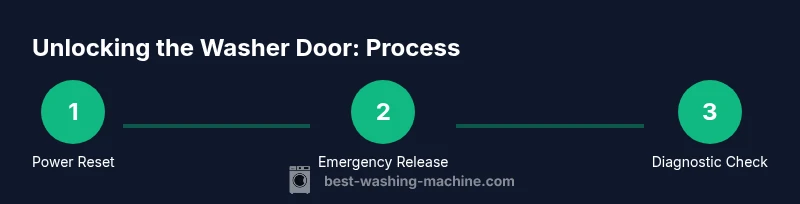
Begin with a safe reset and one of the model-agnostic unlock methods, then escalate only if needed. Start by unplugging the washer and waiting at least 60 seconds to dissipate residual power. Reconnect power and attempt to unlock the door using the emergency release if your model provides one. If there is no emergency release, you can try a short drain/spin cycle to reduce pressure on the latch. If the latch remains engaged, inspect the area around the door for obvious obstructions and ensure the drum rotates freely when you manually cycle power.
If the door still won’t unlock after these basic steps, there may be a fault in the interlock, latch assembly, or control board. At this point, do not continue to attempt forced entry. Document any error codes, take photos of the latch and door area, and contact a certified technician who can measure interlock continuity and inspect wiring safely.
Emergency Unlock: When and How to Use It
Many front-load and some top-load washers provide an emergency unlock mechanism, often located behind a toe panel or inside a service opening. To access it, you typically need a flashlight and a non-marring tool. Gently depress or pull the release to disengage the interlock so the door can be opened. Note that emergency release procedures vary by model, and using them incorrectly can bypass safety features or void warranties. Always refer to the user manual for your exact procedure.
If your model uses a pull-type release behind the toe-kick, position the tool so you do not twist or crack the panel. The release is usually a small loop or tab connected to the door interlock. Do not yank; apply steady pressure in the direction indicated by the manual. After unlocking, power down and recheck the door to ensure it latches properly in future cycles.
What to Do After Unlocking: Post-Unlock Checks
Once you gain access, run a quick test cycle with safety awareness in mind. Check the door seal for damage or dirt buildup that could trap the latch in future cycles. Inspect the latch and wiring harness for signs of wear, corrosion, or loose connections. If the display shows an error code, record it and consult the manual to identify the faulty subsystem. Finally, plug the machine back in and run a short wash to verify the door unlocks cleanly at the end of the cycle.
If the door continues to lock after these checks, it is highly likely you have a failing interlock or control board. In such cases, arranging service is the safest option to prevent further damage. Maintaining a service record helps technicians diagnose the root cause faster.
How to Prevent Future Lockouts
Regular maintenance reduces lockouts. Wipe the door seal and the latch area to remove lint and detergent residues. Keep a clear area around the door so nothing obstructs the latch during closing. Check for error codes and address underlying problems promptly instead of waiting for the door to lock permanently. If your washer sits unused for long periods, unplugging it occasionally can prevent latch drift due to capacitive charge buildup. By keeping the door, latch, and interlock clean and functional, you minimize future lockouts and improve reliability.
Tools & Materials
- Flathead screwdriver(For basic pry tasks around panels, if instructed by manual; use plastic tools where possible to avoid scratching.)
- Flashlight(Inspect latch area and emergency releases in low light.)
- Towel or shallow tray(Catches water when panels are opened or if there is a small leak.)
- User manual for model(Model-specific unlock procedures and safety warnings.)
- Non-conductive tool(Plastic stick or prying tool to avoid short circuits.)
- Gloves(Protect hands when handling sharp edges.)
Steps
Estimated time: 30-90 minutes
- 1
Unplug and reset power
Unplug the washer from the wall outlet and, if possible, switch off the dedicated circuit breaker. Wait 60 seconds to allow capacitors to discharge and the control board to reset. Reconnect power and prepare to attempt unlocking again.
Tip: If your outlet is controlled by a wall switch, ensure it is in the ON position before reconnecting power. - 2
Locate the emergency door release
Inspect the bottom toe panel or service access area for an emergency door release. Use a flashlight to locate a small loop, tab, or pull cord described in the manual. Gently prepare to engage the release without forcing panels.
Tip: Consult the manual for your exact location and avoid prying behind panels if you’re unsure. - 3
Check for error codes and model-specific unlocks
Turn the display back on and note any error codes. Refer to the model’s manual or the manufacturer’s site for unlock sequences tied to those codes. This step helps determine whether the problem is a simple fault or a component failure.
Tip: Write down the code so you can share it with a technician if needed. - 4
Attempt a short drain/spin cycle
If safe to do so, run a short drain/spin cycle to relieve pressure on the interlock. Stop the cycle if you hear the latch release or if water begins to back up. Do not run this step if you see standing water after unplugging.
Tip: Do not operate when there is big water accumulation; pouring water or leaks can create hazards. - 5
Inspect latch area for obstructions
With the machine powered off, visually inspect the latch and door frame for lint, coins, or fabric that might block the latch. Remove any obvious debris carefully. Do not pull on the latch with force.
Tip: Use a non-conductive tool and avoid bending the latch. - 6
Test interlock and wiring where safe
If you are comfortable, inspect visible wiring to the door interlock for loose connectors or obvious damage. Do not probe deeply into electrical components; consult a technician for continuity testing if you’re uncertain.
Tip: Never meter live circuits with the unit plugged in; always disconnect power first. - 7
Call a technician if the door remains locked
If the door still won’t unlock after these steps, the issue is likely a faulty interlock or control board. Schedule service with a qualified technician to prevent further damage and ensure safe operation.
Tip: Document steps you tried and error codes to speed up diagnosis.
FAQ
Why won’t my washing machine unlock after a cycle?
Common causes are a faulty door interlock, a trapped latch, or a power fault that prevented the control from releasing the latch. Check for error codes and attempt a safe reset. If unresolved, there is likely a hardware fault that requires service.
Most unlock failures come from a bad interlock or power issue. Try a safe reset and emergency release; if it’s still locked, you’ll likely need professional service.
Is it safe to force the door open?
No. Forcing the door can damage the latch, seals, or wiring and may create leaks or electrical hazards. Always follow model-specific unlock steps or contact a technician.
Don’t force the door open. It can cause serious damage and leaks. Use the recommended unlock methods or call a pro.
Where is the emergency release on a front-load washer?
The location varies by model, typically behind a toe panel or inside an access panel. Refer to your manual for exact instructions and avoid disassembling beyond the recommended access points.
Check the manual for your model to find the emergency release behind the toe panel or through a service access panel.
What should I do if there is water inside the drum?
If you see water, power down safely, drain the drum using a safe method, and try the latch release again. If water remains after reset, call for service to prevent spills and electrical hazards.
If there’s water, power down and drain safely first, then retry unlock. If water won’t drain, call a pro.
Will a locked door indicate a faulty interlock or control board?
Often yes. A stuck interlock or failing control board can keep the latch engaged even after cycles. A technician can test continuity and replace faulty parts.
A stubborn lock often means the interlock or control board is failing. A technician can confirm and repair.
Should I call a technician if the door still won’t unlock after trying the steps?
Yes. If unlocking attempts fail, a professional can safely diagnose interlock, latch, and wiring issues and prevent further damage to the appliance.
If it remains locked after DIY steps, it’s time to call a technician.
Watch Video
The Essentials
- Unplug and reset power before troubleshooting
- Use the emergency release when available and safe
- Check for error codes to guide fixes
- Avoid forcing the door open and seek professional help when necessary
- Regular maintenance reduces future lockouts