Washing Machine Not Working: Urgent Troubleshooting Guide
If your washing machine won't start, spin, or drain, this urgent troubleshooting guide covers quick checks, diagnostic flow, and safe fixes to get your laundry day back on track.


Most washing machine not working issues start with simple, solvable causes. Check power at the outlet, test the door/lid lock, and verify water supply and hoses are secure. If basics don’t restore function, follow the diagnostic flow to identify the fault and safe fixes. According to Best Washing Machine, quick checks solve most starts.
Common Causes of a Washing Machine Not Working
A washing machine not working is rarely a mystery. In most homes, the root causes fit into a few predictable categories: power issues, door or lid interlocks, water supply problems, and control or mechanical faults. If the unit is completely dead, start with the simplest checks: is it plugged in, is the outlet live, and is the circuit breaker ON? The majority of not-working cases, according to Best Washing Machine analysis, are resolved by fixing a tripped breaker or replacing a blown fuse. If the display is lit but nothing happens, the issue is more likely a door interlock or control fault. For spinning or draining problems, inspect the drain pump, filter, and hoses. Finally, consider the appliance's age; older machines are more prone to intermittent faults that mimic multiple issues.
Safety First: Quick Checks You Can Do Right Now
Before you poke around, unplug the machine from the wall and turn off any nearby water valves to minimize risk. Check the power outlet with a known-good device to confirm it is live; do not rely on a wall switch alone. Inspect the power cord for visible damage. Next, verify the water supply: hoses should be firmly connected, kink-free, and the water taps fully open. Listen for unusual sounds on startup, which can indicate a blocked pump or mis-seated drive belt. If your model shows an error code on the display, refer to the user manual to translate the code into a potential fault. These quick checks reduce the risk of shock and help you gather clues for the diagnostic flow. Best Washing Machine notes that many issues are resolved when safety steps are followed.
Diagnostic Flow: Symptom to Solution
Symptoms guide diagnosis. Start with the simplest, highest-probability causes and move toward more complex problems:
- Symptom: Machine won’t start. Check power, outlet, circuit breaker, and door lock. If the display is blank, the issue is usually electrical. If the door indicator shows locked, fix or replace the door latch.
- Symptom: Machine fills but won’t agitate or spin. Check for water supply, clogged inlet screens, or an obstructed impeller. If the drum is turning but not agitating, the drive belt or motor coupling may be worn.
- Symptom: Machine won’t drain or spins slowly. Inspect the drain hose and pump filter for clogs; clear any debris. Loud noises during operation can indicate a worn bearing or drum pulley. Each fix should be tested with a short cycle after repairs.
When to Call a Professional and What to Expect
If basic checks don’t restore function, or you encounter electrical components or noisy bearings, it’s time to call a licensed technician. A professional will diagnose with specialized tools, verify interlocks, and replace worn parts safely. Expect a diagnostic visit to include error code review, test cycles, and component testing. Prevent surprises by asking for a parts and labor estimate before work begins.
Maintenance Tips to Prevent Future Breakdowns
To reduce the odds of 'washing machine not working' scenarios, perform simple maintenance every few months: clean the filter and pump, inspect hoses for wear, and run a short empty cycle with no detergent to test operation. Keep the drum balanced and avoid overloading. Use the correct detergent and keep the door seals dry to prevent mold.
Steps
Estimated time: 30-60 minutes
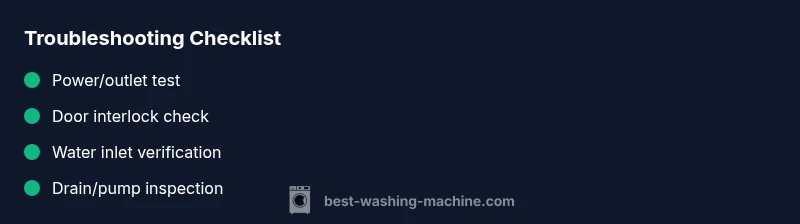
- 1
Check power source
Unplug the washer, plug into a known-good outlet, and reset the circuit breaker if needed. Listen for a fresh 60-second reset before trying a test cycle.
Tip: Use a non-contact tester to confirm outlet voltage without touching live prongs. - 2
Test the door/lid interlock
Close the door firmly and listen for the latch click. If the indicator stays unlatched, the switch or latch may be faulty and require replacement.
Tip: Do not force the door; a damaged interlock can cause further electrical issues. - 3
Verify water inlet and hoses
Ensure taps are fully open and hoses are free of kinks. Remove and clean any inlet screens if water flow is weak.
Tip: Keep inlet screens free of debris to prevent false fault codes. - 4
Inspect drain system
Locate the drain pump filter and remove any debris. Check the drain hose for kinks and ensure it leads to a proper drain.
Tip: Have a bucket ready for residual water when removing the filter. - 5
Reset and run a test cycle
Power-cycle the machine for 60 seconds, reconnect, and run a short cycle with no load to observe behavior.
Tip: Note any error codes; they guide the next steps or professional service. - 6
Address error codes and next steps
If codes appear, reference the manual, clear codes if possible, and decide whether parts replacement or professional service is needed.
Tip: Do not ignore persistent codes; they indicate active faults.
Diagnosis: Machine won't start or respond to controls
Possible Causes
- highPower issue (outlet, circuit breaker, power strip)
- mediumDoor/lid switch or lock failure
- lowControl board fault or software glitch
Fixes
- easyTest outlet with a known-good device; reset circuit breaker; unplug and replug the washer
- easyCheck door lid switch and interlock for obstruction or damage; replace if faulty
- mediumPower-cycle the control board or consult manual for reset procedures; address any error codes
FAQ
Why won't my washing machine start even when plugged in?
The issue often relates to power, a faulty door switch, or a control board. Test the outlet, reset the breaker, and inspect the door latch before considering a board replacement.
Check the outlet and door lock, then reset the breaker and test again.
Why is my washer not draining or spinning?
Check for clogs in the drain pump, filter, and hoses. Ensure the lid is closed and the drum isn’t overloaded. Clear obstructions and run a short test cycle.
Inspect the drain and lid, clear any clogs, then test run.
What do error codes mean and how should I respond?
Error codes signal specific faults. Note the code, consult the manual, and perform the recommended reset or service steps. If codes persist, contact a technician.
Note the code and follow the manual's steps; call a pro if it remains.
Can I fix electrical faults myself?
Only perform non-electrical checks. For wiring or internal components, hire a licensed technician to avoid risk of shock or fire.
For anything electrical, it's safer to call a pro.
How long should a typical repair take?
Repair duration varies with fault complexity. Minor fixes can be completed quickly, while major component replacements may take longer and require scheduling.
It depends on the fault; some repairs take longer than others.
When is replacement more economical than repair?
If repairs become frequent or the cost approaches a significant portion of a new unit, replacement may be the more economical option.
If repairs pile up, it may be time to replace.
Watch Video
The Essentials
- Start with power, door, and water supply checks
- Follow the diagnostic flow for stubborn issues
- Unplug before internal inspection
- Call a pro for electrical or motor faults
- Regular maintenance reduces future failures