Washing Machine Repair LG: A Practical DIY Guide
Learn how to diagnose and safely repair LG washing machines with practical steps, when to DIY vs. hire a pro, and tips to prevent future breakdowns.


You will learn how to diagnose common LG washer problems, decide between DIY fixes and pro service, and perform safe basic repairs. This guide covers not spinning, not draining, leaks, error codes, and noisy operation, with a clear plan for when to replace parts and how to test outcomes. Safety and correct tool use are emphasized throughout.
Why washing machine repair lg reliability matters\n\nWhen you own a LG washing machine, understanding common failure patterns helps you decide when a repair is worth it and when replacement is more cost-effective. The phrase washing machine repair lg captures a niche focus that many homeowners search for when their unit acts up. The goal is practical, non-technical guidance that reduces downtime and extends life. By recognizing typical symptoms early, you can plan a safe, cost-conscious course of action and avoid wasting money on unnecessary parts. This approach aligns with Best Washing Machine's commitment to clear, actionable repair advice for homeowners, renters, and operators. The data we reference comes from broad maintenance experience and industry observations rather than any single model claim, so you can apply these steps to most LG front-load and top-load machines. Remember that diagnostics improve with careful observation and note-taking, especially when error codes appear. Small issues like a clogged filter or a kinked hose are far easier to fix than worn bearings or a failed motor.
Diagnosing common LG washer problems can start with simple observations\n\nCommon LG washer symptoms include not spinning, not draining, excessive noise, slow fill or drain, and leaks. Start by noting when the issue occurs (during wash, rinse, or spin), what the display shows, and whether water remains in the tub after a cycle. Many problems stem from blocked filters, clogged pumps, or misaligned hoses. Error codes displayed on the control panel provide valuable clues; cross-reference codes with LG’s official guide to avoid guessing. For homeowners, the critical steps are to verify power, test door locks, and inspect the inlet valve and drain pump area. While some LG repairs are straightforward, others require professional service, especially if high voltage safety is involved or parts near the drum need removal. This balanced approach keeps you in control while avoiding risky situations. The goal is to empower you with a practical framework you can reuse across different LG models and families of washers.
Electrical and mechanical symptoms you might encounter\n\nElectrical symptoms include intermittent power, panel freezes, or error code flashes that disappear after a reset. Mechanical signs include rumbling during spin, drum not turning, water leaks, or clothes that stay drenched after cycles. In LG washers, a faulty drive belt, worn idler pulley, or a failed drain pump can mimic more complex problems. Before dismantling, confirm the issue with simple tests: listen for pumps running, check for belt movement with the machine unplugged, and verify water supply hoses are fully open. Keeping a notebook of symptoms helps you track progress, differences between cycles, and whether fixes are temporary or lasting. This approach aligns with Best Washing Machine’s emphasis on structured troubleshooting and practical decision-making for homeowners facing LG repair scenarios.
A systematic approach to not draining issues in LG washers\n\nNot draining is one of the most common complaints and can result from a clogged pump, filter, or hose, as well as a malfunctioning lid switch in select LG models. Begin by unplugging the unit, then locate and remove the bottom front panel to access the pump filter. Clean any debris, flush the pump with water, and check the drain hose for kinks. If the error persists, inspect the lid switch with a multimeter if you have one, or substitute a known-good switch to confirm if the control module is at fault. Remember to dry the area completely before test running. If the machine drains but still won’t complete cycles, there might be a pressure switch fault or a control board issue that requires professional evaluation. This method reduces guesswork and focuses on verifiable causes.
Safety practices every DIY LG washer repair needs\n\nSafety is non-negotiable when repairing any appliance, especially washing machines connected to 120V power. Always unplug the unit before opening access panels. If you must work inside the drum area, wear insulated gloves and avoid contact with exposed metal edges. Keep the work area dry, use a grounded outlet, and never bypass safety interlocks such as door locks. When dealing with hot water, slowly release pressure to prevent scalding. If you smell burning, hear buzzing, or notice scorch marks, stop immediately and seek professional help. Using the right tools and following an organized procedure minimizes risk and helps you avoid damage to sensitive electronic components.
When to seek professional LG repair services\n\nA professional repair is strongly recommended when the issue involves the control board, motor, belt assembly, or high-voltage components. Complex faults or intermittent errors can be hard to pin down with limited tools, and incorrect repairs may void warranties or cause further damage. If your LG washer is still under warranty, check coverage before attempting service, and preserve receipts for parts and labor. If you’re unsure about your safety or the problem seems to be beyond basic troubleshooting, scheduling a service visit is the most cost-effective option in the long run. A pro can diagnose faults with specialized equipment and source genuine LG parts quickly, reducing downtime and protecting your investment.
How to source genuine LG parts without overpaying\n\nAuthentic LG parts ensure compatibility and performance, but prices vary. Start with the official LG Parts & Accessories site or authorized dealers to verify part numbers using your model number. Compare prices and check return policies before purchasing. When replacing a part, opt for OEM or factory-certified equivalents to maximize reliability and warranty compatibility. Keep a log of part numbers and purchase dates to simplify future repairs and potential recalls. This approach helps you maintain the longevity of your LG washer while avoiding aftermarket parts that might not fit or function as intended.
Maintenance habits to extend LG washer life\n\nPreventive maintenance is cheaper than emergency repairs. Run a monthly cleaning cycle with a manufacturer-recommended cleaner or a vinegar solution to reduce mineral buildup. Keep the door seal free of debris and check hoses for wear every few months. Level the machine to prevent excessive vibration during high-speed spins, and avoid overloading the drum. Periodically inspect the pump filter and drain hose, especially if you have hard water or access to the washer from a water damage-prone area. A small investment in routine care saves time, money, and frustration during busy laundry days.
Tools & Materials
- Multimeter (handheld)(AC/DC volts and continuity check; choose a rated model with a 600V rating or higher)
- Screwdriver set (Phillips and flathead)(Phillips for most panels; flathead for clamps and some covers)
- Needle-nose pliers(Useful for hose clamps and small connectors)
- Adjustable wrench(For water inlet fittings and drain connections)
- Nut driver or Torx set(Some LG models use Torx fasteners)
- Bucket and absorbent towels(Contain spills and keep area clean)
- Flashlight or headlamp(Improve visibility inside panels)
- Replacement LG parts (filters, pumps, seals)(Only after confirming the faulty component)
Steps
Estimated time: 2 hours
- 1
Power down and unplug
Unplug the washing machine from the wall outlet and wait 60 seconds to discharge residual energy. This reduces the risk of electric shock when accessing internal components.
Tip: If the outlet feels warm, stop and seek professional help before touching anything. - 2
Assess the exterior and drain area
Look for obvious leaks, loose hoses, and signs of wear along the water inlet and drain hose. Remove any lint or debris around the pump area with a dry cloth before probing deeper.
Tip: Take a photo of hose connections before disconnecting to aid reassembly. - 3
Check the pump and filter
Access the pump filter per your LG model’s manual. Remove the cover, clean out debris, and test the pump by gently turning the rotor by hand if safe to do so.
Tip: If the pump sounds jammed or doesn’t rotate freely, it’s a likely replacement candidate. - 4
Inspect the door latch and interlock
Close the door and test the lock with a multimeter or by observing if the indicator shows locked during a cycle. A faulty interlock can prevent spinning or draining.
Tip: A sticking latch can mimic an electronic fault—verify with a quick resistance check. - 5
Test water inlet valves
With the machine unplugged, inspect inlet hoses and screens for blockages. A faulty solenoid valve may fail to fill or overfill; test continuity with the multimeter if accessible.
Tip: Ensure the water supply is fully on when testing fill functions. - 6
Reset or recalibrate the control board
Some LG washers respond to a master reset: unplug, wait 30 seconds, plug back in, and rotate the dial through a few cycles to reinitialize sub-systems.
Tip: If codes persist after reset, document them exactly for support calls. - 7
Compare readings against a known-good model
If you have access to a similar LG washer, compare noise levels, vibrational characteristics, and cycle times to identify anomalies.
Tip: Document differences with a short video for service technicians. - 8
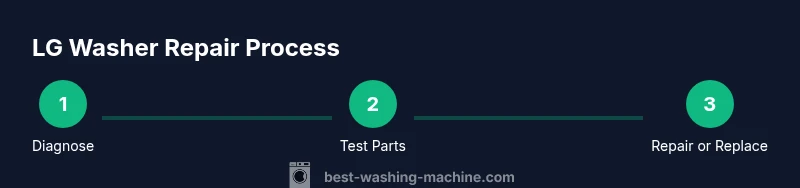
Decide on repair vs. replacement
Weigh part costs, labor, and remaining useful life. If the drum seal, bearing kit, or control module is failing, replacement may be more economical.
Tip: Keep a maintenance log for future planning.
FAQ
When should I repair my LG washer instead of replacing it?
If the repair cost is a fraction of a new unit and the drum and seals are in good condition, repairing makes sense. For major failures like bearings or control boards with high labor, replacing the machine may be more economical.
If the repair cost is reasonable and key parts are usable, repair. If the drum or control board are failing and costs are high, consider replacement.
How do I reset an LG washer to clear error codes?
Unplug the unit for 60 seconds, then plug it back in and run a test cycle. If codes persist, note them and consult LG support or a technician.
Unplug, wait a minute, plug back in, and run a test cycle. If codes stay, contact support.
What common parts should I check first for not draining?
Check the drain hose for kinks, clean the pump filter, and ensure the pump is operational. A clogged filter is a frequent cause of not draining.
Look at the drain hose, clean the pump filter, and test the pump. A clogged filter is common.
Can I diagnose LG repair issues myself if I’m not handy?
Yes, with careful attention to safety and model-specific guidance. Start with unplugging, basic hose checks, and cleaning filters before attempting electronic tests.
You can, but proceed slowly and follow the manual. Start with unplugged checks and simple cleaning.
Where can I find genuine LG parts and parts compatibility?
Use the official LG Parts site or authorized dealers, matching part numbers to your model. Keep receipts for warranty considerations.
Check LG’s official site or authorized dealers to ensure compatibility.
What maintenance reduces future LG washer breakdowns?
Regularly clean the drum, lint filters, and inlet screens; level the machine; avoid overloading. Schedule periodic checks of hoses and seals.
Do regular cleaning, keep it level, and avoid overloading to prevent future issues.
Watch Video
The Essentials
- Identify symptoms early to guide repair decisions
- Unplug before any inspection to ensure safety
- Clean filters and check hoses first for simple fixes
- Use OEM parts to preserve warranty and reliability
- Know when professional service is the most cost-effective choice