LG Washing Machine Fix: DIY Repair Guide for 2026
Practical, safety-first guide to diagnosing and fixing common LG washing machine issues. Learn not spinning, not draining, leaks, and error codes with clear steps, essential tools, and maintenance tips.


Use this guide to perform a safe, do-it-yourself lg washing machine fix for common failures. It covers not spinning, not draining, leaks, and error codes, with practical steps, required tools, and safety reminders. Follow the diagnostic framework, identify root causes, and decide whether to DIY or call a pro. This approach is designed for homeowners, renters, and small-shop technicians.
Understanding the LG washing machine landscape
According to Best Washing Machine, LG washing machines are known for efficiency and quiet operation, but like any appliance they benefit from regular maintenance and timely fixes. This section explores why failures occur and how a structured approach—combining safety, diagnostics, and proven repair steps—helps homeowners perform a reliable lg washing machine fix. By understanding model variations, you’ll focus on the symptoms that matter most: drum movement, water flow, and control panel feedback. Regular checks on hoses, seals, and filters reduce the risk of floods and costly repairs later. Remember, the goal is to restore safe operation with the least disruption to your laundry schedule while preserving the machine’s longevity.
Diagnostic mindset for the lg washing machine fix
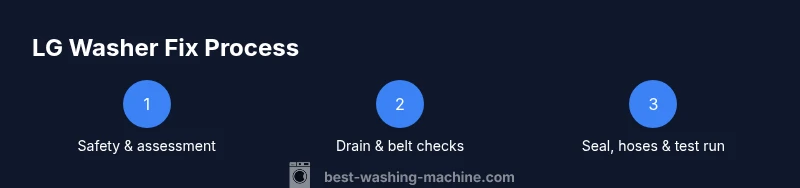
A methodical diagnostic mindset saves time and reduces risk. Start by unplugging the unit and, if possible, turning off the hot and cold water supply to prevent leaks during checks. Document any error codes or lights and note recent changes such as new detergent, added fabrics, or a moved machine. Use a simple decision tree: is the drum spinning, is there drainage, are there visible leaks, and are there unusual noises? This structure helps you decide whether a DIY fix is feasible or if you should contact a service technician.
Not spinning? common causes and fixes
Not spinning is among the most common LG washer issues. Potential causes include a worn drive belt (older models), a faulty lid switch on top-load machines, an imbalanced load, or a seized drum. Start with safe checks: verify the load is balanced, ensure the lid switch engages when closed, and inspect for any foreign objects jammed around the drum seal. If the belt looks worn or cracked, it should be replaced. For belt-free models, an internal clutch or motor issue could be at fault and may require professional service.
Not draining? identify and fix blockages
A washer that won’t drain usually points to a clogged pump or drain hose, a blocked lint filter (if present), or a kinked hose. Begin by unplugging the unit and locating the drain path behind the lower-front panel. Remove the filter (if your model has one) and clean out lint, coins, or fabric fibers. Inspect the drain hose for kinks or clogs by detaching and flushing with water. If the pump impeller is jammed, you may need to access the pump and clear debris or replace the pump unit.
Leaks and seals: where to look and how to fix
Leaks often originate from worn door seals, loose hose clamps, or faulty tub fasteners. Inspect the door boot or gasket for cracks and tears, and check all water inlet and drain hoses for signs of wear. Tighten clamps to factory torque (not overtight), and replace any damaged hoses. If you detect water pooling under the machine, check the bottom pan and tub-to-pump connections. Addressing leaks early prevents mold growth and water damage.
Reading error codes and reset strategies
LG washers use fault codes to signal issues. If your model shows codes, consult the user manual or the manufacturer's app to interpret them and guide fixes. A common safe reset is to unplug for a full minute and then plug back in to reset the controller. If codes persist after basic resets, record the code and proceed with targeted checks (drain, spin, door, water supply) or schedule service.
Maintenance and prevention tips for a longer life
Preventive care goes a long way. Regularly clean the drum and seal, run a hot wash with a cleaning agent, and keep the lint filter clear. Use the correct detergent type and amount to prevent residue buildup, which can affect sensors and performance. Level the machine to avoid excessive vibration, and service hoses and clamps every few years. A routine, 15-minute monthly check can reduce the likelihood of major failures.
DIY vs pro: making the right call for your lg washing machine fix
DIY fixes are often feasible for minor problems like hose kinks, filter blockages, and basic belt wear on older models. Complex issues—like sealed drum bearings, motor failures, or control board faults—usually require a professional. Best Washing Machine recommends weighing safety risks, cost, and downtime before deciding. If you’re unsure, start with simple diagnostics and consult a pro for parts replacement or advanced electronics work.
Tools & Materials
- Phillips head screwdriver(for screws in access panels and fixtures)
- Flathead screwdriver(for prying covers and hose clamps)
- Needle-nose pliers(grip hoses and small fasteners)
- Multimeter (digital)(optional for testing electrical connections)
- Bucket or shallow pan(catch water when hoses disconnect)
- Absorbent towels or rags(keep area dry and clean)
- Flashlight(inspect dark cavities and behind panels)
- Small containers or labeled bags(store screws by location)
Steps
Estimated time: 60-90 minutes
- 1
Disconnect power and water
Unplug the washing machine and, if possible, close the household water valves. This prevents electrical shock and water leaks during inspection. Take photos of connections before removal to aid reassembly.
Tip: Use a labeled container for screws and avoid mixing parts from different panels. - 2
Inspect the drainage path
Locate the drain hose and access the filter or pump area. Remove any visible lint or debris, then detach the hose and flush to confirm there’s no blockage. Reattach snugly to prevent leaks.
Tip: Have towels ready; flushing with water helps reveal hidden clogs. - 3
Test the lid switch/door lock
For top-load models, gently press the lid switch while attempting a light spin test with the door open. If the switch doesn’t engage, replace it. For front-load models, inspect the door seal and lock mechanism for faults.
Tip: A loose door seal can mimic not spinning symptoms; check it during this step. - 4
Check the drive belt and drum
On older or belt-driven machines, inspect the belt for wear or cracks. If the belt looks damaged, replace it. Ensure the drum turns freely by hand before reassembly to confirm bearings aren’t seized.
Tip: Take a photo of belt routing before removal to ensure proper reassembly. - 5
Clear the pump and hoses
Access the pump and remove any obstructions. Rinse hoses to ensure smooth water flow. Reconnect all lines, ensuring clamps are tight.
Tip: If the pump makes grinding noises, it may need replacement; do not force the impeller. - 6
Run a diagnostic cycle
Plug the unit back in and run a diagnostic or test cycle if your model supports it. Observe if the issue recurs and take notes of any error codes for your records.
Tip: If codes appear, reference the manual or Best Washing Machine resources for interpretation.
FAQ
What are the most common LG washer problems?
The most frequent issues include not spinning, not draining, leaks, and error codes. Many are solvable with basic checks and cleaning, such as inspecting hoses and the pump filter. Start with the symptom, then work through the diagnostics.
Common LG washer problems include not spinning and leaks, which you can diagnose with simple checks before calling a pro.
How do I reset my LG washing machine?
Unplug the machine for at least one minute and plug it back in. If your model has a reset procedure in the manual or app, follow that specific sequence. A reset can clear minor software glitches that mimic faults.
Unplug the washer for a minute, then plug it back in to reset the controller.
Can I fix a leak myself?
Yes, many leaks originate from worn door seals, loose hose clamps, or cracked hoses. Inspect these areas, tighten connections, and replace damaged parts. If water continues to pool, stop and consult a professional to avoid water damage.
Leaking is often a worn seal or loose hose—check those first and replace if damaged.
What should I do if the washer won’t spin after cleaning drains?
If the drum still won’t spin, test the lid switch, drive belt (if applicable), and motor coupling. A fault in the electronics or motor may require professional diagnosis. Document any error codes to speed up service.
If not spinning after cleaning, check the lid switch and belt. If still stuck, it may need a pro.
Is it safe to operate with a small leak?
No. Even small leaks can lead to water damage and mold. Stop use, identify the source, and repair or replace the faulty hose or seal before continuing.
Do not run it with a leak; fix the source first.
When should I replace an LG washer rather than repair?
Consider replacing if the repair costs approach or exceed a majority of the unit’s value, or if the machine has frequent component failures that reduce reliability. For older models, replacement may offer better long-term value and energy efficiency.
If repairs keep piling up and cost more than a new unit, replacement is worth considering.
Watch Video
The Essentials
- Follow safety first: unplug and turn off water.
- Diagnose with a simple decision tree: spin, drain, leak, codes.
- DIY fixes work for common issues; complex faults need a pro.
- Regular maintenance prevents most LG washer problems.