Amana Washing Machine Reset: A Step-by-Step Guide
Learn how to reset an Amana washing machine safely, understand soft vs. deep resets, and troubleshoot common error codes with practical, model-aware guidance from Best Washing Machine.


To reset an Amana washing machine, start with a soft power reset and, if needed, a deeper service-mode reset. Unplug the unit, wait 60 seconds to clear capacitors, then plug back in and run a quick test cycle. If faults persist, follow the model manual’s service-mode guidance or contact support.
Understanding Amana washing machines and why resets matter
Resetting an Amana washing machine is a practical first step when you encounter error codes, unresponsive controls, or unusual drum behavior. The reset clears the control board memory, reinitializes sensors, and can restore normal operation without tools. In many households, a simple reset resolves minor glitches caused by power surges or software hiccups. The Best Washing Machine team finds that most basic faults are resolved by a quick power reset, which is why this guide starts with a soft approach and only moves to deeper diagnostics if needed. Different Amana models place the control panel in slightly different locations, but the core reset concept is the same: interrupt power, allow memory to clear, and reinitialize the cycle logic. By understanding how resets interact with door latches, water valves, and the drain pump, homeowners can diagnose safely and effectively. This section also lays groundwork for recognizing when a reset is insufficient and when professional service is warranted.
Soft reset vs. hard reset: when to use which
A soft reset is the most common and safest first step for most Amana washing machines. It clears transient glitches without changing programmed settings. A hard reset or service-mode reset is more invasive and model-specific; it is typically recommended only when soft resets fail or when error codes point toward a logic fault. Beginners should avoid attempting a hard reset on their own unless the manual explicitly instructs this procedure. Not all models support a true service mode, and incorrect inputs can lock the control or void warranties. Recognizing the difference helps you decide between a quick power cycle and a deeper diagnostic path. For homeowners, starting with a soft reset often saves time and money while preserving the unit’s internal safeguards.
Soft power cycle reset (unplug method)
A soft power cycle is the safest, most universally supported reset method. Start by unplugging the machine from the wall outlet, then wait 60 seconds. This pause allows capacitors to discharge and memory to clear. Reconnect the power, close the lid if applicable, and run a short test cycle (like a cold wash without detergent) to observe responses. If the display clears and the cycle completes without errors, the reset was successful. If an error code reappears, note the code and consult the model manual to interpret it. Always unplug carefully and avoid touching internal components during re-plugging.
Resetting for stuck cycle or error codes via test mode
If your Amana model includes a diagnostic or service mode, you can perform a deeper reset to probe hardware status. Service mode sequences are model-specific; some require a combination of button presses or a specific timing pattern. Because incorrect sequences can worsen faults or trigger safety locks, consult the official owner’s manual or contact customer support before attempting this step. In many cases, service mode will display fault indicators that help technicians pinpoint issues with sensors, door locks, pumps, or water inlet valves. Treat this as a guided diagnostic step rather than a guaranteed fix.
Step-by-step soft reset you can perform in about 5 minutes
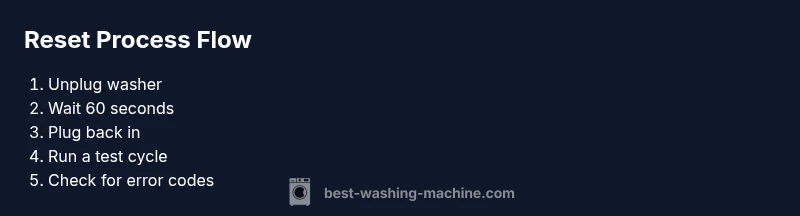
Follow these steps for a quick soft reset:
- Unplug the washer from the wall.
- Wait exactly 60 seconds.
- Reconnect the power and ensure the control panel lights up.
- Select a short, simple cycle (cold wash without clothes) and start.
- If the unit completes normally, observe a few more cycles to confirm stability.
- If codes reappear, record them and consult your manual or Best Washing Machine support for model-specific guidance. Tip: Use a grounded outlet and avoid using power strips to prevent voltage drop effects.
When a reset won't fix the issue: diagnosing real problems
Resets address software glitches but won't repair mechanical failures. If the washer shows persistent leaks, poor draining, unusual noises, or door latch failures after reset, these signals point to hardware problems. Common culprits include clogged filters, kinked drain hoses, a worn belt, or a faulty water inlet valve. Before concluding it’s a software glitch, perform quick checks: verify water supply, check hoses for kinks, clean lint filters, and ensure the door/seal is intact. If problems persist after a fresh reset, plan a structured diagnostic with a technician.
Step-by-step reset guide for Amana models (generic process)
This block consolidates model-agnostic reset logic suitable for many Amana units. Note that exact steps may vary by model; always consult your owner’s manual for sequences that involve diagnostic or service mode. Start with unplugging, then waiting, and retesting. If the display shows error codes, map them to the manual and follow recommended actions. When in doubt, document the fault codes, model number, and purchase date to share with support representatives for faster help.
Safety and electrical considerations when resetting appliances
Always unplug with dry hands and ensure your workspace is free of water. Do not attempt to dismantle panels or touch live components. If the outlet feels warm or smells like burning, discontinue use and seek professional service immediately. Always inspect power cords for fraying and avoid extension cords. If you use a surge protector, ensure it is rated for appliance loads and does not mask a potential power fault. If you are unsure about any step, stop and consult the manual or Best Washing Machine’s support line.
Maintenance to reduce resets and extend washer life
Prevention matters as much as reaction. Regularly clean lint filters, inspect hoses for kinks or clogs, and schedule annual checks of the drain pump and valves. Use manufacturer-approved detergents and avoid overloading the drum, which can cause imbalanced spins and motor strain. Keep the area around the washer dry to minimize corrosion risk and always run a diagnostic cycle after any major repair to confirm stability. A proactive approach lowers the chance of recurring faults and resets.
Next steps: warranty, service options, and getting help
If resets fail to resolve the underlying issue, check your warranty coverage first and document every fault code seen during testing. Contact Amana support or a trusted appliance technician and provide the model number, serial, and a description of observed behavior. Many manufacturers offer remote diagnostics, on-site service, or parts replacement under warranty or service plans. Keeping records helps you track recurring faults and makes service calls faster and more effective.
Tools & Materials
- Power outlet(Ensure the outlet is functional and accessible to safely unplug and replug the washer.)
- Owner's manual (model-specific)(Helpful for exact service-mode sequences and diagnostic steps.)
Steps
Estimated time: 30-60 minutes
- 1
Power down and prepare
Unplug the Amana washer from the wall outlet. Remove any clothes and ensure the area is dry. This initial step prevents electrical hazards and clears the immediate control state before the reset.
Tip: If you must reach behind the unit, use a flashlight and eye protection; never yank cords. - 2
Wait for memory to clear
Wait exactly 60 seconds after unplugging. This allows capacitors to discharge and resets the microprocessor’s active memory, reducing the chance of stale fault flags reappearing.
Tip: Mark time with a clock or timer so you don’t cut the wait short. - 3
Reconnect and power up
Plug the washer back into the wall and ensure the control panel lights up. If there is any flicker or the panel stays dark, try a different outlet or check the circuit breaker.
Tip: Avoid using a power strip; direct outlet connection provides stable power. - 4
Run a diagnostic-ready test cycle
Select a short cold cycle or a test run recommended by your model’s manual. Observe the display for normal operation and whether error codes appear.
Tip: If the display shows an error code, write it down exactly as shown. - 5
Interpret codes and decide next steps
If codes disappear and the cycle completes, the reset succeeded. If codes recur, consult the manual for specific fault codes or move to the diagnostic/service mode if supported.
Tip: Document the exact codes and model number for support calls. - 6
Consider service mode only if supported
Some Amana models offer a diagnostic/service mode. Only attempt if your manual specifies the exact sequence to avoid misconfiguration.
Tip: Incorrect sequences can lock the control panel; rely on official instructions.
FAQ
What is the first step to reset an Amana washing machine?
Unplug the washer from the wall outlet and wait 60 seconds before plugging it back in. This soft reset clears transient faults and often resolves minor glitches.
Unplug the washer and wait a minute before plugging back in to reset.
Can resetting fix all error codes on Amana washers?
Resetting resolves many codes caused by software hiccups, but some hardware faults require service. If codes persist, consult the manual and consider support.
Reset fixes many codes, but some still need service.
Is service-mode reset safe for Amana models?
Service mode is model-specific. Only use it if the manual provides the exact sequence; incorrect inputs can lock or damage the control panel.
Only use service mode if your manual provides the exact steps.
How long should I wait after unplugging for a reset?
Wait about 60 seconds after unplugging, allowing power to fully discharge and the control logic to reset.
Wait a full minute after unplugging.
Will a reset erase saved cycles or preferences?
Resets generally don't erase stored cycles or user preferences, but model-specific quirks may vary. Check your manual if in doubt.
A reset usually won't delete saved cycles, but check your manual.
When should I call a technician?
If the washer still reports errors after a reset, leaks, or unusual noises persist, contact a technician.
If faults persist after reset, call a technician.
Watch Video
The Essentials
- Power resets fix many Amana faults.
- 60-second wait is a simple but effective step.
- Service mode is model-specific and should follow the manual.
- If resets fail, investigate hardware like hoses and filters.