Broken Washing Machine: Fast Troubleshooting Guide
Facing a broken washing machine? This urgent, step-by-step troubleshooting guide from Best Washing Machine helps you diagnose and fix common issues quickly, safely, and without expensive service calls.


Most likely, a broken washing machine is caused by a clogged drain pump, a tripped breaker, or a faulty lid switch. This quick check-by-check sequence helps you isolate the issue fast and safely. If you can’t identify a simple cause, don’t force it—shut off power and call a pro. Best Washing Machine recommends starting with the basics before deeper repairs.
Why a broken washing machine stops working (typical patterns)
When a washing machine stops mid-cycle or refuses to start, most homeowners find themselves in a rush to fix it. According to Best Washing Machine, many issues originate from simple electrical faults, drainage restrictions, or worn interlocks rather than a dramatic mechanical failure. The Best Washing Machine Analysis, 2026 highlights that drain pump blockages, faulty lid switches, and circuit interruptions top the list of frequent culprits. In practice, diagnosing these patterns means starting with basic checks before dismantling components. Visual inspections can reveal obvious problems: a clogged lint screen, kinked water inlet hose, or an overloaded power strip. Keep the user manual handy, and note model-specific quirks—the same symptom can have different causes across brands. By recognizing these common patterns, you can triage quickly, reduce downtime, and decide whether a DIY fix is feasible or if professional service is required.
Safety First: power, water, and electricity
Before you touch any part of the machine, prioritize safety. Unplug the unit or switch off the dedicated circuit, and shut off the water supply if you need to access hoses. Do not operate a machine that has standing water inside; water and electricity are a dangerous mix. Wear rubber-soled shoes and use low-lint tools, such as a flashlight and plastic tongs, to handle parts. If you smell burning plastic or hear buzzing when plugging in, stop immediately and disconnect power. Never bypass safety interlocks or defeat a lid switch to speed repairs. Remember: even small mistakes can lead to costly damage or personal injury. Best Washing Machine emphasizes safety as the first step in any troubleshooting process, and this approach protects both you and your appliance as you diagnose the problem.
Quick checks you can do in a few minutes (no tools required)
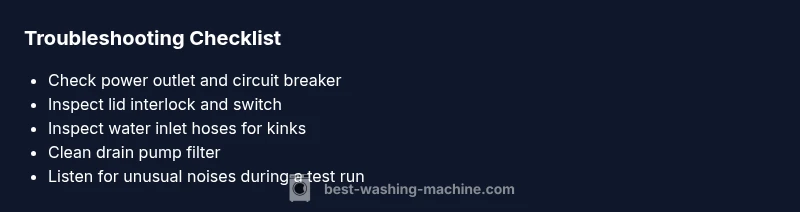
Start with the simplest items that often cause an immediate halt. Verify the outlet is delivering power by testing with another device, and reset the circuit breaker if tripped. Inspect the washing machine's lid/door interlock; a faulty switch can prevent operation even if the motor works. Check for a visible clog in the pump or drain hose and ensure the drain path is clear. Examine hoses for kinks or pinches, and confirm that the water supply valves are fully open. If your model has a digital display, write down any error codes and consult the manual or Best Washing Machine's guide for code meanings. This quick triage often resolves the issue without tools, or narrows down the next steps to a single fix.
Diagnostic cues: how to read symptoms and narrow down causes
Use a symptom-to-diagnosis mindset. If the drum won't spin, the belt or motor may be faulty; if the machine fills but won't agitate, the transmission or agitator could be the problem. Listen for unusual noises: a grinding sound often signals bearing wear or a failing drum, while a humming or buzzing suggests a faulty pump or control board. Leaks around the door or base point to seals, hose connections, or a tub-to-pump leak. If the machine stops mid-cycle with an error code, cross-check the code against your model's manual and Best Washing Machine's online database. By mapping symptoms to likely causes, you can choose targeted fixes and avoid unnecessary disassembly.
Common causes and how to confirm them
Drain issues: a clogged pump or blocked filter frequently stop the cycle. Confirm by accessing the drain pump filter (usually behind a small access panel) and removing debris. Water inlet problems: kinked hoses or clogged screens reduce water flow, causing fill errors or long fill times. Mechanical wear: worn belts or seized bearings prevent spinning and agitation. Electrical faults: a failed lid switch, faulty timer, or defective control board can halt operation even when mechanical parts seem fine. Leaks: faulty door seals or hose connections allow water to escape and trigger safety shutoffs. For each potential cause, perform the simplest confirmatory test first, such as removing debris, resetting breakers, or testing the lid switch with a continuity tester if available. If you replace a part, re-test with a short cycle to verify success.
When to call a professional (and what to expect)
If the problem involves mains electricity, gas connections, or if you detect burnt aromas, it's time to call in a pro. Certified technicians can safely test sensors, control boards, and motor windings with specialized tools. Many repairs require model-specific parts and precise torque settings; attempting such tasks without training can worsen the damage. If a repair is outside your warranty terms, a professional diagnosis can help you decide whether repair or replacement offers better value. In many cases, a loose hose, a clogged filter, or a broken drive belt is a fix within reach; know when to stop and escalate to a technician. Best Washing Machine's team recommends scheduling service when you encounter unfamiliar error codes, persistent leaks, or unfamiliar sounds beyond the scope of basic triage.
Prevention and maintenance to extend life
Adopt a simple maintenance routine to prevent repeat failures. Periodically clean filters and lint screens; inspect hoses for wear and replace if you notice cracks or bulges. Use the correct detergent type and amount to minimize suds that can impact sensors. Do not overload the drum; overloading increases wear on belts and bearings and can trigger imbalanced spins. Run a monthly self-clean cycle or a hot-water cycle if your model offers it to prevent residue buildup. Keep the area around the washer dry to avoid mold and corrosion, and ensure the floor is level to prevent vibration-induced damage. Document error codes and service dates to track the machine's health over time. By staying proactive, you reduce the likelihood of a total breakdown and extend the machine's lifespan.
Steps
Estimated time: 60-120 minutes
- 1
Power down and unplug the washer
Begin by unplugging the unit and shutting off the water supply if you must access hoses. This eliminates the risk of electric shock or water intrusion during inspection. Keep a bucket handy in case of residual water.
Tip: Always unplug before touching any internal components. - 2
Check the outlet and circuit protection
Plug another device into the same outlet to confirm power is live. If you used a shared circuit, reset the breaker and test the washer again. A tripped breaker is a common, easy fix.
Tip: If multiple devices share a circuit, consider moving the washer to a dedicated outlet. - 3
Inspect the lid/door interlock
Ensure the lid switch engages properly when closed. Click the lid shut and watch for a switch indicator light if available. If the switch sticks or won’t click, you’ll likely need to replace it.
Tip: A faulty interlock will prevent the washer from starting as a safety measure. - 4
Check inlet hoses and water supply
Inspect the hot and cold inlet hoses for kinks or crushing. Make sure the valves are fully open and screens are clean. A blocked water supply can prevent the machine from filling or cause errors.
Tip: Disconnect and flush hoses if you see sediment or debris. - 5
Access the drain pump/filter
Remove the front panel or access cover to reach the drain pump and filter. Clear out hair, lint, and objects that may be obstructing the pump impeller. Reassemble and run a short test cycle to check for proper draining.
Tip: Keep a towel handy for potential spills. - 6
Inspect belts and internal components
If the drum won’t spin, check the drive belt for wear or breakage and inspect the drum for obstructions. This typically requires removing panels and may need professional tools.
Tip: Take photos during disassembly to aid reassembly. - 7
Test and evaluate
Run a short cycle to verify that the machine fills, washes, drains, and spins correctly. If symptoms persist, document any error codes and proceed to professional service.
Tip: If you hear unusual sounds or smell burning after testing, stop and seek help.
Diagnosis: Machine won't start or won't drain/spin
Possible Causes
- highPower issue or tripped breaker
- highFaulty lid switch or door interlock
- mediumClogged drain pump or blocked filter
- lowMotor belt wear or bearing failure
- lowWater inlet valve closed or kinked hoses
Fixes
- easyCheck the power outlet and reset the circuit breaker
- mediumTest the lid switch for continuity or try a spare interlock
- easyAccess the drain pump/filter and remove debris
- hardInspect or replace the drive belt; test the motor with a multimeter
FAQ
What is the first thing I should check if my washing machine won’t start?
Start with power: ensure the outlet has power, the circuit isn’t tripped, and the lid interlock is functioning. These quick checks fix many “won’t start” scenarios without tools.
Check power and lid interlock first, as those are the most common reasons a washer won’t start.
How do I know if the drain pump is blocked?
Listen for a humming noise when draining or check the pump/filter for debris. If blocked, remove obstruction and clear the impeller. Run a test cycle to confirm proper draining.
If you hear a hum at drain time or see standing water, check the pump for blockages.
Is it safe to repair a washing machine myself?
Basic maintenance like cleaning filters or tightening hoses is safe with precautions. More complex fixes (electrical work, motor, or seals) should be handled by a professional to avoid safety risks.
DIY is okay for simple fixes, but leave electrical and major parts to a pro.
What does it mean if there’s a grinding sound?
A grinding sound can indicate bearing wear or a problem with the drum or belt. Stop usage if it worsens and seek professional diagnosis.
Grinding usually means a mechanical wear issue; stop using it and get a pro to inspect.
When should I replace instead of repair?
If the repair cost approaches or exceeds the value of a new unit, or if the machine is already aging with multiple issues, replacement is often more economical.
If repairs keep stacking up, it may be better to replace the washer.
Watch Video
The Essentials
- Check power and safety first
- Isolate the issue with simple tests before dismantling
- Prioritize drain and lid interlock issues as top fixes
- Call a pro when electrical work or gas lines are involved