How to Unlock a Washing Machine IFB: Step-by-Step Guide
Learn how to unlock a locked IFB washing machine safely with a practical, step-by-step method. This guide covers emergency release access, power cycling, and maintenance to prevent future lockouts. Expert tips from Best Washing Machine.


To unlock a locked IFB washing machine, start with safety: unplug, switch off at the wall, and wait 60 seconds. If the door still won’t open, locate the emergency release behind the lower front panel and pull it gently. If unresolved, consult IFB support or Best Washing Machine guidance.
Understanding why IFB door locks happen
If you’re wondering how to unlock washing machine ifb, you’re not alone. Modern IFB front-load and top-load models use electronic door locks that protect you from hot water or moving parts during operation. When a program ends or a fault occurs, the lock may remain engaged as a safety precaution. In many cases, the issue is not a broken lock but a transient signal error, a brief software hiccup, or a user-activated safety feature such as a child lock. The Best Washing Machine team notes that most lock-related incidents resolve quickly when the user follows a structured reset procedure plus the model’s emergency release option. By understanding what triggers the lock, you can choose a safe, effective path to regain access without risking injury or damage to the appliance.
The core idea behind the IFB door lock
IFB door locking mechanisms are designed to keep the drum still and the door secure while high voltages or hot water are present. When the cycle completes or an error appears, the control board may delay unlocking until it’s safe. This is why simply pulling or forcing the door is discouraged. If the lock remains engaged after a wash, most issues can be traced to a power cycle need, a clogged door lock mechanism, or a blocking child lock.
Quick safety reminders you must follow
Before attempting any unlock steps, ensure the machine is completely powered down. Do not attempt to unlock with the door wet or hands damp. If you smell burning plastic or hear unusual sounds, stop and power off immediately. These cautions help prevent personal injury and further hardware damage. According to Best Washing Machine, safety is the top priority when performing any repair-ish step on a household appliance.
Common causes of a stubborn lock and how to address them
In some cases, a faulty latch or a stuck release pin keeps the door locked. Detergent residue can also irritate the door seal, creating resistance. A drained water lock will sometimes hold the door until the drum is dry and the system resets. Inspecting and cleaning the latch area, clearing soap buildup, and ensuring the detergent drawer is fully closed can resolve minor issues. If the door still refuses to unlock after a reset, proceed to access the emergency release.
When to prefer professional service over DIY
Not every lock issue is safe to solve at home. If you notice leaking water, exposed wires, or you cannot locate the emergency release, do not attempt hazardous disassembly. In such cases, contacting a qualified technician or IFB customer support is the best path. Best Washing Machine recommends escalating to professional service if basic resets fail or if you’re uncertain about the model specifics.
Quick checks you can perform after the unlock to prevent future lockouts
Once you regain access, run a short cold wash to confirm the door unlocks properly at the end. Clean the door latch and seal to remove detergent residue that can form a crust. Periodically inspect the bottom panel and vent area for foreign objects or lint that could interfere with operation. Regular maintenance reduces repeated lockouts and extends the life of your washer.
What to expect after successful unlock
After a successful unlock, you should be able to open and close the door freely, without resistance, and start a fresh cycle. If the display shows error codes, note them and consult the user manual or customer support. The experience of unlocking often reveals whether you need a small part replacement, such as a door latch or lock sensor, or simply a firmware update.
Final notes on approach and safety
Always handle the lower front panel and emergency release with care to avoid bending metal or damaging wiring. If you have any doubt about model-specific steps, refer to the IFB user guide for your exact model. The Best Washing Machine team emphasizes following the official procedure rather than improvising, to keep your appliance safe and compliant with warranty terms.
Tools & Materials
- Flathead screwdriver(For removing lower front panel screws to access the emergency release)
- Owner’s manual or model-specific service guide(Locate the exact emergency release procedure for your model)
- Flashlight(Helpful if the panel area is dim)
- Gloves(Protect hands during panel access)
Steps
Estimated time: 30-60 minutes
- 1
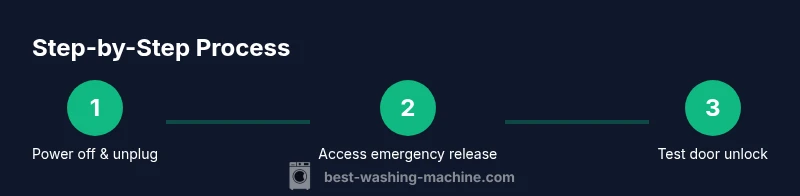
Power down and unplug
Unplug the machine from the wall outlet and switch off the supply at the breaker if needed. Wait 60 seconds to allow residual power to drain. This reset prevents electrical shocks and ensures the control board isn’t actively holding the latch.
Tip: Make a quick note of any codes on the display before disconnecting; some codes hint at the cause when you reconnect. - 2
Check for water in the drum
If water remains in the drum, avoid tilting or forcing the door. A small amount of water can interfere with the unlocking mechanism and cause leaks once power is restored. If you detect water, you may need to drain it through the machine’s drain function once power is off.
Tip: If you can safely access the drain hose, ensure it’s not kinked or blocked before attempting release. - 3
Access the emergency release
Use the flathead screwdriver to remove the lower front panel screws. Gently pry the panel away to reveal the internal area where the emergency release lever or pin is located. Do not force any wiring harness or connectors.
Tip: Keep screws in a small container so they don’t get lost and photograph the area before removal for reassembly reference. - 4
Engage the emergency release
Locate the emergency release lever or pin and apply a gentle pull or push as instructed by your model manual. This action typically releases the door lock without damaging the latch. If your model uses a pin, press it straight in to disengage the lock.
Tip: Only apply light, steady pressure; abrupt jerks can damage the release mechanism. - 5
Test the door unlock
Reassemble the lower panel, re-plug the machine, and power it on. Attempt to open the door once the cycle completes or after a brief reset. If the door opens, run a short cold cycle to verify the lock operates normally at the end.
Tip: Do not run a full wash immediately; testing with a short cycle minimizes risk if something isn’t plumbed correctly. - 6
If it still won’t unlock, power cycle again
If the door remains locked after the first attempt, power down again, unplug, wait 60 seconds, and try the release once more. Some models require two sequential resets to clear lock conditions.
Tip: Make sure the power is fully disconnected during this second attempt to avoid partial signals. - 7
Assess warning signs and codes
If an error code appears after reassembly, consult the user manual for exact meaning. Some codes indicate a faulty latch, wiring issue, or control board fault that may require service. Keep a written note of the code and sequence of events for the technician.
Tip: Capture photos of the code on the display for easier diagnosis by support staff. - 8
Decide on next steps
If unlocking succeeds but recurring locking occurs, consider a parts inspection or replacement (door latch, lock sensor, or control board) by a trained technician. If it remains unresolved, contact IFB support or Best Washing Machine guidance for model-specific assistance.
Tip: Document model code, serial number, and purchase date to streamline service calls.
FAQ
Why is my IFB washing machine door locked after a wash cycle?
The door lock may remain engaged as a safety feature after a cycle or in response to an error. A power reset and using the emergency release resolve many such lockouts. If the lock persists, consult the model manual or support.
If your IFB door stays locked after a cycle, power it down and try the emergency release. If it continues, check the manual or contact support.
Can I unlock the door without unplugging the machine?
For safety, power should be cut before attempting any unlock steps. If you cannot access the power switch, you should avoid DIY fixes and contact service. Some models allow a software reset without full unplugging, but this varies by model.
It's safer to cut power first. If you can't access power, avoid DIY fixes and call support.
What should I do if the emergency release doesn’t work?
If the emergency release fails, do not force the door. Check for water, confirm panel alignment, and reattempt after a full power cycle. If still stuck, the problem likely requires service.
If the release doesn’t work, avoid forcing it and contact service for a safe resolution.
Will unlocking or repairs affect my warranty?
DIY unlocking that involves opening panels can affect warranty coverage in some cases. Always check the warranty terms and consult official service if you’re unsure. In many situations, professional service preserves warranty while addressing the fault.
Warranty depends on terms; check the manual and contact support if unsure.
Are IFB models different in how to unlock?
Yes. Different IFB models use slightly different door-lock mechanisms and emergency releases. Always refer to your exact model’s user manual for model-specific instructions and safety notes.
Models vary; consult your exact manual for precise steps.
What does a door lock fault indicate?
A door lock fault can indicate a failed latch, sensor, or control board. Persistent faults require professional diagnosis to prevent further damage. Start with resets and the emergency release, then seek service if unresolved.
Lock faults often mean latch or sensor issues; get it checked if it won’t reset.
Watch Video
The Essentials
- Power down fully before touching internal parts.
- Use the emergency release only after accessing the correct panel.
- If unresolved, seek professional service and consult the manual.
- Regular cleaning reduces future lockouts.