Washing Machine Won't Unlock: Troubleshooting Guide
Discover fast, safe fixes for a washing machine that won't unlock. This troubleshooting guide covers diagnostic flow, practical steps, warnings, and when to call a professional for homeowners and pros.


Most often, a washing machine won't unlock due to a faulty door lock mechanism or a software reset needed after a power glitch. Start with a safe power cycle: unplug for 60 seconds, then plug back in and try the door release (manual or via control). If it remains locked, proceed to the diagnostic flow or contact support.
Understanding the problem
According to Best Washing Machine, when a washing machine won't unlock, the door remains closed after the cycle ends because the lock mechanism or the controlling electronics misbehave. This can feel urgent if you have damp laundry or a potential overflow risk. Modern washers use a door lock that engages during operation and releases after cancellation or cycle completion. If the latch sticks or the system fails to perform a controlled unlock, you may see a locked icon, an error code, or a flashing light. The root cause is often a temporary glitch that a safe power cycle or a manual release can fix. For homeowners and renters, this is usually solvable at home, but you should never force the door; prying can bend the latch or rupture the tub seal. In this guide, we focus on practical, safe steps to restore unlock functionality while protecting the machine and your living space.
Common causes at a glance
A washing machine won't unlock for several reasons, and knowing them helps you choose the right fix. The most common is a faulty door lock mechanism—the latch or its solenoid can seize or misalign after wear, moisture, or improper loading. A software or control-board glitch can keep the lock engaged even when you expect it to release, especially after a power interruption. Active safety features like a child lock or control-lock setting can mimic a locked state. Overload or a drum with water can physically hinder the latch from moving. Condensation near the latch or water ingress around the door seal may confuse sensors. Finally, a brief power issue can leave the lock in a locked state until a reset, so a simple power cycle is a frequent first step.
First safe steps you can take
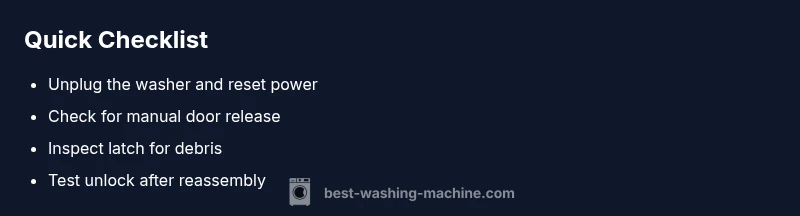
Begin with safety and a non-destructive reset. Unplug the washer, wait at least 60 seconds, then plug back in and attempt to unlock using the normal release method or control panel. If your model has a manual release, consult the manual and use it to disengage the latch from the outside. Clear the area around the door of any fabric, lint, or detergent residue that could trap the latch. If the lock remains stubborn, try a short cancel or pause, and see whether the door unlocks as the machine resets. Do not attempt to pry the door open while water is in the tub or while the unit is plugged in. If you still cannot unlock, move to the diagnostic steps or contact a technician for a safe lock replacement.
Diagnostic hints and when to escalate
Look for on-display error codes related to the door lock or latch and refer to the user manual for exact meanings. A persistent lock after a reset suggests a mechanical failure in the latch or a failing solenoid. If the door unlocks briefly but then re-engages, the control-board or wiring to the lock may be faulty. In some cases, the issue is moisture that interferes with sensors; drying out the area and cleaning the latch can help, but repeated failures indicate a service need. If you are unsure about opening the console or handling the electrical connections, it's wise to contact a qualified technician. Early professional intervention can prevent leaks, electrical hazards, and further damage.
Step-by-step fix for the most common cause: jammed door lock
- Safety check: unplug the machine and shut off the circuit if accessible. 2) Access the lock housing by removing the appropriate panels per your manual; keep track of screws and wires. 3) Inspect the latch for debris, fibers, or corrosion; gently move the mechanism with a non-conductive tool. 4) Clean contacts with approved electrical cleaner and dry thoroughly; avoid applying liquids near electronics. 5) Reinstall the latch, reconnect any wires, and reassemble panels. 6) Plug in and run a short cycle to test the unlock action and observe heat or smell. 7) If the latch still won’t release, replace the lock assembly or consult a technician for a door-lock replacement.
Preventive maintenance and daily checks
To reduce future unlock problems, perform simple checks after each laundry load. Inspect the door seal for damage or buildup; clean latches and the locking mechanism area to minimize sticking. Avoid overloading the drum, which can shift the latch and create latch misalignment. Use the correct amount of detergent; excess suds can seep into the lock sensor and trigger faults. If your model has a maintenance mode or diagnostic self-test, run it periodically to catch issues early. Cover the washer when not in use if you have humidity problems in your space, and schedule professional service for any persistent door-lock faults.
Steps
Estimated time: 45-60 minutes
- 1
Power cycle and safety check
Unplug the washer, wait 60 seconds, then plug back in. This reset can clear many soft faults that keep the lock engaged. If available, switch off the circuit breaker for extra safety during inspection.
Tip: Label the circuit breaker location so you can cut power quickly in the future. - 2
Access the lock housing
Follow your model’s service manual to remove the front or top panel to reach the lock housing. Keep track of screws and note wire positions before disconnecting anything.
Tip: Take photos before disconnecting wires to avoid miswiring later. - 3
Inspect latch for debris
Check for lint, detergent residue, or fabric fibers around the latch. Gently move the latch with a non-conductive tool to feel for stiffness or resistance.
Tip: Avoid metal tools that could bend or scratch components. - 4
Clean contacts and dry
If allowed by your manual, apply a small amount of electrical contact cleaner to the lock contacts and dry completely before reassembly.
Tip: Do not spray liquids near active electronics; ensure parts are fully dry. - 5
Realign and reassemble
Reconnect wiring harnesses, reattach panels, and secure screws. Ensure there’s no loose connector that could cause intermittent unlocks.
Tip: Test fit before fully securing the exterior panels. - 6
Test the unlock
Plug in the machine and run a short cycle to verify the door unlocks correctly at the end of the cycle. Listen for any unusual sounds or smells.
Tip: If it still locks, proceed to replacement or professional service.
Diagnosis: Washing machine won't unlock after a cycle completes
Possible Causes
- highDoor lock mechanism failure
- mediumControl board or software glitch
- lowActive safety features (child lock)
Fixes
- easyPerform a safe power cycle and check for manual release
- easyInspect latch for debris and reseat connections
- hardReplace door lock or call a technician if electronics fail
FAQ
Why won't my washing machine unlock after a cycle?
Common causes include a faulty door lock, a software glitch, or an active safety feature like a child lock. Start with a safe power cycle and check for a manual release before escalating to service.
A door lock or software issue is usually the culprit. Try resetting the power and checking for a manual release; if it still won’t unlock, you may need service.
How do I manually unlock a front-load washer?
Refer to your user manual for the manual release location, often behind the bottom front panel or toe-kick. If you can't find it, do not force the door and contact support.
Look in the manual for the manual release behind the bottom front panel; don’t force the door—call for help if you can’t locate it.
Is it safe to unplug and reset the washer to unlock the door?
Yes, a safe power cycle is a common first step. Ensure the area is dry and unplug the unit for at least 60 seconds before testing unlock.
Yes—unplug for a minute to reset, then test the unlock carefully.
What does a door lock error code mean?
Error codes usually point to a lock, latch, or wiring problem. Check the manual or app for exact meanings and suggested actions; many codes indicate a service is needed.
Door lock codes typically mean a latch or wiring issue—check the manual for details and consider service if problems persist.
When should I call a professional for a door lock issue?
If resets and manual releases don’t free the door, or if you hear buzzing or smell burning near the lock, contact a technician.
If resets don’t help or you hear buzzing or smell burning near the lock, it’s time to call a pro.
Can a faulty door lock cause leaks?
A stuck door can contribute to leakage issues if the tub won’t drain or seal well, but door seals and hoses are common leak sources too. Have a tech inspect the latch and door seal.
A faulty lock can contribute to leaks if the tub won’t seal, but seals are often the culprit. Have a pro check the latch and seal.
Watch Video
The Essentials
- Unplug and reset to clear lock faults
- Inspect for manual release and use it when available
- Don’t force the door; seek professional help for electronic faults
- Regular maintenance reduces repeat unlocking issues