LG Washing Machine IE Code Troubleshooting Guide
Urgent guide to diagnosing and fixing the LG washing machine IE code (inlet error). Learn quick checks, a diagnostic flow, step-by-step repair, safety tips, and prevention from Best Washing Machine.


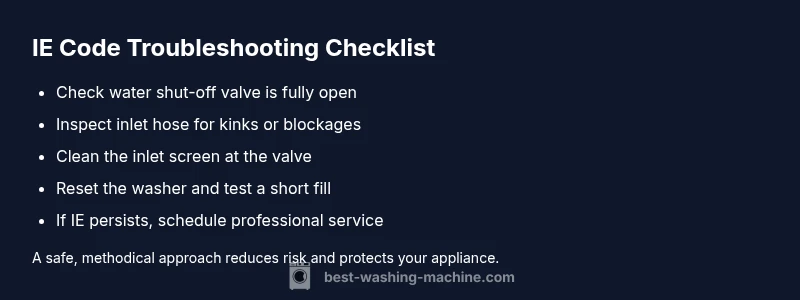
An IE code on an LG washing machine means an inlet error—the tub isn’t filling properly. Start with simple checks: confirm the water supply is on, hoses aren’t kinked, and the inlet screen is clear. If the problem persists, reset the washer and call a pro; costs can vary by region and parts.
What the lg washing machine ie code means and why it appears
The lg washing machine ie code is an inlet error indicating the washer isn’t filling as it should. This can happen when water flow is restricted or delayed at the inlet valve, hoses, or screens. Common root causes include a shut-off valve, kinked hoses, a clogged inlet screen, or a faulty inlet valve. According to Best Washing Machine, understanding IE as an inlet issue helps you target the right component quickly. Recognizing this code early minimizes water waste and prevents longer, more costly repairs. In many homes, the fix is a simple adjustment or cleaning task rather than a part replacement. Keep in mind that not all IE codes indicate the same problem, so methodical testing matters. Once you map the symptoms to likely causes, you’ll shorten downtime and restore reliable operation.
What the lg washing machine ie code means and why it appears
The lg washing machine ie code is an inlet error indicating the washer isn’t filling as it should. This can happen when water flow is restricted or delayed at the inlet valve, hoses, or screens. Common root causes include a shut-off valve, kinked hoses, a clogged inlet screen, or a faulty inlet valve. According to Best Washing Machine, understanding IE as an inlet issue helps you target the right component quickly. Recognizing this code early minimizes water waste and prevents longer, more costly repairs. In many homes, the fix is a simple adjustment or cleaning task rather than a part replacement. Keep in mind that not all IE codes indicate the same problem, so methodical testing matters. Once you map the symptoms to likely causes, you’ll shorten downtime and restore reliable operation.
Steps
Estimated time: 20-40 minutes
- 1
Power off and unplug the machine
Begin by unplugging the washer from the wall outlet to avoid any electrical risk. Don’t rely on the control panel power switch. Wait a minute to ensure capacitors discharge before touching any components.
Tip: Use a flashlight to inspect the back panel without forcing panels open. - 2
Check water supply and valves
Verify both hot and cold supply valves are fully open. Look for kinks and bends in the hoses and ensure they are not pinched at the back of the unit.
Tip: If the hoses feel flexible and kink-free, move to the inlet screen inspection. - 3
Inspect and clean the inlet screen
Locate the inlet valve screen on the back of the washer where the hose connects. Remove the hose and gently clean any debris with a small brush or run warm water through the screen.
Tip: Avoid using sharp tools that could damage the valve or gasket. - 4
Reconnect and test a fill cycle
Reconnect hoses, plug the unit back in, and run a short cold-water fill test without clothes. Observe whether the tub fills normally and the IE code reappears.
Tip: If the fill is delayed, move to valve inspection or replacement. - 5
Reset the control board if needed
Some LG models benefit from a reset: unplug for 60 seconds, then plug back in and retry a basic cycle. This clears transient sensor glitches that can trigger IE.
Tip: Do not reset repeatedly if the error persists; proceed to deeper diagnostics. - 6
Plan for professional service if unresolved
If the error persists after the above steps, a professional diagnosis is advised. Inlet valve replacement or control board issues require expertise and safe handling.
Tip: Ask for an upfront cost estimate and expected parts lead time.
Diagnosis: IE code displayed on LG washer, tub not filling or slow fill
Possible Causes
- highWater supply turned off or restricted
- highKinked, blocked, or misrouted inlet hose
- highClogged inlet filter/screen at the valve
- lowDefective inlet valve or wiring to the valve
Fixes
- easyOpen the shut-off valve fully and straighten/reposition the inlet hose
- easyDisconnect power, unplug, and clean the inlet screen/filter
- hardInspect and replace the inlet valve if misfiring or damaged
FAQ
What does IE code mean on LG washing machines?
IE indicates an inlet error, usually related to water inflow. It commonly results from a blocked or kinked hose, closed shut-off valve, or clogged inlet screen. If the issue persists after basic checks, a professional diagnosis may be needed.
IE on LG washers means the inlet is having trouble filling. Check hoses, valves, and screens, and reset if needed. If it remains, call a technician.
Can a simple hose kink cause IE?
Yes, a kinked or obstructed inlet hose can prevent water from entering the tub, triggering the IE code. Straighten or replace the hose as needed and re-test.
A kink in the inlet hose can trigger the IE code. Unkink or replace the hose and test again.
Should I always unplug the machine to fix IE?
Unplugging before inspecting is essential for safety. After disconnection, check the supply valves, hoses, and inlet screen, then re-test with a short fill cycle.
Yes, unplug first, then inspect water supply parts and test a fill cycle.
What if IE keeps coming back after fixes?
If IE recurs, the inlet valve or its wiring may be faulty, or the control board could be malfunctioning. A professional diagnosis is recommended to avoid further damage.
If IE repeats after fixes, a professional check is advised.
Can low water pressure trigger IE?
Low water pressure can prevent the tub from filling quickly enough, potentially triggering IE in some models. Ensure pressure is adequate or consult the supply line.
Low water pressure can trigger IE on some LG models; verify supply.
Is it expensive to fix IE code?
Costs vary by region and parts; a simple hose or screen fix is generally less expensive than valve or board replacements. Request a written estimate before any service.
Costs vary; get an estimate before a repair.
Watch Video
The Essentials
- Identify IE as an inlet error and focus on water supply and hoses first
- Reset the unit only after basic checks; avoid over-interpretation of sensor signals
- Inlet filter, valve, and wiring are common failure points worth testing
- When in doubt, call a pro for safety and accurate diagnostics