LG Washing Machine Fault Codes: Urgent Troubleshooting Guide
A comprehensive, urgency-driven guide to LG washing machine fault codes. Learn what codes mean, quick fixes, diagnostics, step-by-step repairs, safety notes, and when to call a pro for reliable, fast recovery.


LG washing machine fault codes indicate a specific malfunction flagged by the control board and displayed on the panel. They guide you toward the most likely cause, such as water inlet, drainage, door lock, or imbalanced loads. The quickest initial actions are to unplug, reset, and inspect hoses and filters, then run a short diagnostic cycle or test wash to confirm the problem.
Understanding LG fault codes
When a modern LG washer detects a fault, it will halt the cycle and display a code on the control panel. The phrase lg washing machine fault codes refers to a standardized set of indicators that map to common failure modes. These codes are designed to save you time and protect the appliance by prompting you to check crucial systems, from water intake to spinning. According to Best Washing Machine, fault codes are not random; they reflect sensor data, valve status, motor feedback, and electrical continuity. Treat the code as a starting point, not a final diagnosis. Record the exact code and the machine’s behavior (cycle stage, sounds, or water leakage) to aid any future repair visits. The most important step is to stay safe: unplug the machine before inspecting anything, avoid reaching into running components, and never force a door while the drum is turning. A calm, methodical approach prevents accidents and protects your warranty. By understanding the general meaning behind fault codes, you can triage efficiently and decide whether you can fix it yourself or need professional help.
How LG fault codes are generated and read
LG appliances use a centralized controller to monitor sensors and subsystems. When a fault is detected, the controller stores a corresponding alphanumeric or numeric code and often triggers audible beeps or LED patterns in addition to the panel code. The most reliable way to read codes is to observe the display, note any blinking patterns, and cross-check with the user manual or the official LG support site. Best Washing Machine notes that codes summarize multiple sensor readings and should be treated as directional clues rather than a final diagnosis. If you have a code, write it down along with the cycle stage and any accompanying symptoms like water leakage, abnormal sounds, or delay in draining.
Common fault code categories and what they indicate
Fault codes generally fall into several broad categories: water supply (inlet), drainage, door or lid lock, balancing, and motor or drive system. Water inlet problems usually show up as codes related to filling delays or underfilling; drainage codes point to pump or hose blockages; door lock codes arise when the door or lid cannot latch securely; balancing codes occur with unbalanced loads that prevent spinning; motor or drive issues show as impaired rotation or excessive noise. Understanding this framework helps you triage without needing to memorize every LG code. As you troubleshoot, focus on the most time-sensitive concerns first—water supply and drainage—before moving on to mechanical components.
Quick fixes you can try safely (before service)
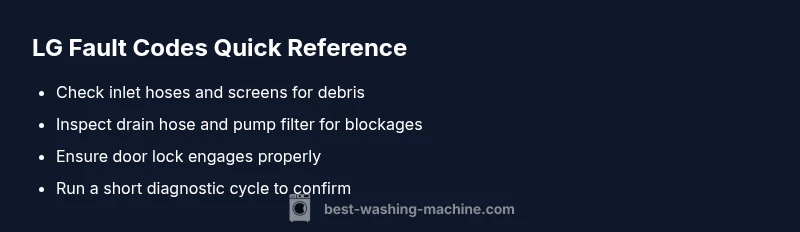
Safety first: unplug the machine and turn off any water supply before touching hoses or wiring. Start with simple, fast checks: verify the power outlet is live and the cord isn’t damaged, inspect for a tripped breaker, and ensure the door is fully closed. Inspect inlet screens for debris and clean them if blocked. Check the drain hose for kinks or clogs and remove any foreign objects from the pump filter. If the code hints at a drainage problem, run a quick drain test after cleaning the filter. For balance-related codes, rearrange the load and avoid overloading; if the drum is heavy, redistribute the items evenly. If the code is persistent after these steps, note the exact code and cycle stage and prepare to escalate to professional service.
Diagnostic flow: how to identify root cause
Start with observation: note the exact fault code, cycle stage, and any abnormal noises or leaks. Then map code to a likely subsystem: water inlet = inlet valve/pressure switch, drainage = pump/filters/hoses, door lock = latch sensor, balance = load distribution. Use a process of elimination: verify power, reset the machine, re-check water supply, then proceed to cleaning and inspection of the obvious culprits (hoses, filters, pump). If the fault persists, advance to targeted repairs, keeping safety as the top priority.
Step-by-Step fixes for the most common fault code scenario
- Unplug and disconnect power. 2) Check water inlet hoses and screens for debris; remove any blockages. 3) Clean the pump filter and inspect the drain hose for kinks. 4) Reconnect power and run a short diagnostic or test cycle. 5) If the code repeats, inspect the door lock actuator and lid switch. 6) If the problem remains, prepare for professional service with the exact fault code, cycle stage, and any observed symptoms.
Other causes: alternative faults and fixes
Other faults might stem from a faulty control board, warped drum bearings, or worn drive belts. If a fault code points toward electronics or motor issues, hardware diagnostics may be required. For these scenarios, an electrical check, continuity test on motor windings, and inspection of the control board connectors are common steps. If you suspect a failed control board, it’s prudent to escalate to a professional; incorrect testing can damage the machine further and may void warranties.
Tips & Warnings: safety notes and when to call a professional
Always unplug before touching any internal components. Do not bypass door locks or forcing the drum, which can cause injury or damage. If you see burning smells, smoke, or water leaks, stop immediately and call a professional. For cost expectations, typical repair ranges may include parts and labor, often reflecting the nature of the fault code: minor component cleaning or hose replacement tends to be on the lower end, while motor or control board replacements are higher. Best Washing Machine recommends requesting a formal diagnostic visit if codes persist after basic checks.
Steps
Estimated time: 45-90 minutes
- 1
Unplug and power down
Disconnect the machine from the power supply and turn off the water supply. Wait at least 60 seconds to reset the control board. This quick step can clear transient faults.
Tip: Keep a log of the fault code and cycle stage before re-testing. - 2
Inspect water inlet and screens
Detach the hoses, inspect the screens in the inlet valve for debris, and clean or replace if needed. Reconnect hoses, ensuring tight, leak-free connections.
Tip: If water flow is weak, check the home supply valve or pressure regulator nearby. - 3
Check drainage path
Inspect the drain hose for kinks, and remove any blockages from the hose or pump filter. Ensure the hose is correctly routed to prevent siphoning.
Tip: Run a drain test with a small load to verify drainage works without leaks. - 4
Test the door/lid lock
Make sure the door lock or lid switch engages correctly. A faulty lock can trigger a fault code and halt cycles even if water and drainage are fine.
Tip: Gently press the lock while testing; if it feels loose, consider replacement. - 5
Run a diagnostic cycle
Reassemble, reconnect power, and run a diagnostic or short wash to see if the fault code reappears. Observe any new indicators or abnormal noises.
Tip: Document the results; it helps when consulting support. - 6
Escalate if code recurs
If the fault code appears again, prepare for professional service with a full description, photos/videos if possible, and the exact code.
Tip: Request a written diagnostic before any parts replacement.
Diagnosis: LG washing machine displays a fault code and stops mid-cycle
Possible Causes
- highClogged or blocked drain filter
- mediumDrain pump failure or blockage
- lowWater inlet valve or supply issue
Fixes
- easyClean the drain filter and behind the pump panel
- easyCheck drain hose for kinks, and ensure it drains freely
- mediumTest the water inlet valve and clean screens; verify water pressure
- hardReplace the drain pump or inlet valve if necessary
FAQ
What are fault codes on LG washers?
Fault codes are diagnostic indicators stored by the washer's controller. They point to the subsystem likely responsible for the issue, helping you triage quickly.
Fault codes are diagnostic indicators the washer stores to point you toward the likely issue, helping you triage quickly.
How do I read LG fault codes?
Check the display for alphanumeric codes and blinking lights. Note the cycle stage and any sounds. Compare with your model's manual or LG support resources for the exact meaning.
Check the panel for codes and pattern of blinks, and note the cycle stage to compare with the manual.
Can I fix fault codes myself?
Many codes relate to water inlet, drainage, or door lock issues that you can troubleshoot safely. If the code persists after basic checks, consider professional service.
Some codes can be fixed yourself, but persistent codes mean you should call a professional.
When should I stop and call a pro?
If you detect electrical smells, water leaks, or a persistent code after basic checks, stop and contact a technician. Complex electrical or motor faults usually require professional repair.
If there’s an electrical smell or persistent code after basic checks, call a professional.
What are typical costs for LG fault code repairs?
Costs vary by cause. Minor fixes (filters, hoses) often cost under a few hundred dollars; complex parts like the pump, motor, or control board can range higher, typically in the mid to high hundreds depending on parts and labor.
Repair costs vary; simple fixes are cheaper, while motor or control board replacements are more expensive.
Watch Video
The Essentials
- Identify fault code and cycle stage first.
- Prioritize water inlet and drainage checks.
- Use a structured diagnostic flow before repairs.
- Know when to escalate to a professional.