Maytag Washing Machine Code 5d Troubleshooting Guide
Urgent guide to diagnosing and fixing Maytag washing machine code 5d. Learn quick fixes, step-by-step repair paths, safety tips, and when to call a pro. Includes cost ranges and prevention tips.


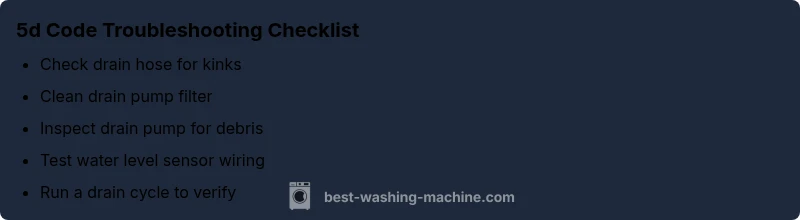
Code 5d on Maytag washers indicates a drainage or water level fault requiring prompt attention. Start with the simplest checks: ensure the drain hose is free of kinks and blockages, clean the lint filter, and inspect the drain pump for debris. If the problem persists, test the water level sensor and related wiring.
Understanding Maytag Code 5d: What It Means Across Models
When a Maytag washing machine displays code 5d, the exact meaning can vary by model. Across many models, 5d points to a drainage or water-level issue that prevents a proper wash cycle from completing. The general pattern is a fault in the path that removes water or in the sensor that gauges how much water remains. Because Maytag uses model-specific fault maps, it’s essential to consult your user manual or service sheet for your exact model. The Best Washing Machine team notes that while terminology may differ, the corrective focus is consistent: restore proper drainage and accurate water-level readings. Approaching the problem methodically helps you avoid unnecessary disassembly and reduces the chance of water leaks during inspection.
Quick Checks You Can Do Right Now
Before pulling apart the cabinet, perform these simple, safety-conscious checks:
- Unplug the washer and turn off the water supply before you touch internal components.
- Inspect the drain hose for kinks, crushing, or blockages. Disconnect and run water through the hose to verify it’s clear.
- Check the lint or pump filter (if your model has one) and clean any trapped debris.
- Listen for the drain pump buzzing or vibrating when the machine attempts to drain; a non-operational pump is a common 5d trigger.
- Inspect visible hose connections for looseness or leaks and secure clamps as needed.
If these quick checks don’t clear the code, move to more involved diagnostics. The goal is to verify that water can exit the tub and that the sensor receives a valid level reading.
Common Causes Behind Code 5d
Several root causes can lead to a 5d fault. Prioritize the ones most likely to be present based on your symptoms:
- Blocked drain pump or filter – high likelihood if the machine struggles to drain or stops mid-cycle.
- Kinked, crushed, or blocked drain hose – high likelihood if you visually notice a bend or restriction.
- Faulty water level sensor or wiring – medium likelihood if the tub fills inconsistently or overfills.
- Control board or software glitch – low but possible, especially after a power surge or recent repair.
Understanding these causes helps you decide whether you can fix it yourself or should call a technician. In many cases, drainage paths are the first place to focus.
How to Test the Drain Path Safely
Testing the drainage path involves a few careful steps to avoid further damage:
- With the machine unplugged, remove the access panel and locate the drain pump and filter (if present).
- Remove the filter and clean out lint, coins, hair, and debris. Reinstall securely.
- Detach the drain hose from the pump inlet and blow through it to ensure clear passage; reattach firmly.
- If you have a multimeter and know how to use it, test the pump coil resistance (refer to your model’s service sheet for tolerance).
- Reconnect everything, plug in the unit, select a drain test cycle, and observe whether water drains normally.
If water still remains or the code returns, the issue may involve the sensor or wiring leading to the tub.
Step-by-Step Fix for the Most Likely Cause
This section outlines a practical repair path for a blocked drain path or pump:
- Safety first: unplug the washer and shut off the water supply. Move the machine away from the wall to access the rear panel. Tip: Use a towel and a shallow tray to catch any residual water.
- Access the drain pump and filter: remove screws and the panel; locate the filter and the pump inlet.
- Clean the filter and pump intake: remove debris with hands or a small brush until free-flowing.
- Inspect the drain hose: remove clamps, check for kinks or crushing, and replace if damaged. Reconnect securely.
- Reassemble and run a test: power up, run a drain-only cycle to confirm proper drainage, then run a full wash to verify no reoccurrence.
- If the code persists, test the water level sensor wiring: disconnect and check for loose or corroded connectors; reseat and secure.
- If you still see 5d after these steps, consider a pump replacement or sensor replacement. Expect professional service if you’re not comfortable with electrical components.
Estimated time for this fix: 25–40 minutes, depending on accessibility and your comfort with appliance repair. If you encounter water leaks or suspect the control board, stop and call a licensed technician. Cost ranges typically: drain pump replacement $150–$400, sensor/wiring repair $100–$300, board-related repairs $200–$500.
Other Causes and Their Fixes
If the above fixes don’t resolve code 5d, explore alternate causes with corresponding remedies:
- Faulty control board or software glitch: reflash or replace board; professional service recommended; cost varies widely by model.
- Electrical wiring issues: inspect for damaged wires or loose connectors; avoid attempting major rewiring yourself; repair costs vary.
- Sensor calibration error: some models allow calibration or reset; consult manual; if calibration fails, sensor replacement may be necessary.
Each alternate cause has a distinct repair profile, so weigh the risk and cost before proceeding.
Tips, Warnings, and When to Call a Pro
- Always unplug the machine before any inspection beyond cosmetic checks; water and electricity pose safety risks.
- If you see water leaking from the machine during disassembly, stop and close the water shutoff; report leaks to a professional to avoid property damage.
- If the washer is under warranty, contact the manufacturer or an authorized service provider to protect coverage.
- Expect cost ranges for common fixes: drain pump replacement ($150–$400), sensor or wiring repair ($100–$300), control board repair ($200–$550). These are estimates and depend on model and local labor rates.
- If you’re uncomfortable with electrical components or the code persists after basic checks, call a licensed appliance technician. A professional can safely diagnose hidden faults and minimize the risk of further damage.
Preventive Maintenance to Reduce 5d Occurrences
To minimize future occurrences of code 5d:
- Schedule regular lint filter cleaning and drain path checks.
- Avoid overloading the washer and ensure proper level loading to prevent sensor strain.
- Use a high-quality detergent and avoid fabric softeners that may contribute to buildup in the drain pathways.
- Inspect hoses and clamps every 6–12 months for wear and replace as needed.
- If you notice repeated 5d faults after service, request calibration or software updates for your model from the technician or manufacturer.
Quick Reference: What to Do Right Now
If code 5d appears again:
- Power down the unit and unplug it.
- Recheck the drain hose and filter for obstructions.
- Confirm the drain pump runs for a moment when attempting to drain.
- Verify water level sensor connections are tight.
- If the problem persists, schedule professional service promptly to prevent water damage or mold growth.
Steps
Estimated time: 25-40 minutes
- 1
Power down and unplug
Unplug the machine and switch off the water supply. Move the unit to access panels without risking water exposure. This protects you and prevents shocks during inspection.
Tip: Use a dry towel to catch any stray water. - 2
Access the drainage area
Remove the rear or bottom panel per your model’s service manual to reach the drain pump and filter. Be mindful of hidden screws and wiring harnesses.
Tip: Keep screws organized in a magnetic tray. - 3
Clean the filter and pump inlet
Remove the filter and clear out lint, hair, and debris. Rinse the filter under running water and reattach securely.
Tip: Even small amounts of debris can impede drainage. - 4
Inspect the drain hose
Check for kinks, cracks, or blockages. Detach and blow through to confirm clear passage. Reattach with clamps that are snug but not over-tight.
Tip: Ensure correct hose routing to prevent future kinks. - 5
Test drainage function
Plug in the machine and run a drain test cycle. Listen for the pump and observe whether the tub empties smoothly within a minute or two.
Tip: If the tub doesn’t drain, stop the test to avoid overflow. - 6
Check water level sensor wiring
Disconnect and inspect the sensor and its connectors for looseness or corrosion. Reseat connectors firmly and test again.
Tip: Take photos before disconnecting to aid reassembly. - 7
Decide on repair path
If the fault persists after these checks, decide whether to replace the pump or the sensor, or to seek professional service for a possible board issue.
Tip: If you’re unsure, call a technician for accuracy.
Diagnosis: Maytag washing machine displays code 5d and fails to drain or fill correctly
Possible Causes
- highBlocked or failed drain pump
- highKinked or blocked drain hose
- mediumFaulty water level sensor or wiring
- lowControl board/software glitch
Fixes
- easyClean the drain filter and check the pump inlet for debris
- easyUnkink or replace the drain hose, ensure proper routing
- mediumTest and replace faulty water level sensor or repair wiring
- hardReset or replace the control board if software fault is suspected
FAQ
What does Maytag code 5d mean and is it model-specific?
Code 5d generally points to a drainage or water-level fault. Exact meaning can vary by model, so check your user manual or service sheet for your specific Maytag model.
Code 5d usually means a drainage or water-level fault, but meanings vary by model. Check your manual for specifics.
Can I fix code 5d myself without tools?
Yes for simple steps like cleaning the drain filter, checking hoses, and inspecting the pump inlet. If you need to test sensors or the control board, you may want professional help.
You can try cleaning the filter and inspecting hoses yourself; more advanced tests may require a pro.
What is the quickest fix for 5d?
Unclog the drain path by cleaning the filter and removing debris from the pump inlet, then inspect the drain hose for kinks. Run a drain test to confirm.
Quickly, clean the pump inlet and filter, check the drain hose, and test drainage.
When should I call a professional?
If the code returns after basic checks, if you detect water leaks, or if you’re uncomfortable testing sensors or the control board, contact a licensed technician.
Call a professional if simple fixes don’t resolve the issue or you see leaks.
Are there model-specific steps I should know?
Yes. Review your exact Maytag model’s service sheet for any model-specific procedures, connectors, or calibration steps before disassembly.
Models vary; consult your service sheet for model-specific steps.
Watch Video
The Essentials
- Identify 5d as a drainage/water-level fault
- Start with drain hose, filter, and pump checks
- Escalate to sensor or board if simple fixes fail
- Always prioritize safety and consider professional help when unsure
- Use cost ranges to gauge repair decisions