Samsung Washer Red Light Troubleshooting: Quick Guide
Struggling with a red light on your Samsung washing machine? This urgent, practical guide from Best Washing Machine walks you through quick resets, common fault causes, safe fixes, and when to call a pro.


The red light on a Samsung washing machine usually signals a fault that blocks operation. Start with a reset, then check the drain hose for kinks, clean the pump filter, verify the door is fully closed, and unload excess laundry. If the light remains, consult the manual or contact service for diagnosis.
Why the red light on Samsung washing machine appears
According to Best Washing Machine, the red light on Samsung washing machines is a fault indicator that blocks normal operation. When you see this light, you should treat it as a signal to stop a cycle and start troubleshooting promptly to prevent water leakage or further damage. The exact meaning can vary by model and whether the light is steady or blinking, but in most cases it points to a hardware fault or sensor issue that needs attention. This guide covers the most common causes and the practical steps you can take safely. For homeowners and renters diagnosing appliance issues, this urgent signal is a cue to inspect drainage, door locks, and fill inputs before calling for service. By understanding the red light patterns and corresponding fault codes, you can often fix minor problems yourself and save time and money. Best Washing Machine analysis shows drain problems, lid or door switch failures, and overload conditions are among the frequent culprits behind the red light error on Samsung washers.
A fault light can appear during a cycle for several reasons, from a clogged pump to an unseated door. If you notice water spillage, unusual buzzing, or the drum not turning, treat the situation with care and avoid attempting dangerous disassembly. Safety first: unplug the unit before touching any internal components. This guide is designed to help you diagnose quickly and determine whether a simple fix will restore operation or if you need professional service.
Throughout this article we reference guidance from Best Washing Machine to provide a practical, homeowner-friendly approach. Remember that the exact fault code and light behavior can vary by model, so consult your model-specific manual if available. In many cases, the red light responds to straightforward checks and a reset rather than a costly repair.
Common causes linked to the red light
When the red light illuminates, several frequent culprits could be responsible. Understanding these helps you triage efficiently:
- Drainage problems: A clogged pump filter or kinked drain hose commonly triggers a fault light because the machine detects improper draining.
- Door or lid switch failure: If the door or lid switch doesn’t sense closure, the machine won’t proceed and often signals a fault with the red indicator.
- Overload or unbalanced load: Overfilling or an unevenly distributed load can cause sensors to trip and illuminate the fault light.
- Water inlet or valve issues: A problem with water supply or inlet valves can trigger fault conditions, especially if the machine fails to fill properly.
Best Washing Machine analysis shows these causes are among the most frequent when a red light appears without obvious water leaks. In many cases, owners can fix these issues with simple steps like clearing filters, straightening hoses, and reseating components. If the light persists after basic checks, the fault may be deeper in the control board or sensor circuitry, which should be evaluated by a technician.
To prevent misinterpretation, note any accompanying codes or blinking patterns on the display, as these often point more precisely to the failed component. Keep the machine unplugged during inspection and only reattach power when you’re ready to test a fix. If you’re unsure, err on the side of caution and seek professional help to avoid electrical hazards or water damage.
Quick checks you can do right now
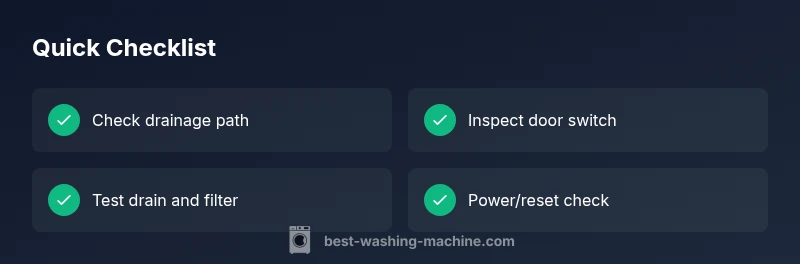
Before diving into more involved diagnostics, run through this rapid-fire checklist. These checks address the most common causes of a red light on Samsung washing machines and can be completed safely in under 15 minutes:
- Reset the machine: Power off, wait 30 seconds, then power back on to clear transient faults.
- Inspect the drain hose: Ensure it is not kinked, crushed, or blocked; secure connections at the rear.
- Clean the filter and pump area: Remove debris that can block drainage; consult your model’s manual for access steps.
- Verify door/lid is fully closed: A loose or misaligned door can trigger the fault indicator.
- Check water supply: Confirm hoses are kink-free and the water taps are open; ensure the inlet valve isn’t obstructed.
- Unload excessive laundry: Redistribute or reduce load if the drum feels unbalanced.
If the light goes away after these steps, run a short cycle to confirm normal operation. If not, proceed with more detailed diagnostics or contact support. Safety note: Always unplug the unit before handling internal parts or removing panels.
Diagnostic flow: symptom-to-diagnosis-to-fix
When the red light remains after a reset, you can follow a simple diagnostic flow to isolate the issue. Start with the most common, least invasive causes and work toward the more complex ones. This flow prioritizes safety and clear next steps:
- Symptom: Red light stays on after reset and cycle aborts.
- Diagnosis: Drainage issue, door switch fault, or overload detected by the control board.
- Fix: Clear the pump filter, straighten or replace the drain hose, reseat or replace the door switch, and reduce load.
- Symptom: Light blinks in a specific pattern or a fault code appears on the display.
- Diagnosis: Specific fault code mapping for your model—often drain, door, or water inlet related.
- Fix: Follow the fault-code guide in your manual to target the right subsystem.
- Symptom: Machine fills but won’t drain or spins poorly.
- Diagnosis: Pump or filter obstruction, or a bad drain path.
- Fix: Access and clean the pump area, verify hose routing, and ensure the drain port is clear.
If light patterns persist despite these steps, the issue is likely deeper in the electronics or sensors. In that case, schedule service and preserve any fault codes or screen messages for the technician. Always prioritize safety and avoid disassembly beyond your comfort level.
Steps
Estimated time: 45-60 minutes
- 1
Power down and safety check
Unplug the machine and wait at least 60 seconds to discharge capacitors. Inspect the area around the washer for pooling water. If you smell burning or see scorch marks, stop and call a professional.
Tip: If you must move the unit, do so gently to avoid dislodging hoses or creating new leaks. - 2
Reset and test cycle
Plug the washer back in, select a quick rinse or empty load cycle, and run a short test. Observe whether the red light clears and the drum rotates smoothly.
Tip: Use a shorter cycle first to verify basic operation without filling the entire tub. - 3
Drain path inspection
Disconnect the drain hose and check for kinks or blockages. Remove any visible debris from the hose and pump filter as applicable.
Tip: Have a towel or tray ready to catch water; keep the area dry to prevent slips. - 4
Door/lid switch check
Ensure the door latch fits perfectly, the door closes fully, and the latch engages. If you hear no click or the latch feels loose, the switch may need replacement.
Tip: Only work on the switch if you are comfortable with basic wiring; otherwise call a pro. - 5
Water inlet and supply check
Verify both hot and cold water taps are open and that hoses are free of kinks. Inspect the inlet valve screen for debris and clean if needed.
Tip: Avoid over-tightening hose connections; a snug seal is enough to prevent leaks. - 6
Test run and observe
Run another full cycle with a light load to confirm the red light is gone and the machine completes normally. Monitor for any unusual noises or leaks.
Tip: If the light reappears, document the pattern and codes for the technician.
Diagnosis: Red light on Samsung washing machine during or after a cycle
Possible Causes
- highDrain pump or filter blockage
- highDoor or lid switch fault
- mediumOverload or unbalanced load
- mediumWater inlet valve or supply issue
Fixes
- easyClear and clean the pump filter and inspect the drain hose for kinks or blockages
- easyTest and reseat or replace the door/lid switch if necessary
- easyRemove excess clothes and redistribute the load before retrying a cycle
- easyCheck water supply hoses and inlet valves; ensure the taps are open and hoses are not obstructed
FAQ
What does the red light on a Samsung washing machine mean?
A red light usually signals a fault that prevents operation. It may indicate drainage, door switch, or overload issues. Check for codes on the display and try safe resets first.
The red light typically means there’s a fault preventing operation. Start with a reset and quick checks, then consult your manual if the light stays on.
Can overload cause the red light to come on?
Yes, overloading or unbalanced loads can trip sensors and trigger the red fault light. Remove excess laundry and run a shorter cycle to test.
Overloading can trigger the fault light. Remove some clothes and try a short cycle to test.
What should I do if the door won’t unlock after a fault?
If the door won’t unlock, unplug the unit and wait. A stubborn door latch may require professional service to avoid damaging the lock or causing leaks.
If the door latch won’t unlock, unplug and wait; if it still won’t release, a pro should check it.
Is it safe to unplug and reset Samsung washers?
Yes, a brief power reset is safe and recommended for many faults. Always unplug before inspecting internal components and avoid touching live parts.
Yes, safely reset by unplugging first, then plug back in and test.
When should I call a professional?
If the red light persists after all basic checks and resets, or if you notice burning smells, leaks, or odd noises, contact a technician.
Call a professional if the fault persists after checks or you notice leaks or unusual smells.
Can replacing parts fix the red light?
Replacement may be necessary for faulty door switches, sensors, or control boards. A tech can confirm the exact part and provide a safe installation.
Sometimes a faulty switch or control board needs replacement; a pro can confirm and handle it safely.
Watch Video
The Essentials
- Identify if the red light is a drainage or lid-switch fault
- Start with safe, low-effort resets and inspections
- Clean the pump and filter to restore drainage
- Check door/lid mechanisms before replacing parts
- Call a professional if the fault persists or you detect electrical hazards