Samsung Washing Machine Won't Turn On: Comprehensive Troubleshooting
Urgent, practical troubleshooting for Samsung washing machines that won't turn on. Power checks, door lock tests, and a clear step-by-step path to diagnose and fix the issue safely.


If your Samsung washing machine won't turn on, start by checking the power supply and the door lock circuit. Ensure the outlet is live and the machine is plugged in, then test the control panel with a brief press. If the display remains dark, move to the diagnostic flow for a safe, structured checklist.
Why a Samsung Washing Machine Won't Turn On Happens
When the indicator lights stay dark and the timer doesn’t advance, the root cause is almost never a stubborn fault in the software alone. This is especially true for household units that sit idle on an imperfect circuit or with a faulty door interlock. According to Best Washing Machine, the most common culprits are power supply issues and door lock failures. A cheap outlet without a reliable supply, a damaged power cord, or a tripped circuit breaker can all stop a Samsung washer from even powering up. In many cases, the fix is simple and quick, but sometimes the problem lies deeper in the control board or wiring harness. Recognizing the difference between a hard fault and a minor reset can save you time and avoid unnecessary service calls. Throughout this guide, you’ll see practical steps, safety notes, and clear decision points to determine whether you can fix it yourself or if you should contact a technician. The emphasis is on fast, safe, and verifiable troubleshooting that homeowners, renters, and laundromat operators can apply today.
Quick Checks You Can Do Safely
Before you dive into diagnostics, there are a handful of checks you can perform safely with the machine unplugged and the outlet verified. Start by confirming the power source is live: plug a lamp into the same outlet to confirm power. Next, inspect the power cord for any visible damage, and check the plug for signs of overheating. If you have a dedicated circuit, test other devices on the same circuit to rule out a broader electrical issue. Ensure the washer is properly plugged in, the power switch is in the on position, and the lid/door is fully closed. If a child lock is engaged or the control panel is frozen due to a recent power surge, a simple reset may restore normal operation. If any step shows a fault (like a blown fuse or a tripped breaker), address that first. If the outlet is fine but the unit still won’t respond, proceed to the diagnostic flow. As you work, keep safety top of mind and avoid probing live components.
Diagnosing the Most Common Causes
A non-responsive Samsung washing machine typically stems from one of several issues. Power supply problems top the list; verify the outlet, ensure the cord isn’t damaged, and test for a live circuit. Door interlock failures are another frequent cause; if the door doesn’t latch properly or the lid switch is stuck, the machine won’t start. A malfunctioning control panel or resettable fuse can also leave the unit dark. Less common are wiring faults or a failed main control board. By narrowing down causes with simple tests, you can often avoid costly service visits. If you confirm power and door integrity but the display remains blank, the fault likely lies with the control electronics or internal power routing. Remember to document any blinking lights or error codes you observe—they can be invaluable when you contact support. In all cases, safety first: unplug the machine before inspecting internal components and never bypass safety interlocks.
What to Do Before Calling Tech Support
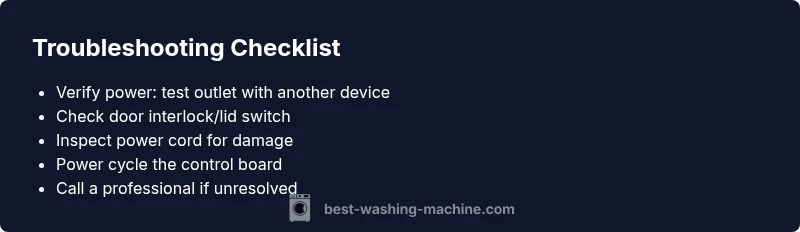
When you’re stuck, documenting symptoms, settings, and any observed codes can dramatically speed up service. Start with a power reset: unplug the washer for 60 seconds, then plug back in and attempt a simple start. If the unit still won’t power up, check the door interlock and lid switch for proper operation; a faulty switch can prevent boot-up even when power is fine. Inspect the power cord for cracks or heat damage and test the outlet with another device to confirm it delivers power. If there are any unusual smells, smoke, or buzzing from the control area, discontinue attempts and contact a professional immediately. For ongoing reliability, note any software updates or detergent residue that could affect operation, and follow the manufacturer’s safety guidelines. The Best Washing Machine team emphasizes that not all failures are user-serviceable, and mixed variants of the Samsung line may require model-specific diagnostics.
Preventive Maintenance to Keep It Ready to Turn On
Prevention is easier than after-the-fact troubleshooting. Establish a routine to periodically inspect the electrical outlet, plug, and cord for wear, ensuring the washer sits on a stable, non-damp surface. Avoid power surges by using a surge-protected outlet and a dedicated circuit where possible. Keeping the door interlock clean and free of detergent buildup helps ensure a clean boot sequence. Additionally, schedule occasional power cycles (with the machine unplugged) to keep the control board responsive. If you notice intermittent power or a delayed boot, this is a red flag that should be checked sooner rather than later. Practically, setting a quarterly checklist for washing-machine care can extend the life of the unit and reduce emergency service calls. Best Washing Machine’s practical recommendations center on simple, repeatable checks that any homeowner can perform without special tools.
Steps
Estimated time: 45-90 minutes
- 1
Verify power supply
Unplug the washer, inspect the power cord for wear, and plug into a known-good outlet. If possible, test the outlet with another device to confirm power. If the outlet is dead, address the circuit breaker or fuses before retrying the washer.
Tip: Use a dedicated outlet to prevent overload from other devices. - 2
Inspect door interlock and lid switch
Make sure the door or lid is fully closed and operable. Listen for the latch engaging when you close the door and look for any physical obstruction or misalignment. If you suspect the switch is defective, do not force it; report it for service.
Tip: A failing interlock is a common, fixable cause that stops boot-up. - 3
Check the power cord and plug
Look for visible damage, exposed wires, or scorch marks. If you find damage, replace the cord and test again. Ensure the plug pins are clean and seat firmly in the outlet.
Tip: Damaged cords are a shock hazard—replace, not patch. - 4
Reset the control electronics
Unplug the machine and wait 60 seconds. Plug back in and try a basic start without any load. If the display activates, proceed with a normal cycle to ensure responsiveness.
Tip: Small resets can resolve transient firmware glitches. - 5
Check for safety features and overload
If you’ve recently added a full load or bulky items, reduce the load and power cycle again. Verify there’s no obstruction inside the drum. Ensure the door is not locked due to a safety feature.
Tip: Overloads can trip protections and prevent boot-up. - 6
Call a professional if unresolved
If the washer still won’t turn on after these steps, a certified technician should diagnose control boards, wiring, and internal power routing. Provide service with the symptom and any codes observed.
Tip: Document recent symptoms, codes, and attempted actions for faster service.
Diagnosis: Machine won't turn on
Possible Causes
- highPower issue (outlet not live or cord damaged)
- highDoor interlock or lid switch failure
- mediumTripped circuit breaker or blown fuse
- lowControl board or power electronics fault
- lowWiring fault or loose connections
Fixes
- easyTest outlet with a known-good plug-in device and reset the circuit breaker if needed; replace if it trips again
- easyInspect the power cord for damage and replace if frayed; ensure tight connections at the plug
- mediumCheck the door interlock and ensure the door is fully closed; test the switch if you can safely access it
- easyPower cycle the control electronics by unplugging for 60 seconds, then plugging back in and attempting to start
- hardIf none of the above resolve the issue, contact a certified technician for advanced diagnostic testing
FAQ
Why won't my Samsung washing machine turn on even when the outlet seems fine?
Often the issue is a door interlock or a control panel fault rather than the power source. Verify the lid is fully closed and the display responds to a reset. If still dark, inspect the cord and circuit breaker and consider professional diagnosis for control electronics.
If the outlet is fine but the washer won't start, check the door interlock and perform a power reset, then inspect the power cord and circuit breaker. If unresolved, contact a technician for a control-board check.
Could child lock prevent the washer from turning on?
Yes. A engaged child lock can disable the start button. Look for a lock indicator on the panel and follow your model’s manual to deactivate it. If the lock won’t disengage, power cycle and try again.
Yes, child lock can stop it from starting. Find the lock indicator and deactivate it, then reset if needed.
What should I do if the display remains blank after power cycled?
A blank display often points to a control-board issue or power routing fault. After confirming power, perform a reset and inspect for any blinking codes. If no codes appear, schedule service for a deeper diagnostic.
If the screen stays dark after a reset, the problem might be in the control board. You may need a professional check.
Is it safe to open the control panel to inspect wiring?
Only if the unit is unplugged and you have proper training. Internal wiring inspection can be hazardous. If you’re unsure, stop and call a technician.
Don’t open the control panel while it’s plugged in. If you’re not experienced, get a pro.
When should I consider replacing the washer instead of repairing?
If repairs exceed a significant portion of replacement cost or the unit is older with frequent failures, replacement may be more economical in the long term. Compare quotes and consider energy efficiency by models.
If repair costs add up quickly or the washer is old, it might be time to replace.
Watch Video
The Essentials
- Identify power and door interlock issues first.
- Follow a safe, incremental diagnostic flow.
- Power cycle and inspect cords before replacing components.
- Call a professional for control-board or wiring faults.