Samsung Washing Machine Code DC: Urgent Troubleshooting Guide
Urgent guide to Samsung washing machine DC error: meanings, quick fixes, diagnostic flow, cost estimates, and when to call a pro. Learn how to reset, diagnose motor/drive issues, and prevent DC faults.


DC on Samsung washing machines generally signals a motor/drive or control fault that stops the drum from spinning. Quick fixes you can try now include unplugging the unit, power cycling, unloading the load, inspecting the door latch, and making sure the drum turns freely by hand. If the code returns, schedule service promptly to prevent further damage.
What DC Means on Samsung Washers
DC error codes on Samsung washing machines signal that the drum cannot rotate due to a fault in the drive system, motor control, or related sensors. In practice, you may see the DC code stop a cycle, accompanied by a brief pause and an audible click as the drum tries to start. The exact cause can vary widely—from a jammed load to a failing motor driver or a stuck door interlock. According to Best Washing Machine Team, the most important thing is to treat DC as a sign that the machine needs attention, not a minor nuisance.
First, observe the symptom: does the code appear at the start of a cycle, mid-cycle, or during draining? Is the drum physically stuck or does it feel locked in place when you try to manually spin it? These initial observations help narrow the field: most common triggers are mechanical jams, overload, or a faulty interlock; less common but possible culprits include a damaged drive belt, a bad capacitor in the motor driver, or a corrupted control board data.
Because safety is critical, never force the drum or remove panels with the machine plugged in. If you notice burning smells, smoke, or heat near the control panel, stop and unplug immediately. The DC code itself is not a guarantee of a single cause. It is a diagnostic sign that points toward the motor, drive, or control components that must be tested with care. Best Washing Machine's analysis emphasizes a methodical approach to identify the exact failure with minimal risk to you or the appliance.
Quick Fixes to Try Now (Before Diagnosing)
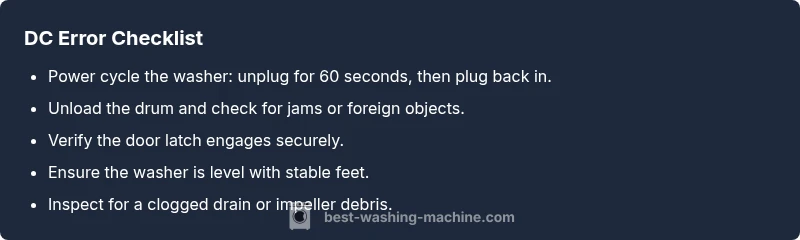
If you’re staring at DC, you don’t need to panic. Some fixes are quick, inexpensive, and safe to perform yourself. Start with power: unplug the unit, wait 60 seconds, and plug it back in to reset the control board. Next, unload the drum: remove heavy items and check that nothing is trapped in the drum or around the door seal. Ensure the door latch engages securely; press firmly to confirm it latches. Check for obvious obstructions in the drum—foreign objects or tangled laundry can block rotation.
If the drum still cannot turn, perform a gentle manual test: with the power off, try to rotate the drum by hand. If it spins freely, the problem is more likely with the drive electronics or door interlock; if it remains stiff, there may be a mechanical jam or bearing issue. Also verify that the washer is level and that the feet are all stable. An uneven machine can trigger false DC readings.
Finally, check the drain and pump area only if you’re comfortable and the unit is unplugged. A clogged drain or debris in the impeller can stress the motor when the machine attempts to spin. If any of these steps reduce the error, re-run a normal cycle to see if the DC code reappears. If it does, proceed to the diagnostic flow and step-by-step fixes, and contact Best Washing Machine for next-level repair.
How We Diagnose DC: Symptom-to-Cause Map
The DC error isn’t a single-root fault; it’s a signal that points toward several potential culprits. Start with what you’re seeing in the cycle: does the drum refuse to spin only on high-load cycles, or is the issue present across all programs? A jammed laundry load, a worn belt (if you have a belt-driven model), or a stalled drum due to bearings are common mechanical causes. If the drum spins freely by hand with power off, the problem often lies in the drive electronics, motor inverter, or door interlock.
Next, look at the door latch and interlock mechanism. A faulty latch can falsely report a closed door, triggering a safety lock and halting rotation. If the interlock is damaged, the washer may go into a protective mode and display DC. Electrical causes can include a failing inverter board or a faulty sensor array within the motor driver. A burnt smell or heat near the control panel warrants immediate professional attention. Best Washing Machine recommends a structured check: mechanical blockers first, then door interlock, then motor drive electronics.
Steps
Estimated time: 30-60 minutes
- 1
Power cycle the washer
Unplug the machine from the wall, wait 60 seconds, then plug it back in. This resets the control board and can clear temporary faults that trigger DC.
Tip: Wait a full minute to ensure a complete reset. - 2
Unload and clear the drum
Remove all clothes and any obstructions. A stuck item can mimic a motor fault and trigger DC. Manually rotate the drum to feel for binding.
Tip: Check for small objects around the drum edges that may have wedged in. - 3
Test the door interlock
With power off, inspect the door latch and interlock wiring for damage or loose connectors. A faulty interlock can falsely signal a closed door and stop spinning.
Tip: If you hear a click when closing the door, the latch may be OK; if not, test with a spare latch if available. - 4
Level the washer and reset feet
Ensure the machine sits level on a hard surface. Adjust the feet to remove any wobble, which can influence DC readings.
Tip: A base that’s off can create false error signals during spin tests. - 5
Inspect drive belt or motor area (if accessible)
If your model has a belt, check it for wear or slippage. Accessing this area varies by model; unplug first and follow the user manual safety guidelines.
Tip: Do not touch pulleys while the drum can still move unexpectedly. - 6
Run a test cycle
After completing the above checks, run a gentle cycle to observe whether DC recurs. If it does, escalate to a professional diagnostic.
Tip: Document any patterns (cycle type, load size) to share with the technician.
Diagnosis: DC error appears and drum won’t spin
Possible Causes
- highOverloaded drum or jammed load
- mediumDoor interlock fault
- lowDrive motor or inverter failure
Fixes
- easyUnload the drum and attempt to rotate by hand with power off
- easyReset the control board by unplugging for 60 seconds and replugging
- easyInspect the door latch and interlock connections for damage or misalignment
FAQ
What does DC mean on a Samsung washer?
DC typically indicates a motor/drive or control fault that prevents the drum from turning. It’s not a single fault; you should follow a structured diagnostic flow to identify the exact cause.
DC usually means a motor or control fault stopping the drum; follow a diagnostic flow to pinpoint the issue.
Can I fix DC myself?
Some quick checks are safe for non-professionals, such as resetting power, unloading the drum, and inspecting the door latch. More advanced repairs—like replacing a motor inverter or drive belt—should be handled by a pro.
You can try basic resets and load checks, but bigger repairs are best left to a professional.
Is a DC error dangerous to ignore?
Yes. Ignoring DC can lead to motor overheating, electrical faults, or further damage. If the error recurs after basic resets, stop using the unit and seek professional help.
Don’t ignore it. If it keeps coming back, stop using the washer and call a technician.
How long does a DC repair take?
Time varies by diagnosis and parts availability. A simple reset or latch repair may take 1–2 hours; more complex motor or inverter work can take several hours to a day.
Most repairs take a few hours, but complex motor work can take longer.
Will DC be covered under warranty?
Warranty coverage depends on the cause and your service history. Manufacturing defects are typically covered, but user-induced jams or improper use may limit coverage.
Warranty depends on the cause and your policy; contact your warranty provider for specifics.
What should I tell a technician about DC?
Describe when the code appears, whether the drum spins by hand, and any noises or smells. Share steps you’ve already tried (power cycle, unloading, door latch checks) to speed up diagnosis.
Tell the tech when the code shows up and what you’ve tried so they can diagnose faster.
Watch Video
The Essentials
- Unplug and reset before deeper checks
- Unload and inspect the drum for jams
- Door interlock and motor drive are common DC culprits
- Call a professional if the DC code persists
- Budget for potential labor and parts costs in advance