Washing Machine Doesn't Work: Quick Troubleshooting Guide
Facing a washing machine doesn't work? This urgent troubleshooting guide helps you diagnose power, water, and safety issues quickly, with step-by-step checks to get your laundry back on track. Learn when to call a pro.


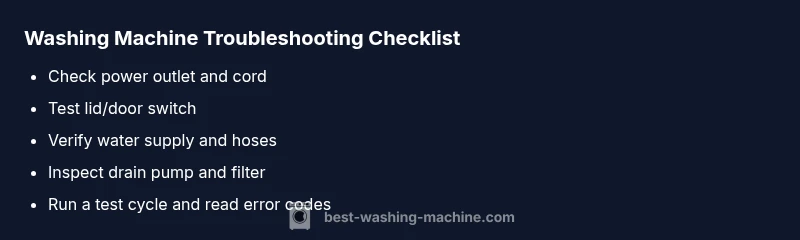
Most often, a washing machine doesn't work due to a simple power, water supply, or lid-switch issue. Start by checking the power outlet and cord, then verify the lid or door switch and water supply hoses. If the drum still won't spin, proceed to the diagnostic flow below for a safe, methodical path to identify the fault and restore operation within minutes.
Why a Washing Machine Might Not Start
If your laundry day starts with a stalled machine, you’re not alone: a washing machine doesn't work when power, water, or safety interlocks fail. The most common reasons are simple, addressable items rather than exotic mechanical failures. According to Best Washing Machine, most starts fail due to a looser outlet, a tripped breaker, or a faulty lid switch. Begin with the basics: ensure the machine is plugged in, the outlet is live, and the circuit breaker is not tripped. If the power is steady, move on to the door or lid interlock and the water supply. A quick examination now can save a service call and keep your day moving. In this guide, we’ll walk you through a safe, systematic approach to identify why the machine isn’t starting and how to fix it quickly.
Common Causes and Quick Checks
When a washer refuses to start or run, the likely culprits are simple, user-serviceable issues rather than expensive repairs. Start with three basics: is it actually getting power, is the lid/door switch functioning, and is the water supply turned on? Look for a tripped breaker, a loose plug, or a blown fuse. Next, verify the lid switch and door lock engage correctly; a faulty switch can prevent the motor from starting. Finally, inspect the control panel for error codes or unresponsive buttons. Safety interlocks ensure you don’t damage the appliance or flood the room—respect them and proceed calmly.
Electrical and Control Panel Checks
Electrical issues top the list of reasons a washing machine doesn’t work. Inspect the cord for damage and ensure the plug is firmly seated. If the outlet tests hot with a voltage tester, the problem may lie in the control board or display panel. Clear the panel of dust and check for stuck buttons or error codes. Some models require a simple reset: unplug for 60 seconds, then plug back in. According to Best Washing Machine analysis, many non-starting failures resolve with a power reset and a fresh start on the user interface. If the display remains blank or shows codes you don’t recognize, consult the manual or contact support.
Water Supply, Hoses, and Drain Health
A washer that won’t start can still be affected by a water supply issue later in the cycle. Confirm that the hot and cold water valves are fully open and that hoses are not kinked or clogged. Disconnect and inspect the inlet screen filters for debris. A kinked drain hose or a clogged pump can stall a cycle before it begins, especially on high-efficiency models. If water flow is weak or irregular, the machine may pause for safety, giving the impression that it’s not starting at all.
Door/Lid Switch, Detergent Drawer, and Safety Interlocks
Many washers won’t start unless the lid or door switch is engaged. A worn or misaligned switch can fail intermittently, so test it with the machine unplugged: gently press the switch with a finger and listen or feel for a click. Also check that the detergent drawer isn’t obstructing the mechanism. Safety interlocks are designed to prevent operation when the lid is open or the door is ajar; if you suspect a faulty interlock, you’ll likely need a service call. Remember: do not bypass interlocks—they protect you and your home from floods.
Diagnostic Flow: Symptom to Diagnosis to Solution
When the machine won’t start, follow a structured flow: confirm power, verify lid switch, check water supply, inspect for error codes, then assess the control panel. If the unit powers on but won’t advance, focus on the motor, belt, or drum assembly. Refer to your model’s error codes and the user manual for specifics. If you encounter a code you don’t understand, jot it down and search the exact code in our guide or contact support. This flow helps you avoid random fixes and narrows the fault quickly.
Step-by-Step Fixes for the Most Likely Cause
- Power and reset: Unplug the machine for 60 seconds, then plug back in and reset the cycle. 2) Lid/door switch test: With the machine unplugged, press the switch manually and listen for a click; if no click, replace the switch. 3) Water supply check: Ensure both valves are open and hoses are free of kinks; clean inlet screens if needed. 4) Control panel refresh: If codes appear, perform a factory reset or consult the manual for code-specific steps. 5) Run a test cycle: Choose a quick wash to confirm the drum spins freely and the pump runs. 6) If issues persist, schedule a service visit. Tip: record any codes for faster diagnosis.
Safety, Warnings, and When Professional Help Is Needed
Safety first: always unplug before inspecting any electrical components. Do not attempt to bypass safety interlocks or tamper with high‑voltage parts. If you smell burning, see arcing, or hear unusual noises after basic checks, stop immediately and contact a professional. Complex issues like a failing motor, drive belt, or control board require trained technicians. Best Washing Machine recommends scheduling a pro visit if the problem persists after the above steps or if you’re uncomfortable performing any test.
Maintenance and Prevention to Avoid Future Breakdowns
Perform a simple maintenance routine to keep a washing machine from failing: clean the lint filter and pump filter regularly, run a short hot water cycle monthly to prevent buildup, inspect hoses for wear, and keep the area around the washer dry and accessible. Use the correct detergent amount to avoid suds buildup that can confuse the control panel. By following these practices, you’ll reduce the likelihood of recurring problems and extend the life of your appliance.
Steps
Estimated time: 30-45 minutes
- 1
Check power and outlet
Unplug the washer, inspect the cord for damage, plug into a known-good outlet, and reset the circuit breaker if needed. Use a different receptacle to confirm power reliability.
Tip: If you’re using a surge protector, test without it. - 2
Test lid/door switch
With the unit unplugged, press the lid or door switch to ensure it click-connects and disengages the interlock when released. Replace if no click or if the door remains engaged when open.
Tip: Consult your manual for the exact switch location. - 3
Verify water supply
Ensure both hot and cold valves are fully open and hoses aren’t kinked. Remove any debris from inlet screens and reconnect securely.
Tip: Do not force hoses through tight gaps. - 4
Inspect control panel
Look for unresponsive buttons, stuck LEDs, or unusual error codes. Reset the panel if your model supports it; otherwise, power-cycle the unit.
Tip: Note any codes; they streamline diagnosis. - 5
Run a test cycle
Select a quick wash and observe whether the drum rotates and the pump activates. Listen for abnormal noises which indicate mechanical issues.
Tip: Stay nearby to catch any leaks early. - 6
Code diagnosis
If error codes appear, refer to the manual or manufacturer site for exact meanings and recommended steps. Do not guess codes.
Tip: Keep a running log of codes for service calls. - 7
Assess for mechanical faults
If the drum does not rotate despite power and switch checks, suspect a belt, motor, or transmission problem that may require a technician.
Tip: Some models require professional calibration. - 8
Call a professional
If basic checks fail or you’re uncomfortable with disassembly, schedule a service call. Pro technicians can diagnose control board or motor issues safely.
Tip: Ask about warranty coverage or flat-rate service.
Diagnosis: Washing machine won't start or run at all
Possible Causes
- highPower issue (outlet, plug, or breaker)
- highFaulty lid/door switch or safety interlock
- mediumControl panel or motherboard fault
Fixes
- easyTest outlet with another device; reset breaker; plug the washer into a known good outlet
- mediumInspect lid/door switch; replace if the switch does not click or shows wear
- easyPower-cycle the unit (unplug, wait 60 seconds, plug back in) and check for error codes
FAQ
Why won't my washing machine start even when it's plugged in?
Often the problem is a tripped breaker, a blown fuse, or a faulty outlet. Start by testing the outlet with another device and resetting the circuit. If the outlet is fine, inspect the power cord for damage and check the control panel for obvious error codes.
Usually a power issue or outlet problem. Test the outlet, reset the breaker, and check the power cord; if the panel shows codes, note them for reference.
Can a door or lid switch stop the washer from running?
Yes. A faulty lid or door switch can prevent the motor from starting to protect you from moving parts. Check the switch for a proper click and replace if it doesn’t engage when closed.
Yes. A bad door switch stops the unit from starting; ensure it clicks and works, and replace if needed.
Is it safe to reset the control panel myself?
Resetting can clear minor glitches, but persistent issues may indicate a deeper fault. Unplug for 60 seconds, then plug back in and test. If codes appear, consult the manual.
You can reset by unplugging briefly, then testing. If codes show up, check the manual or call support.
When should I call a professional for a washing machine that won't start?
Call a pro if basic power, switch, and water checks don’t restore function, or if you hear grinding, see burning smells, or the control board shows fault codes you can't interpret.
If simple steps don’t fix it or you hear odd noises, call a technician.
Can error codes help me diagnose the problem?
Yes. Error codes indicate specific faults. Look up the exact code in your model’s manual or the manufacturer website to get targeted troubleshooting steps.
Error codes point to exact faults; check the manual for the code meanings and steps.
Watch Video
The Essentials
- Identify the simplest fix first (power, lid switch).
- Check water supply and hoses before deeper diagnostics.
- Follow the diagnostic flow to avoid guessing.
- Power cycle and safe testing reset many issues.
- If issues persist, contact a pro.