What Are LG Washing Machine Error Codes? An Urgent Troubleshooting Guide
Urgent guide explaining LG error codes, what they mean, how to troubleshoot safely, and when to call a pro. Practical steps, maintenance tips, and cost ranges from Best Washing Machine.


LG washing machine error codes are signals from the control board that identify faults. Most codes map to drainage, spin, balance, or sensor issues and can often be addressed with quick checks like clearing the drain, leveling the unit, or resetting the machine. If codes persist, consult the manual or contact Best Washing Machine for expert guidance.
what are lg washing machine error codes
LG error codes are signals from the control board indicating faults, and they appear on the display to guide quick triage. In practice, most codes map to four broad categories: drainage and pump problems, water inlet or filter issues, load balance/unbalanced spins, and sensor or door/lid switch faults. Recognizing the general meaning behind a code helps you decide if you can safely troubleshoot at home or if you should pull in a professional. Remember, variations exist between LG models and firmware, so always check your exact model's manual. At Best Washing Machine, we synthesize model-agnostic guidance with model-specific notes to help you act fast and accurately. When you see a code, start a quick log: date, code, and what you were doing when it appeared. This simple step pays off when you escalate to a technician or use a service guide from our site. The ultimate goal is to resolve the fault without risking water leaks or electrical hazards.
Quick fixes you can try before you call a pro
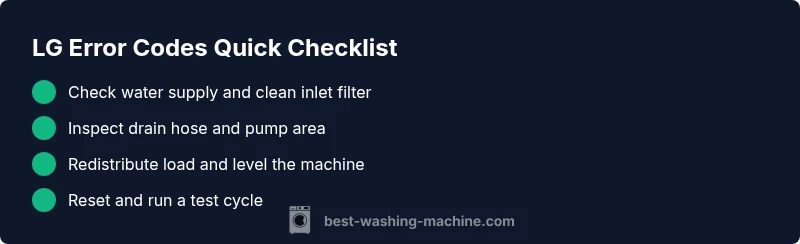
If an LG washer shows an error, you can often clear the issue with a few safe steps. First, unplug the machine and shut off the water supply to prevent leaks. Then inspect the drain hose for kinks or clogs, and check the drain pump area for debris. Next, open the access panel (if applicable) to clean the inlet filter and verify the water inlet screens are clear. Confirm the load is balanced and not overly heavy; redistribute clothes evenly. Finally, perform a soft reset: unplug for 60 seconds, then plug back in and run a short test cycle. If the code persists after these steps, record the exact code and model, and consult the manual for model-specific steps. For many families, these steps solve common drainage and balance codes quickly, buying you time before scheduling a service call.
Reading the codes: categories LG uses
LG uses codes to communicate fault families rather than single symptoms. The four main groups are: Drainage and pump problems; Water inlet or flow restrictions; Load balance/spin faults; Sensor, door, or control-board faults. Within each group, the handset or display often shows a two-letter or two-number code. The exact code meaning can vary by model and firmware; always cross-reference with your particular model's manual or our Best Washing Machine library. If you can't locate your manual, search our site for the model number (usually found on the door frame) and the code table. Understanding the category helps you pick a fix path: a drainage code typically means pump or hose issues, while an unbalanced load usually points to distribution or vibration.
Step-by-step: reset and basic checks
Follow these steps to perform the most common home fix for LG error codes related to drainage or balance.
- Power down and safety: Unplug the washer and shut off the water supply; wait 60 seconds before starting.
- Access and inspect hoses: Move the machine carefully to access the back; check the drain hose for kinks and ensure the inlet hoses are snug.
- Clean the inlet filter: Detach the hoses one at a time and clean the screen; rinse under running water; reattach securely.
- Clear the drain pump area: Remove any visible debris around the pump; check for trapped hair or lint.
- Level the machine and redistribute: Use a level to verify front-to-back and side-to-side; adjust feet; place clothes evenly in the drum.
- Reset and test run: Plug back in, return water supply, and run a short cycle with a small load. If the code persists, proceed to professional help.
Drain and inlet problems explained
Drainage problems are the most common reason LG displays an error code. A blocked or kinked drain hose, a clogged pump, or a dirty filter can stop water from exiting the tub, triggering codes tied to drainage. Inlet problems occur when water cannot enter the drum properly due to blocked screens, low water pressure, or a closed supply valve. Both scenarios are fixable with methodical steps: inspect and clear filters, straighten hoses, ensure the supply is fully open, and test with a small load. When drain issues are present, you’ll notice standing water or slow drainage; inlet issues often show up as water taking too long to fill.
Unbalanced loads and spinning issues
Unbalanced loads are a frequent source of error codes in front-load LG washers. If the drum is overloaded or clothes are bunched on one side, the machine may fail to spin or drain properly, producing UE-type codes on some models. Prevent this by redistributing heavy items, using balanced loads, and avoiding multiple bulky items packed together. If vibrations build up, relevel the machine and consider using a lower spin setting. In some cases, a simple spin-test cycle after rearranging the load is enough to clear the code, but persistent issues deserve a closer look at feet adjustment and docking.
Safety considerations and when to stop DIY
DIY fixes can save time and money, but safety comes first. Always unplug the washer before any work, and never open electrical access panels while plugged in. If you detect burning smells, loud arcing sounds, or signs of water leakage near outlets, shut off power and water immediately and call a professional. Do not attempt to replace high-voltage components or the main control board unless you are trained. For most common drainage and balance codes, a professional diagnostic typically costs between a low and mid range, with parts and labor adding to the total. Expect to invest in the range of a few dozen to a couple hundred dollars for diagnosis, and higher for complex repairs.
Preventing error codes: maintenance tips
Proactive maintenance significantly reduces the chance of error codes. Establish a monthly routine: (1) inspect inlet filters and hoses; (2) check the drain pump area for debris; (3) ensure the machine is level after installation or relocation; (4) avoid overloading; (5) use proper detergent and avoid residue buildup. Keep the door seal clean to prevent mold and odors that can influence sensors. Record any codes immediately and compare them against model-specific guidance from the Best Washing Machine library. A quick maintenance check is far cheaper than repeated emergency repairs.
Cost and time estimates for professional help
If you need a technician, expect a diagnostic visit to cost roughly $60–$120, depending on your location and the service call policy. Repair costs vary by fault: simple part replacements like an inlet valve or pump can range from $100–$300, while more extensive control-board or motor repairs may push the total toward $350–$900. For some LG models, same-day service may be available, but emergencies can incur higher rates. Always ask for a written estimate and confirm whether parts and labor are covered under any warranty or service plan.
Model-specific references and getting the right manual
Because LG uses model-specific error codes, locating your exact manual is essential. Find the model number on the door frame plate or inside the access panel, then search LG's official site or our library for the corresponding error code table. If you cannot locate a manual online, capture the exact display code, model number, and firmware version, and contact Best Washing Machine for direct guidance. Our resources emphasize model-aware troubleshooting to reduce guesswork and protect your warranty.
Steps
Estimated time: 30-60 minutes
- 1
Power down and safety
Unplug the washer and shut off the water supply; wait 60 seconds before starting any work.
Tip: Power down first to avoid electrical shocks. - 2
Access and inspect hoses
Carefully move the washer or access the back panel to inspect the drain and inlet hoses for kinks, cracks, or disconnections.
Tip: Take a photo of hose routing to reassemble correctly. - 3
Clean inlet filter
Detach the inlet hose, remove the screen, rinse under running water, and reattach ensuring a snug seal.
Tip: Do not force the filter; use gentle taps to dislodge debris. - 4
Clear drain pathway
Check the drain hose, clamp, and pump area for lint or hair build-up; remove obstructions carefully.
Tip: Use a flashlight to spot hidden blockages. - 5
Level and redistribute
Ensure the washer sits level on all feet; redistribute heavy items evenly in the drum.
Tip: A level surface minimizes vibrations that trigger codes. - 6
Test run
Plug back in, restore water supply, and run a short cycle with a small load to observe behavior and check for leaks.
Tip: Record any new or changed codes for reference.
Diagnosis: Error code on LG washer display, cycle stops mid-cycle
Possible Causes
- highClogged or restricted water inlet and filters
- mediumDrain pump blockage or kinked drain hose
- lowControl board glitch or software fault
Fixes
- easyClean inlet filter and straighten/reseat water hoses; ensure supply is on
- easyInspect drain hose for kinks/blockages and clear the pump area
- hardReset the washer and/or replace faulty control board if codes persist
FAQ
What do common LG error codes mean?
Most LG error codes fall into drainage, inlet, balance/spin, or sensor categories. Check the display for the two-letter code, then consult your model's manual or trusted guides for the exact meaning and recommended fix.
Most LG error codes fall into drainage, inlet, balance, or sensor categories. Check the code and your manual for the exact meaning and fix.
Can I reset LG washer to clear error codes?
Yes. A soft reset—unplugging for about 60 seconds and then plugging back in—clears many codes tied to temporary glitches. If the code returns, deeper checks are needed.
Yes. Try unplugging for about a minute, then plug back in. If the code returns, you may need deeper checks.
Do all LG models use the same error code format?
No. LG uses model-specific codes and tables. Always refer to your exact model manual or a trusted guide like Best Washing Machine for the correct interpretation.
No. Codes vary by model, so check your manual for the exact definition.
Is it safe to fix inlet or drain problems myself?
Many drainage and inlet issues are DIY-friendly if you follow safety steps and unplug the unit. Avoid opening the control board or electric components if you are unsure.
DIY is possible for simple parts, but avoid risky electrical work if you’re unsure.
How much does professional LG repair usually cost?
DIY saves some costs, but a pro diagnostic typically runs $60–$120, with common part replacements ranging from $100–$400; more complex repairs may reach $500–$900.
Diagnostics run about 60 to 120 dollars; typical repairs range from one to several hundred dollars depending on parts.
When should I call a professional for an LG error code?
Call a professional if the code persists after safe DIY checks, if you see leaks or electrical smells, or if the repair involves the control board or high-voltage components.
Call a pro if the code remains after basic checks or if there’s a leak or electrical smell.
Watch Video
The Essentials
- Understand the general code categories first
- Try safe, quick fixes before professional help
- Record codes and model details for accuracy
- Consult model-specific manuals for exact meanings
- Budget for diagnostic and potential part replacement