What is Samsung Washing Machine Error 4C and How to Fix It
Understand what Samsung washing machine error 4C means, explore quick fixes, a practical diagnostic flow, and a step-by-step guide to get your washer back to normal while preventing future issues.


What is Samsung washing machine error 4C? This error code signals a water fill/inlet problem that prevents the machine from beginning or completing a cycle. It’s often caused by a blocked inlet screen, a kinked water hose, or a faulty inlet valve. Quick fixes focus on the water supply and filters to restore proper filling. For safety, unplug the unit before inspecting components.
Understanding 4C Error: What It Means
According to Best Washing Machine, the 4C error on Samsung washers typically indicates a water-fill problem that prevents the drum from reaching the proper level. This is not a pure software fault; it often points to hardware or plumbing issues that block water inflow or misread the level sensor. Addressing 4C promptly can prevent longer cycles, frozen or partially filled loads, and wasted electricity. The error commonly appears if the washer cannot sense incoming water within the set fill time, or if the inlet valve is not opening fully. In many homes, something as simple as a clogged screen or a kinked hose in the water line can trigger 4C. If water is present at the faucet but not reaching the valve, the fault lies downstream in the hose or valve. Below, you’ll find a practical diagnostic path and safe fixes you can perform to bring your Samsung machine back to life.
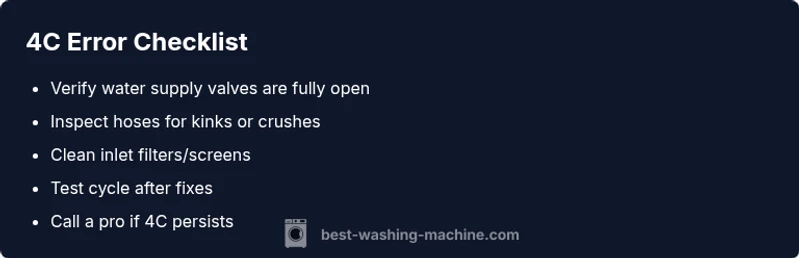
Quick Diagnostic Checklist
If you’re staring at 4C, use this fast checklist to narrow down the culprit:
- Verify the water supply valves are fully open and the faucet is not blocked.
- Inspect the inlet hoses for kinks, crushing, or sharp bends near the connections.
- Check the inlet screens/filters on the back of the washer for debris and clean them gently.
- Make sure the door or lid lock is engaged; some models won’t fill if the door isn’t detected as closed.
- Look for any error memory from the display and reset if your model allows a restart after clearing the error.
- Run a test cycle with clean water after each fix to confirm improvement.
If water fails to reach the valve after these checks, the problem is more likely inside the machine, and further inspection is required.
Common Causes and Immediate Fixes
The 4C code most often points to water inlet issues. Here are the typical causes and what you can do right away:
- Clogged water inlet filters or screens: Debris from the supply line can accumulate at the valve. Fix: unplug, disconnect hoses, and gently clean the screens with a soft brush.
- Faulty water inlet valve or solenoid: The valve might not open fully. Fix: test with a multimeter if you have one or replace the valve with a compatible part; this is usually a medium-difficulty job.
- Low water pressure or shutoff valve not fully open: If your home pressure is weak, the washer may not fill in time. Fix: ensure the main supply pressure is sufficient and adjust the shutoff valves.
- Worn or damaged wiring or control board: An intermittent signal can misreport water presence. Fix: consult a professional; replacement parts and diagnostic fees apply.
Safe quick remedies always include cleaning filters and ensuring hoses are secure.
Step-by-Step Fix for the Most Common Cause: Cleaned Inlet Filters
To address the most frequent cause—clogged inlet filters—follow these steps carefully:
- Unplug the washer and shut off both hot and cold water valves.
- Move the machine away from the wall and remove the back panel or access panel per your model.
- Locate the water inlet valve(s) at the rear; hold the hoses to avoid leaks.
- Remove and inspect the inlet screens; rinse under running water and remove any debris.
- Reinstall screens, reconnect hoses, and tighten fittings without overtightening.
- Plug in the washer, turn on water valves, and run a short cycle to test. If 4C persists, the valve may be faulty and require replacement.
Tip: keep a small container handy to catch any drips during disassembly.
Other Possible Causes and How to Diagnose Them
If cleaning the filters does not clear 4C, explore other causes:
- Insufficient water pressure: A weak supply can fool the sensor. Diagnose by measuring pressure with a gauge or temporarily connecting to a known-good source.
- Faulty sensor or pressure switch: The machine misreads water level. Diagnosis by professional, as it may require module testing.
- Wiring or harness failure: A loose connector can intermittently break the water fill signal. Visual inspection and reseating connectors can help if you’re comfortable; otherwise, a service call is recommended.
- Control board fault: A failed controller may not send proper commands to the inlet valve. This typically requires professional repair, part replacement, and possibly a service charge.
For safety, never bypass safety features or operate the machine with panels removed.
Safety, Warnings, and When to Call a Professional
Because electrical components interact with water, always unplug the machine before inspection and avoid working with live power. If you notice burning smells, scorched connectors, or if the water temperature or flow looks abnormal, stop and call a licensed technician. If the fix requires replacing the inlet valve or testing the control board, expect costs to range from approximately $60–$180 for common parts and a service call of $50–$120 in many regions. In some cases, a full diagnostic visit could be higher. For ongoing issues, Best Washing Machine recommends scheduling a professional assessment after your DIY checks, especially if your unit is still under warranty.
Steps
Estimated time: 45-90 minutes
- 1
Power down and prepare
Unplug the washing machine and shut off the main water supply. Move the machine enough to access the rear without stressing hoses. This reduces the risk of electric shock and flooding while you work.
Tip: Have a bucket or towels ready for any unexpected drips. - 2
Check water valves and hoses
Ensure both hot and cold valves are fully open. Inspect hoses for kinks, crushing, or detachment from the inlet fittings. Tighten connections if needed and avoid overtightening.
Tip: If a valve won’t turn, stop and call a plumber to avoid leaks. - 3
Access the inlet filters
Remove the rear panel or lower access panel per your model. Locate the inlet valve and carefully take out the filter screens. Soak and gently scrub with a soft brush to remove debris; rinse with clean water.
Tip: Do not use harsh tools that could damage the seal. - 4
Reassemble and test
Reattach filters and hoses securely. Restore power and water, then run a short test cycle with no detergent to verify proper filling.
Tip: Watch for leaks at every connection during the test. - 5
Assess performance
If 4C persists, the inlet valve may be faulty or the control system may need service. Schedule a professional assessment if this happens.
Tip: Document any error codes and the steps you’ve taken for the technician. - 6
Plan next steps
If replacement parts are required, confirm compatibility with your Samsung model. Consider checking warranty coverage before buying parts.
Tip: Keep replacement parts on hand only if you’re confident in DIY installation.
Diagnosis: Error code 4C displayed during a wash cycle or when starting fill
Possible Causes
- highClogged water inlet filters or screens
- mediumFaulty water inlet valve or solenoid
- mediumLow water pressure or closed shutoff valve
- lowWiring or control board issue
Fixes
- easyClean the inlet filters/screens and reassemble
- easyVerify water supply and open shutoff valves fully
- mediumReplace the water inlet valve (inlet solenoid)
- hardInspect wiring and consider control-board service
FAQ
What does error 4C mean on a Samsung washing machine?
4C indicates a water inlet/fill problem that prevents the washer from filling properly. It often points to the inlet valve, filters, or hoses. A quick check of water supply and inlet components usually resolves the issue.
Error 4C means the washer isn’t getting water properly. Start with the water supply and inlet filters, then proceed to valve checks if needed.
Can I fix 4C myself?
Yes, for common causes like clogged filters or loose hoses. If you’re uncomfortable working with electrical components or the valve replacement, contact a pro. Always unplug the unit first.
You can try cleaning the inlet screens and checking the hoses yourself, but call a pro if you’re unsure.
Is 4C the same across all Samsung models?
The general meaning is similar—water inlet issues. Specific causes and repair steps can vary by model, so consult your user manual for model-specific instructions.
It's generally the same idea across models, but follow your model’s manual for exact steps.
How much might repairs cost for 4C?
Costs can vary from part and service fees. Expect a range that covers basic filter cleaning to inlet valve replacement, plus diagnostic charges if a pro is needed.
Costs vary; DIY parts are cheaper, but professional service can add to the total if the valve or board needs replacement.
What can I do to prevent 4C in the future?
Regularly clean inlet filters, ensure adequate water pressure, and perform a quick quarterly check of hoses and valves to prevent debris buildup.
Keep filters clean and check water supply boxes occasionally to stop 4C from returning.
When should I call a professional for 4C?
If you see persistent filling failure after cleaning filters and checking hoses, or if you notice burnt smells, exposed wiring, or a malfunctioning control board, call a licensed technician.
If DIY checks don’t fix it or you spot wiring issues, call a pro.
Watch Video
The Essentials
- Check water supply first, then filters and hoses.
- 4C commonly stems from inlet issues, not just software.
- Clean the inlet screens before replacing parts.
- Test cycles verify fixes before declaring success.
- Call a pro if electrical safety or controller issues arise.