Where Is LG Washing Machine Filter? A Step-by-Step Guide
Learn where LG washing machine filters are located across models, how to access and clean them, and when to replace. A practical, model-spanning guide from Best Washing Machine to keep your LG washer draining and lint-free.


If you’re asking where is lg washing machine filter, you’re not alone. LG washers separate filters by function (pump, lint, water inlet) and location varies by model, load type, and age. This guide shows you how to identify the right filter, locate it safely, and decide between cleaning or replacement. According to Best Washing Machine, starting with your model number makes the search quick and accurate.
What the phrase "where is lg washing machine filter" covers and why it matters
When homeowners search for the filter location, they’re really asking which component keeps water flowing cleanly and prevents clogs. LG washers can have multiple filters: a pump/filter assembly, a lint screen or filter, and sometimes a water inlet filter. The exact layout depends on whether the unit is front-load or top-load, and on the model year. The Best Washing Machine team notes that knowing which filter your model uses speeds up maintenance, reduces leaks, and extends the life of your machine. In this section, we map the common filter types to their likely locations and discuss how model variations affect access.
Front-load vs. top-load: where filters live and how access differs
Front-load LG models typically hide a pump filter behind a small access panel on the lower front of the cabinet. The panel may require a quarter-turn, then a soft pull to reveal the filter housing. Some models place a lint screen near the agitator or inside the door seal; a few have a rear or side panel access. Top-load LG washers may feature a lint trap or screen located near the center of the tub, or a small filter intake behind the lid. Since designs shift by model, always check the user manual or model-specific guides. Practically, start by locating your model number (on a label around the door frame or the back of the unit) and search the official LG resources for that exact configuration.
Common LG filter types and where they’re usually found
- Pump filter: Most often behind the front panel on front-load models; it captures coins, hair, and lint before water reaches the pump. Access typically requires removing a small trim panel.
- Lint filter or screen: May sit in the agitator well, near the tub rim, or inside a dedicated slot behind a grille. It’s designed to trap fibers and fluff during wash cycles.
- Water inlet filter: A fine mesh located where water supply hoses attach; it reduces mineral debris from entering the machine.
- Optional charcoal or odor-filter: A few newer LG models use a filter in the ventilation path; check the manual if you suspect odor or debris issues.
How to identify the exact location for your specific LG model
Your quickest path to the right location is your model number. Find the label on the door frame or the back of the unit, then search LG’s official site or the user manual for that model. If you can’t access the manual, use the model number to locate a PDF online or reach out to customer support. Having the model number handy saves time and reduces the risk of trying a filter that doesn’t exist on your machine.
Step-by-step safe access to the filter (front-load examples)
What to prepare: a clean towel, a shallow tray, and a flashlight. Ensure the machine is unplugged before attempting any access. If your machine features a bottom-front access panel, gently pop it open with a flathead screwdriver, then rotate the filter cover counterclockwise to remove it. Place the cover and screws in a safe spot so they don’t get lost. Keep in mind that some models require you to release a small latch behind the panel before you can turn the cap.
Cleaning the filter: best practices and when to replace
Clean filters by rinsing under running water and removing any stubborn debris with a soft brush. Do not use sharp tools that could tear the mesh. If the filter shows significant wear, cracks, or if cleaning doesn’t restore proper drainage, replacement is the safer option. Always verify the replacement part number against your model to ensure compatibility.
Maintenance cadence and warning signs
A clogged filter often leads to slower drainage, error codes, or unusual noises. Regular maintenance—every few months for busy households—keeping a log of filter checks helps prevent surprises. If you notice persistent drainage issues after cleaning, inspect hoses and the pump for blockages and consider professional service.
Where to buy replacements and what to expect in cost
Replacement filters and pumps are model-specific. Check LG’s official store or authorized parts distributors for the correct part number. Prices vary by part type and whether a complete filter kit is needed. When in doubt, compare the cost of a fresh filter kit against running repeated cleanings to extend the machine’s life.
Quick-start checklist for "where is lg washing machine filter" searches
- Locate the model number on the door frame or back panel.
- Cross-check the exact filter type (pump, lint, inlet).
- Gather tools and a towel, then unplug the unit.
- Access the filter per your model’s guidance and inspect for debris.
- Clean or replace as needed and run a test wash.
Tools & Materials
- Model number/serial label(Needed to confirm filter type and location)
- Flathead screwdriver or coin(To gently pry panels or caps)
- Towels or absorbent cloth(Catches water and keeps area clean)
- Shallow tray or bowl(Collects water when removing the filter)
- Gloves(Protects hands from sharp edges)
- Soft brush or old toothbrush(Used to scrub the filter and housing)
- Replacement filter kit (if needed)(Model-specific; confirm compatibility)
- flashlight or phone light(Illuminates dark corners inside panel)
Steps
Estimated time: 30-45 minutes
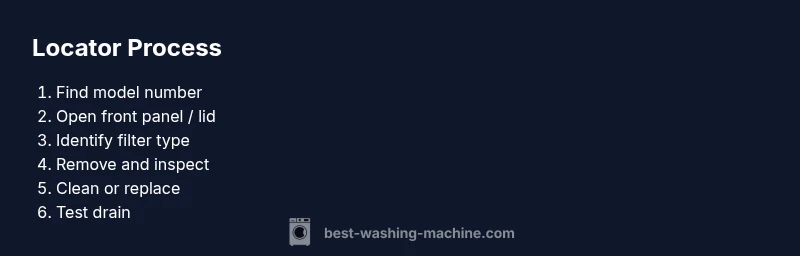
- 1
Identify model and unplug
Locate the model number on the door frame or back label, then unplug the washer to ensure complete safety before any access. If your model has a power switch, switch it off first, then unplug from the wall outlet.
Tip: Unplug for at least 60 seconds to discharge any residual power before touching internal components. - 2
Access the front panel or lid area
For front-load models, gently remove the lower front panel or kick panel to reveal the filter housing. For top-load models, open the lid and locate any lint screen or filter slot near the agitator.
Tip: Use a towel to catch any sudden drips when panel covers come away. - 3
Remove the filter cover
Twist or unclip the filter cover according to your model. Place the cap and screws in a secure spot so they don’t get lost.
Tip: If the cover is stiff, apply a small amount of penetrating oil on the threads and wait a minute before retrying. - 4
Extract and inspect the filter
Carefully pull the filter out. Check for hair, lint, coins, threads, and mineral deposits. Use a flashlight to inspect the housing for hidden debris.
Tip: Do not yank; pull straight out to avoid damaging the seal. - 5
Clean or replace
Rinse the filter under running water, use a soft brush for stubborn residue, and reinsert. If the filter shows signs of wear or damage, replace with the correct part.
Tip: Keep the housing dry and free of debris before reinsertion to ensure a good seal. - 6
Test run and reset indicators
Plug the unit back in and run a quick empty cycle to verify proper drainage and filtration. If your machine has a filter indicator, reset it according to the user manual.
Tip: Watch for any leaks around the panel after reassembly.
FAQ
Do all LG washing machines have a filter?
Not every LG model uses the same filtering system. Some have pump filters, others rely on lint screens inside the drum, and a few models may not have a user-accessible filter at all. Always check the model's manual or LG’s official site for exact details.
Not all LG washers have the same filter setup. Check your model’s manual for the exact filter type and location.
How often should I clean or inspect the filter?
Inspect and clean the filter when you notice drainage slowdowns, unusual noises, or after heavy laundry loads. Regular checks every few months help prevent clogs and extend the life of the pump.
Check the filter whenever drainage slows or you hear odd noises. Regular checks every few months are a good habit.
What tools do I need to access the filter safely?
You’ll typically need a towel, a small tray, a flashlight, and a basic screwdriver. Have your model number handy to ensure you follow the correct access procedure for your unit.
Grab a towel, tray, a flashlight, and your model number to follow the right steps safely.
Should I replace a filter if it’s clogged or damaged?
If the filter is compacted with debris but still intact, cleaning is fine. If you see wear, cracks, or the seal is damaged, replace with the correct parts to prevent leaks.
If the filter is damaged or worn, replace it. If it’s just clogged, cleaning usually suffices.
Watch Video
The Essentials
- Identify model number first to locate the correct filter.
- Front-load filters are typically behind the lower front panel; top-load layouts vary.
- Clean or replace filters based on debris and wear, not just appearance.
- Test the washer after maintenance to confirm proper drainage and seal integrity.