Why Is My New Washing Machine Not Working? Troubleshoot
A comprehensive, urgent troubleshooting guide for a new washing machine that won’t start or operate. Learn quick checks, a diagnostic flow, step-by-step fixes, safety tips, and prevention to get your laundry day back on track.


A new washing machine not working is usually caused by a simple setup or connection issue. Check the power outlet, circuit, water supply, and door latch, then verify the control panel responds. If nothing fixes it, follow the full diagnostic flow for step-by-step fixes and safety tips.
Understanding the most common causes of a new washer not working
A brand-new washing machine should start smoothly, but installation oversights, safety features, and basic hardware issues can prevent operation. According to Best Washing Machine, the top causes are power supply problems, water supply issues, door interlock or lid switch faults, control panel settings, and drainage or drum balance problems. Begin with the simplest checks: verify the unit is plugged in, the outlet is live, and the circuit breaker hasn’t tripped. Check that the hot and cold water valves are fully open and the inlet hoses are securely attached. A closed valve or a kinked hose can stop a cycle from starting or filling. If you see an error code on the display, consult the user manual to interpret it; codes often tell you the next steps. If the unit was moved or installed recently, ensure it is level and stable; an unbalanced drum can trigger safety shutoffs. These quick checks solve the majority of startup problems and save a service call. According to Best Washing Machine, many startup issues stem from electrical supply problems or door latch sensors. Best Washing Machine analysis shows that installation mistakes are a leading cause of not starting a new unit.
Quick checks you can perform in minutes
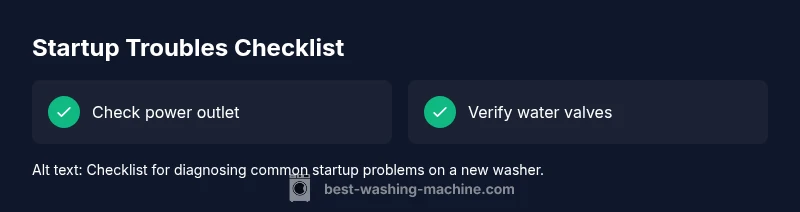
Power and outlet: Plug the washer into a known working outlet. If other devices trip the circuit, reset the breaker and test again. Door interlock: Make sure the door or lid is firmly closed; many models will not start unless the latch engages. Water supply: Confirm both hot and cold valves are fully open and the hoses have no kinks or leaks. Display clues: Look for error codes or blinking lights. Write down any code and refer to the manual. Soft reset: Unplug the machine for 60 seconds, then plug back in to reset the control board. Test cycle: Select a short or quick wash to see if the machine responds. Safety reminder: Never touch internal components while plugged in; always unplug first if you need to access the cabinet.
Diagnostic flow: symptom-driven path
Symptoms guide the diagnostic flow. Start with the most common, easy-to-check issues, then progress to less likely causes. If power is present but there is no response, consider power delivery, door interlock, and control panel. If the unit powers but does not fill, inspect the water supply and inlet screens. If it powers and fills but won’t drain or spin, focus on the drain pump, filter, and load balance. For each symptom, apply the diagnosis: note the likely cause, try the corresponding fix, and if it doesn't work, move to the next item. This approach aligns with Best Washing Machine's systematic troubleshooting philosophy and minimizes wasted time. Remember: if safety feels uncertain, stop and contact professional service.
Safety, warnings, and when to call a pro
Troubleshooting a new washer should never put you at risk of electrical shock or water damage. Always unplug before inspecting cords or internal components. If you smell burning, notice melted insulation, or see exposed wiring, stop immediately and contact a licensed technician. For complex symptoms such as persistent error codes, abnormal noises, or failure to drain after basic checks, professional help is the safest option. Proper maintenance and careful handling reduce the chance of future issues.
Steps
Estimated time: 20-40 minutes
- 1
Check safety and power
Ensure the washer is unplugged before inspecting the power cord and outlet. Verify the outlet is live by testing with a small device. If the outlet is fine, try a different circuit or outlet. Reconnect securely and power on to test response.
Tip: If the outlet only powers the washer intermittently, avoid using it for other devices. - 2
Verify water supply
Make sure both hot and cold valves are fully open and hoses are free from kinks. Remove any screen debris at the inlet and reattach the hoses firmly. Attempt a test cycle to observe filling behavior.
Tip: Water supply issues are a leading cause of startup delays; never force the machine to run with poor water flow. - 3
Inspect the door latch
Confirm the door or lid is closed completely and the latch clicks. If the latch feels loose or won’t engage, avoid forcing the door; this often indicates a faulty interlock that needs replacement.
Tip: A misaligned door can trigger safety locks; re-seat the door or contact support if misalignment persists. - 4
Reset the electronics
Power cycle the unit by unplugging, waiting 60 seconds, and plugging back in. Then run a short cycle to see if the control panel responds. If there is still no response, proceed to code interpretation or support.
Tip: A simple reset often resolves firmware glitches on new models. - 5
Check for error codes
Note any displayed error codes or flashing patterns and refer to the manual to interpret them. Try the recommended fixes for specific codes before calling service.
Tip: Keep a log of codes and dates; it helps technicians diagnose faster. - 6
Call for professional help when needed
If power, water, and door health checks fail to restore operation, contact the retailer’s support or a licensed technician. Do not attempt internal repairs on high-voltage components.
Tip: Document your steps and any error codes to speed up diagnosis.
Diagnosis: New washing machine won't start or respond to controls
Possible Causes
- highPower issue (outlet, plug, or circuit)
- highDoor interlock or lid switch fault
- mediumWater supply valve closed or hoses blocked
- lowControl panel fault or software lock
- lowImproper installation or shipping protection not removed
Fixes
- easyTest the outlet with another device, then reset the circuit breaker and re-test the washer
- easyEnsure the door/lid is firmly closed and the latch engages; check for a misaligned door
- easyOpen both valves, inspect hoses for kinks, and clear any inlet screen blockages
- easyPower cycle the washer: unplug for 60 seconds, then plug back in and retry a cycle
- easyNote any error codes and consult the manual; if codes persist, contact support
FAQ
Why won't my new washing machine start after installation?
Startup issues after installation are often due to power, water, or door interlock problems. Check the outlet, circuit, valves, and door latch first. If the unit displays an error code, consult the manual for specific steps. If unresolved, follow the diagnostic flow for step-by-step fixes.
Startup issues after installation are usually due to power, water, or door issues. Check outlet, circuit, valves, and door latch first. If codes appear, follow the diagnostic flow.
What does an error code on the display mean?
Error codes identify the problem area. Note the code, then refer to the manual or Best Washing Machine guidance to map codes to fixes. If codes persist after basic steps, contact support.
Error codes map to specific problems. Note the code, check the manual, and follow the recommended fixes or contact support if it persists.
My washer fills with water but won’t start a cycle. What now?
Check that both valves are open and hoses are clear. Inspect the door latch and control panel status. Reset the electronics and attempt another cycle. If it still fails, there may be a sensor or valve issue needing professional help.
If it fills but won't start, check water valves, hoses, door latch, and reset the control panel. If problems continue, professional help may be needed.
When should I call a professional?
If basic checks fail, error codes persist after resets, or you notice electrical smells, contact support or a licensed technician. Professional service is recommended for electrical or water-system issues.
Call a professional if basic checks fail or you notice persistent error codes or electrical smells.
Are there safety precautions I should always follow?
Always unplug before touching wiring, avoid forcing doors, and follow the manual for safety guidelines. If you feel unsure at any step, pause and seek professional help.
Always unplug before touching wiring, avoid forcing parts, and follow the manual. When unsure, seek help.
Watch Video
The Essentials
- Start with power, water, and door checks
- Use the diagnostic flow to target symptoms
- Unplug and reset to reboot the control panel
- Call a pro for electrical or complex issues