Why Is Your Washing Machine Not Draining Water? A Troubleshooting Guide
Urgent, step-by-step guide to diagnose and fix a washing machine that won't drain water, covering hoses, filters, and pumps with a safe diagnostic flow.


Urgent diagnosis: The most likely causes are a clogged pump, a blocked drain hose, or a blocked filter. According to Best Washing Machine, start with simple checks before disassembling components. This quick guide points you to the 2-3 easiest fixes you can perform safely today, with a clear diagnostic flow.
Why drainage problems happen
When a washing machine won't drain, it can feel urgent, but most issues have a straightforward cause. In many households, the keyword is "why is washing machine not draining water" -- and the answer often comes down to debris or loose hoses. According to Best Washing Machine analysis, the most common culprits are clogs in the pump or filter, kinks or blockages in the drain hose, and a failed lid or door switch that prevents the machine from draining safely. Other factors include installation height, standpipe backups, and worn impellers. Start with a quick visual check and then move to the hands-on tests. By understanding the failure mode—whether the water remains in the drum, the pump hums but won’t move, or the hose leaks—you can prioritize the next steps and avoid unnecessary disassembly.
Inspect the drain hose and standpipe for kinks or blockages
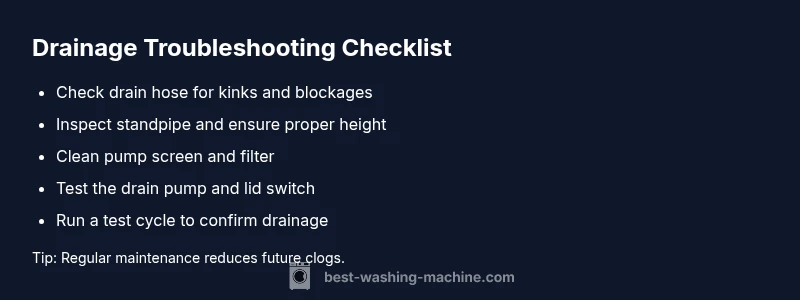
The drain hose is the highway for used water. Begin by unplugging the machine and pulling it away from the wall to access the hose. Look for obvious kinks, folds, or dents that restrict flow. Detach the hose from the standpipe and inspect inside for debris. If you find a clog, flush the hose with moderate water pressure or use a flexible brush to clear it. Reconnect securely, ensuring the hose is not inserted too far into the standpipe, which can cause siphoning issues. If the standpipe is blocked, you may need to remove the blockage with a pliers or a plumber’s snake. After clearing, run a short rinse cycle to confirm drainage resumes normally.
Check and clean the filter or pump screen
Many front-load and some top-load washers use a filter or pump screen to catch lint and small objects. A clogged filter can mimic a pump failure by preventing water from exiting the drum. Locate the filter cover—often near the bottom front panel or behind a small access door. Remove the filter and rinse under running water. Use a soft brush to remove any stubborn particles. Reinsert the filter fully and test drainage again. Regular cleaning reduces repeated clogs and extends pump life.
Examine the drain pump and lid/door switch for failures
If the pump motor hums but the drum won’t drain, the pump may be seized or its impeller damaged. Access to the pump varies by model; some units have an accessible external pump, others require partial disassembly. Check the impeller by turning it gently by hand; any binding or resistance indicates a wear issue. A faulty lid or door switch can also prevent draining as a safety feature. Test the switch with a multimeter or by jumpering the circuit (only if you are comfortable and the warranty allows it). If the switch fails, replace it to restore proper drainage.
Review electrical controls and timer functions
Electrical control boards and timers regulate the draining sequence. A fault in the control module can stop the drain cycle mid-operation. Check for visible burn marks or a blown fuse in the control panel. If you notice erratic behavior like random cycling or no response to button presses, component failure is likely. In most cases, a professional diagnostic is recommended for motherboard issues, as improper handling can create safety risks or void warranties.
Simple tests you can perform safely
With the machine unplugged, perform a few safe checks: manually rotate the pump impeller if accessible to feel for smooth operation; inspect the hose for any remaining blockages; verify water supply valves are fully open (for models that allow water recirculation tests). Reconnect power and run a short cycle, listening for the pump motor and observing whether water exits the drum. If drainage still fails after these steps, the problem often lies with the pump, the filter, or the wiring—proceed to professional service if you’re unsure.
Prevention tips and when to call a professional
To avoid repeated drainage problems, schedule periodic maintenance: clean the filter monthly, inspect hoses for wear, and ensure the standpipe is clear and properly sized for your machine. If you encounter unexpected electrical smells, sparks, or the washer leaks during testing, stop immediately and contact a licensed technician. A professional should handle pump replacement, lid switch failures, or control-board issues to ensure safe, compliant repairs.
Steps
Estimated time: 60-90 minutes
- 1
Power down and access the drain area
Unplug the washer and move it enough to access the rear or front drain components. Safety first: disable all power, water, and gas connections as applicable. This initial step prevents shocks or leaks during inspection.
Tip: Label hoses to avoid misrouting during reassembly - 2
Inspect the drain hose for kinks
Check for sharp bends or compression that restrict flow. Detach the hose from the standpipe and inspect for internal clogs. Clear with a flexible brush or flush with water while pinching the hose to feel for resistance.
Tip: Do not force a blockage; if hard to clear, move to the pump area - 3
Check and clean the filter/pump screen
Remove the filter cover, take out debris, rinse under running water, and reinsert properly. A clean filter reduces backpressure and improves drainage significantly.
Tip: Keep a towel handy; some water may spill during filter removal - 4
Inspect the drain pump and impeller
If accessible, rotate the impeller by hand; ensure it spins freely and isn’t seized. Listen for grinding or unusual noises when you apply gentle pressure. Replace if damaged.
Tip: Do not force the impeller if it is hard to turn; seek professional help - 5
Test the lid/door switch
With the unit unplugged, locate the switch and test continuity with a multimeter or a quick jumper if the model allows it. A faulty switch can prevent draining as a safety feature.
Tip: Only perform electrical tests if you’re comfortable and confident - 6
Run a controlled drain test
With the drain area reassembled, run a short cycle to observe whether water exits the drum. Confirm that the pump operates without unusual noise and that the water level drops as expected.
Tip: Monitor closely for leaks or abnormal smells
Diagnosis: Machine won't drain water
Possible Causes
- highClogged pump or pump impeller
- highBlocked or kinked drain hose
- highClogged filter or screen
- mediumFaulty lid/door switch
- lowElectrical control or timer fault
Fixes
- easyClear debris from the drain hose and standpipe, and flush
- easyClean or replace the pump filter/screen
- mediumTest and replace a faulty lid/door switch
- hardCheck control electronics and timers; replace if faulty
FAQ
What should I check first if my washer won't drain?
Begin with a visual inspection of the drain hose and standpipe for kinks and blockages. Then check the pump filter for clogs. These quick checks resolve many drainage issues without tools.
Start by examining the hose and filter; most drainage problems are caused by simple blockages.
Can a clogged filter cause not draining?
Yes. A clogged filter or screen can prevent water from exiting the drum, mimicking a pump failure. Clean or replace the filter to restore drainage.
A blocked filter can stop drainage; clean or replace it to fix the issue.
Is the drain pump the common failure used to explain no drainage?
The drain pump is a frequent point of failure. If the pump hums or makes grinding noises, it may be seized or worn and require replacement.
The pump is a common culprit; listen for humming or grinding sounds and replace if needed.
How do I tell if the lid switch is bad?
A faulty lid switch stops drainage for safety. Look for error codes, test continuity with a multimeter, or observe if the drum stops draining when the switch is engaged.
A bad lid switch can prevent draining; testing or replacing it resolves the problem.
When should I call a professional for drainage issues?
If you encounter electrical smells, persistent leaks, or unexpected disassembly, professional service is advised. Complex control-board or main motor problems require trained technicians.
If you sense electrical issues or deal with a stubborn control board, call a pro.
Can reassembling incorrectly affect drainage?
Yes. Incorrectly reassembling hoses or the cover can create leaks or airflow problems that mimic drainage faults. Recheck connections after every step.
Improper reassembly can mimic drainage problems; double-check connections.
Watch Video
The Essentials
- Start with hose and filter checks before disassembly
- Clean the filter/pump screen regularly
- Test the pump operation after addressing blockages
- Call a professional for lid switch or control board issues