Why Is My Washing Machine Not Turning On? Quick Troubleshooting
Struggling with a washer that won't power up? This urgent guide helps homeowners diagnose power, lid switch, and control issues to get your machine running again safely.


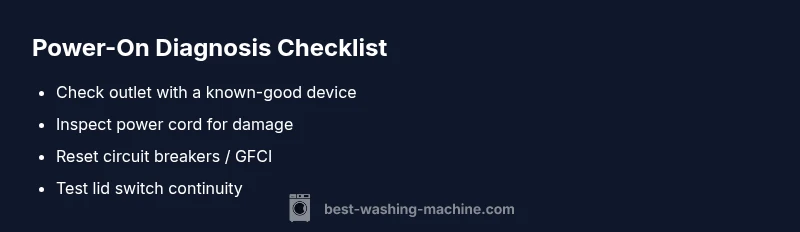
Most common causes for a washer that won't turn on are power issues, a tripped circuit, or a faulty lid switch. Start by testing the outlet with a known-good device, then reset the breaker and confirm the lid is fully closed. If these basics check out, proceed with the diagnostic steps below.
Common reasons a washer won’t turn on
When you ask, why is washing machine not turning on, the answer often comes down to a few simple power-related issues and safety interlocks. The most frequent culprits are a dead outlet, a tripped circuit breaker, a damaged power cord, a blown fuse, or a door/lid safety switch that isn’t engaged. Less common but possible are a failed control board or timer that prevents the unit from receiving the start signal. Before diving deeper, always ensure your hands are dry and you are working in a dry area. A quick check of the basics often resolves the issue, which is why this guide starts with power, safety interlocks, and the control electronics.
Related note for homeowners: Regular maintenance reduces the risk of startup failures. If the problem persists after basic checks, you’ll have a clearer path for diagnosis and repair.
Start with the simplest checks
The simplest checks are the most common culprits. If you’re asking why is washing machine not turning on, begin with the basics: confirm the unit is plugged in firmly, inspect the outlet for visible damage, and ensure the cord isn’t frayed. A quick visual inspection can reveal a loose connection or a pinched cord that interrupts power. If the outlet is controlled by a wall switch, verify the switch is on and test the outlet with a different, known-working device. These initial checks are easy, fast, and often solve the startup problem.
Safety-first: unplug and reset
Safety is non-negotiable when troubleshooting electrical appliances. Always unplug the washer before inspecting internal parts or wiring. After disconnecting, wait 60 seconds and plug back in to perform a soft reset for many digital controls. This reset can clear minor glitches that prevent the control panel from responding. If the display remains dark or unresponsive after reset, move to the next steps to verify the power path and safety interlocks.
Test the outlet and circuit breaker safely
Power path issues are among the top reasons for a non-starting washer. Check the home circuit breaker or fuse box for a tripped breaker and reset it if needed. If you have a GFCI outlet in the kitchen or laundry area, press the reset button. After resetting, plug the washer back in and see if the display awakens. If the outlet is fine, the problem may lie elsewhere, but never push beyond simple breaker and outlet checks without proper training.
Inspect the lid switch and door lock mechanism
A faulty lid switch can prevent a washer from powering up as a safety feature. With the unit unplugged, locate the lid switch, press it by hand and see if any resistance or no-click response occurs. If you have a multimeter, test for continuity when the lid is closed. A worn or stuck switch often requires replacement, but many models allow a simple swap with the correct part. Do not bypass the switch or jam the lid to force startup.
Check the control panel and display for errors
If the control panel is unresponsive, the problem could be a blown fuse, a failed display, or a faulty control board. Look for error codes or blinking lights, then consult the manual or Best Washing Machine resources for code interpretations. A reset (unplug for 60 seconds) sometimes clears minor firmware hiccups. If codes persist after a reset, document them and proceed to more in-depth inspection or professional help.
Inspect internal power supply wiring and fuses
In some cases, startup failure stems from wiring issues or a blown fuse inside the power module. Do not attempt internal wiring unless you are trained; broken connectors or burnt components can be dangerous. If you observe burnt smells, melted insulation, or exposed wires, discontinue attempts and call a technician. Safety first.
How to use a multimeter for testing power and continuity
A multimeter lets you verify the presence of voltage at the outlet and continuity along the power cord and internal wiring. If you’re not comfortable with electrical testing, skip this step and rely on safer checks first. For those who want to proceed, unplug the unit, set the meter to appropriate ranges, and follow the manual for testing procedures. A correct reading confirms the path is intact; a bad reading points to the defective component that needs replacement.
When to call a professional and safety reminders
If basic checks fail to resolve the issue, or you discover burnt wiring, you lack the necessary tools, or you’re uncomfortable with any electrical testing, it’s time to contact a licensed appliance technician. A professional can diagnose control-board failures, harness faults, or pump interlocks safely and accurately. Remember, ongoing startups issues may indicate a larger problem that will worsen without expert attention.
Steps
Estimated time: 60 minutes
- 1
Confirm power source
Check that the washer is plugged in securely and that the outlet works with another device. Look for a tripped circuit breaker or a blown fuse in the main panel.
Tip: If using a GFCI outlet, ensure it hasn’t tripped. - 2
Reset the breaker and outlet
Reset any tripped breakers and press the reset button on GFCI outlets. After resetting, plug the washer back in and test the power by selecting a simple function (like a quick wash) to see if the control panel responds.
Tip: Document any repeated trips; they indicate a bigger electrical issue. - 3
Inspect the power cord
Visually inspect the cord for cuts, kinks, or damaged insulation. If you notice damage, unplug permanently and replace the cord or have it serviced by a pro.
Tip: Avoid using heat or tape to fix exposed insulation. - 4
Check lid/door interlock
Open and close the lid firmly to ensure the switch is engaged. If the switch feels loose or doesn’t click, a replacement may be required.
Tip: Some models require the lid to be fully closed for a start signal. - 5
Test control panel behavior
Observe any lights or display. If there are error codes, note them and consult the manual or Best Washing Machine resources for interpretation.
Tip: Perform a soft reset by unplugging for 60 seconds before testing again. - 6
Assess internal wiring cautiously
If you are trained, inspect visible connectors for looseness or corrosion. Do not probe into sealed modules. If you’re unsure, stop and call a pro.
Tip: Never bypass safety features to force a startup. - 7
Use a multimeter for power checks
With power safely disconnected, test for continuity along the power cord and check incoming voltage at the outlet using your multimeter.
Tip: Only perform voltage tests if you’re comfortable; otherwise skip to step 8. - 8
Decide next steps
If tests indicate a faulty component beyond easy replacement, contact a professional for safe, accurate repair.
Tip: Keep a record of symptoms, error codes, and tests for the technician.
Diagnosis: Machine won't turn on
Possible Causes
- highPower issue or tripped circuit
- highFaulty lid switch or door lock
- mediumDamaged outlet or cord
- lowDefective control board or timer
Fixes
- easyTest outlet with a known-good device; reset breaker; verify no GFCI is tripped
- easyInspect power cord for damage and replace if frayed or burnt
- easyTest lid switch with continuity tester and replace if open
- mediumReset control panel or consult manual for fault codes; replace board if necessary
FAQ
Why won't my washing machine turn on even though the outlet seems fine?
Power delivery issues, a faulty lid switch, or a non-responsive control panel can prevent startup even with a good outlet. Start with the power path and safety interlocks before moving to deeper diagnostics.
Outlet may be fine, but the washer still won’t start because of a lid switch or control panel problem. Check safety interlocks first.
Can a defective lid switch prevent startup?
Yes. The lid switch is a safety interlock; if it fails, the washer will not power on. Test for continuity or replace if needed.
Absolutely, a faulty lid switch can stop startup. Test or replace it as needed.
Is it safe to troubleshoot electrical components myself?
Only with proper safety guidelines and unplugging. Do not work with wet hands or exposed wiring. If unsure, contact a licensed technician.
Go ahead only if you’re comfortable with electrical work and unplug first. When in doubt, call a pro.
What should I do if the display blinks but won’t start?
Blinking codes usually indicate an error. Note the code, unplug to reset, and consult the manual or Best Washing Machine resources for code explanations.
If the display blinks, write down the code and reset the unit. Then check the manual for the meaning.
When is professional repair necessary?
If you suspect a faulty control board, wiring, or power supply beyond basic checks, a licensed technician should handle the repair.
If you think the control board or wiring is damaged, it’s time to call a professional.
How can I prevent startup issues in the future?
Keep power cords intact, use surge protection, perform routine maintenance, and ensure lid switches stay clean and responsive.
Regular maintenance and safe power practices reduce future startup problems.
Can a washer that won't turn on be a symptom of a bigger problem?
Yes. A persistent startup failure can indicate a failing control system or wiring fault that may escalate without professional attention.
Yes, it could signal a larger electrical or control issue that needs expert diagnosis.
Are there model-specific steps I should know about?
Consult your user manual and Best Washing Machine resources for model-specific safety interlocks, fuses, and service procedures.
Model specifics matter—check the manual for model-specific safety tips.
Watch Video
The Essentials
- Start with power and safety checks first
- Lid switch and control panel are common startup culprits
- Use a soft reset before deeper diagnostics
- Call a professional for board or wiring issues