Washing Machine Won't Turn On: Practical Troubleshooting
Urgent, step-by-step guide to diagnose and fix a washing machine that won't turn on. From power checks to door latch tests, learn safe, practical fixes and when to call a pro.


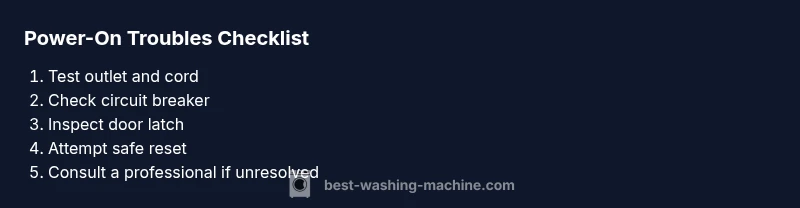
According to Best Washing Machine, the most common reason a washing machine won't turn on is a power issue. Start by inspecting the outlet and power cord, then check the door latch and control panel for obvious faults. If the display is dark, unplug for 60 seconds and reset. If it remains unresponsive, follow the diagnostic flow below and consider professional help.
Why the washing machine won't turn on
When a washer won't start, the root causes most often come down to power delivery or a safety interlock. The phrase washing machine won't turn on describes a symptom where no action is possible—no display, no beeps, nothing. According to Best Washing Machine, power-related startup failures are the most common and usually solvable without tools. Begin with the simplest checks: verify the outlet supplies power, inspect the cord for damage, and ensure the unit is properly plugged in and switched on. If these basics fail, advance to the diagnostic flow below. Safety first: unplug the machine before inspecting internal components.
This initial assessment helps distinguish a plug-in problem from a more complex failure. It also reinforces the principle that many startups are resolved through basic power hygiene and correct switch operation. By validating power first, you reduce the risk of chasing electronic faults that aren’t present.
Quick power checks you can do in 5 minutes
- Test the outlet with a lamp or other small appliance to confirm power is live. If the outlet is dead, switch the breaker or reset the GFCI.
- Inspect the power cord for visible damage, kinks, or a loose plug. Replace if frayed or damaged.
- Look for any signs of a tripped breaker or blown fuse in your home's electrical panel. Reset or replace as needed.
- Check the washer's power switch is in the ON position and that there isn't a stubborn lock activated by a control setting.
- If the display is completely dark, unplug the machine for 60 seconds, then plug back in to reset circuits. If you have a power strip, remove it and plug directly into the wall outlet.
The Best Washing Machine team notes that these quick checks fix many no-start issues without opening the unit.
Inspect the door latch, lid switch, and safety interlocks
A common reason a washer won’t start is a faulty door latch or lid switch. If the switch doesn’t detect that the door is closed, the machine will stay off to protect you from starting with a lid open. Test by gently pressing the door or lid while attempting to start the cycle. If you hear a click or see a switch indicator, the part may be fine. If not, the switch or latch could be stuck or worn and will require replacement. Always disconnect power before inspecting the interlock. The Best Washing Machine analysis shows interlock faults are a frequent startup culprit in older models.
Internal electronics: fuses, control board, and display
If the power and door checks pass but nothing happens, the issue may be inside. A blown fuse in the power supply, a failed control board, or a damaged display can prevent startup even when external checks seem fine. Look for any LED indicators, blinking codes, or error messages on the control panel. Refer to the user manual’s code list if present. Because these parts involve mains voltage and delicate electronics, diagnosing and replacing them is best left to a trained technician when you are unsure.
Resetting and safe power-reset techniques
Sometimes a temporary glitch locks the machine in a non-responsive state. Unplug the washer, wait at least 60 seconds, then plug back in and try a cold startup cycle with no load. If your model supports a reset sequence, follow the manual precisely. Do not perform aggressive button-mashing or random button presses, which can trigger safety interlocks or format error states. If the unit still won’t turn on, move to the next steps or contact support.
When to call a professional and what to expect
If you’ve exhausted the basic checks and the washer still won’t turn on, it’s time to seek professional help. Electric faults, damaged wiring, or a failing control board can present safety risks and require diagnostic equipment. A technician will typically verify power at the outlet, inspect the cord and plug, test the door interlock, and perform controlled voltage checks before replacing parts. Expect a diagnostic fee and potential part costs. Early escalation may prevent further damage.
Prevention and maintenance tips to reduce future power-on issues
To minimize startup problems, perform regular simple maintenance: keep the outlet area dry, avoid using extension cords, and inspect the power cord periodically for wear. Use a surge protector if your home experiences voltage fluctuations and keep the machine away from moisture. Schedule annual checkups or service if you rely on heavy daily use. By practicing these habits, you reduce the likelihood of a sudden no-start situation and extend the life of your washing machine.
Steps
Estimated time: 45-60 minutes
- 1
Check power source and circuit
Confirm the outlet is live by testing with another device. If the outlet is dead, reset the breaker or replace the fuse. Ensure the washer is plugged directly into the wall outlet, not a power strip.
Tip: Keep a simple outlet tester handy for quick checks. - 2
Inspect the cord and plug
Look for visible damage, fraying, or loose connections at the plug end. If the cord is damaged, replace it before attempting another startup.
Tip: Avoid using damaged cords; safety first. - 3
Test the door latch and lid switch
Gently press or simulate the door closure while attempting to start. If the lid switch doesn’t click, it may need replacement.
Tip: Always disconnect power before handling interlocks. - 4
Check breakers and fuses
Inspect the home's panel for a tripped breaker or blown fuse related to the laundry circuit. Reset or replace as needed.
Tip: If the breaker trips repeatedly, there may be an overload or wiring issue. - 5
Attempt a safe reset
Unplug the washer for 60 seconds, then plug back in and try a cold start with no load. Follow any model-specific reset steps in the manual.
Tip: Some models require a specific sequence; refer to the manual. - 6
Call a professional if unresolved
If the unit still won't turn on, a certified technician can diagnose internal components and prevent safety risks.
Tip: Request a written estimate before parts are replaced.
Diagnosis: Machine won't turn on
Possible Causes
- highPower outlet or cord fault
- highTripped circuit breaker or blown fuse
- highDoor latch or lid switch failure
- mediumControl board or display fault
- lowLoose connections inside the control panel
Fixes
- easyTest outlet with a known-good device and inspect power cord for damage; replace if needed
- easyReset the circuit breaker or replace a blown fuse; reseat plugs firmly
- easyCheck door latch alignment and test the lid switch; replace if faulty
- hardHave a technician diagnose and replace the control board or display if necessary
- mediumInspect and reseat internal wiring connections with power off
FAQ
Why won't my washer turn on even though it's plugged in?
First confirm the outlet is live with another device. Check the cord for damage and inspect the circuit breaker. If the display remains dark, test the door interlock and try a reset. If unresolved, the issue may be internal.
If it's plugged in but won't start, check power, reset, and door interlock; if still failing, professional help may be needed.
My display is blank but lights are on; what should I check?
A blank display with lights can indicate a control board or display fault. Start with a power reset, then inspect for loose connections inside the console. If nothing changes, a technician may need to diagnose the control electronics.
Blank display with lights means possible control panel issue; reset and check connections, then call a pro if needed.
Can a faulty door latch prevent startup?
Yes. If the latch or lid switch isn’t sensing a closed door, the washer won’t start for safety. Test by pressing the door while attempting to start. Replace the latch if no audible click or sensor activation occurs.
Door latch problems can stop startup; test and replace if needed.
Is it common for a tripped breaker to stop a washer from turning on?
Yes. A tripped breaker cuts power to the washer. Reset the breaker, and if it trips again, there may be an overload or short in the circuit that requires a professional inspection.
Tripped breakers are a common power issue; reset and monitor for repeats.
Should I reset the washing machine's control board?
A reset can clear minor glitches, but not all control-board faults. If resetting doesn't restore startup, seek professional diagnosis to avoid further damage.
Resetting helps sometimes, but not for all control-board problems.
When is it time to replace rather than repair?
If fault is with the control board or recurring power issues persist after service, repair costs may exceed replacement value. Consider model age, usage, and efficiency when deciding.
If repairs pile up and costs approach replacement, it may be wiser to replace.
Watch Video
The Essentials
- Power checks fix most startups
- Door latch and interlocks are common culprits
- Use a safe reset before deeper diagnostics
- Call a professional for control-board faults
- Regular maintenance reduces future no-starts