How to End a Washing Machine Early: A Practical Guide
Learn how to stop a washing machine mid-cycle safely, drain excess water, and resume laundry without damage. This guide covers built-in controls, manual options, and essential safety tips for 2026.


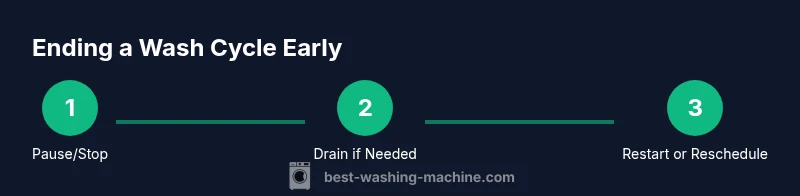
To end a washing machine early, use the Pause or Stop feature on the control panel if available. If you need to halt water and spin, select Drain or Spin after pausing. Do not force open a running door; consult your manual. If alarms appear, power off only when it's safe.
Why you might need to end a washing cycle early
There are several legitimate reasons to stop a wash cycle before it finishes. You might have loaded too many items, realized you forgot to add a stain treatment, noticed an imbalance causing loud noises, or detected a potential overflow. Understanding your machine’s options for pausing, draining, and resuming can prevent water damage and reduce wasted energy. According to Best Washing Machine analysis, 2026, most modern machines offer built-in pause/cancel functions and safe manual draining flows. Always start by consulting your model's user manual because the exact steps vary by brand and sensor logic. This knowledge helps homeowners, renters, laundromat operators, and others shopping for a washer navigate early termination with confidence.
In this guide, we’ll cover practical steps, safety considerations, and model-specific nuances so you can end a cycle early without sacrificing your laundry results or your safety. The guidance here applies to common front-load and top-load designs, but always cross-check your manual for model-specific instructions. The goal is to keep your clothes from over-soaking, prevent leaks, and avoid misloading that could complicate restarting later.
Quick checks before attempting to stop
Before you touch any controls, perform a quick safety assessment. Make sure the floor is dry to prevent slips, and verify that the load isn’t sticking out or overbalanced. If it’s a front-loader, check the door lock status and listen for any beeps or indicators that signal the drum is still moving. If the door lock is engaged, do not attempt to force it open. Have towels ready and a bucket handy in case water spills during draining. If the water level is exceptionally high, you may want to pause and let it settle briefly before proceeding. Always wear gloves if you’re handling wet items or sharp edges on the basket.
In 2026, many models provide on-screen prompts that guide you through pausing, draining, or canceling. If you’re unsure, err on the side of safety and consult the manual or contact customer support.
Using built-in pause, cancel, or stop features
Most modern washing machines offer a Pause or Stop option on the control panel. To pause, press the Pause/Resume button and wait for the lock indicator to release if applicable. If your model supports Cancel, you can stop the current cycle and transition to a draining or spin phase. After pausing or canceling, watch the display for instructions about draining water or selecting a specific option like Drain or Spin. Some cycles can resume automatically when you press Start again, while others require you to choose a new cycle. If you see error codes or locked indicators, refer to the manual for model-specific steps.
Always give the machine a moment to respond after pressing a control—mechanisms like door locks or water valves take time to disengage. If the display instructs you to drain first, follow those prompts exactly. If your unit beeps or shows a fault code, stop and seek guidance rather than forcing a result.
In practice, the most reliable path is to pause, wait for the drum to stop, then proceed with a drain or spin option if the machine provides it. This approach minimizes the risk of splashing and maintains safe water handling.
What to do if your machine lacks a pause function
Some older or budget models may not have a dedicated pause button. In these cases, avoid yanking cords or forcing doors. If safe and permitted by the manufacturer, you can perform a controlled power-off by turning off the machine from the control panel and unplugging for a brief moment (about 60 seconds) before attempting to restart. Always check the user manual for reset instructions and door-lock behavior. If the door remains locked after a power cycle, wait for the lock to release or contact a technician. Remember: abrupt power-off can cause the machine to drain improperly or trigger an error state, so use this option only when explicitly allowed.
If you’re operating a commercial or shared-laundry setup, follow your facility’s safety protocols and report any abnormal behavior to maintenance staff.
Drain water safely and prepare for reentry
If you need to remove water manually, locate the machine’s drain hose and place it into a bucket or into the household drain if accessible. Lower the hose so gravity assists drainage but avoid kinking or pulling the hose from its connection. Keep towels ready to absorb spills and protect your floor. Once most of the water has drained, you can advance to the next step, which may involve rebalancing the load or running a shorter wash or rinse cycle to finish the laundry. If you’re re-scheduling the cycle, ensure the drum is not overfilled and the clothes are evenly distributed for balanced spinning.
Be mindful that any mid-cycle drain might remove detergent from garments, so you may want to adjust the rinse settings after resuming.
Handling clothes and restarting the cycle
After ending early, gently extract items if the drum is safe to access and re-sort them as needed. Check for clothing clumps that could cause another imbalance. If you plan to restart, consider selecting a shorter cycle (like Quick Wash) or a reduced load to validate that the washer can run normally again. If you’re resuming the same cycle, verify that the detergent is still appropriate for the amount of water in the drum and that the load is evenly distributed. If you want to run a full cycle, ensure items aren’t overly packed and re-check fabric care labels.
Keep an eye on the water temperature, spin speed, and cycle duration to prevent surprises. Should the machine behave abnormally after resuming, stop and consult customer support.
Test run, reset, and what to watch for on restart
Before you rely on the reset, perform a quick test run with a small load or a rinse cycle to verify normal operation. Listen for unusual noises, watch for leaks, and confirm that water drains properly at the end of the cycle. If you observe an error, take note of the code and consult the manual or service technician. Regularly inspecting door locks and hoses helps prevent mid-cycle issues from escalating. Document any recurring problems for future reference.
Safety, warranty considerations, and best practices
Safety should be your top priority. Do not bypass door locks or tamper with electrical connections. If you’re unsure how to stop a specific model safely, contact the manufacturer’s support or a licensed technician. Some warranties may exclude damage caused by improper mid-cycle interruptions; always review warranty terms and service policies. Regular maintenance, such as cleaning lint filters and checking hoses for wear, reduces the likelihood you’ll need to end a cycle early.
By following model-specific instructions and staying within recommended safety practices, you protect your laundry, your home, and your warranty status. Best Washing Machine recommends keeping a clear area around the machine, dealing with spills promptly, and documenting any issues for future troubleshooting.
Tools & Materials
- Owner's manual for your washing machine(For model-specific guidance and safety warnings)
- Bucket or shallow tray(To collect water during manual draining)
- Absorbent towels or old towels(To manage spills and protect flooring)
- Flashlight (optional)(Helpful if the area behind the machine is dim)
Steps
Estimated time: Total time: 10-30 minutes
- 1
Power down safely
If your model has a Pause/Stop option, press it to halt the cycle. If no pause is available, use a safe power-off sequence from the control panel and, if allowed by the manual, unplug for a brief moment. Do not force the door open while the drum is moving.
Tip: Always consult the manual before attempting to unplug or open the door mid-cycle. - 2
Pause or cancel the cycle
Use the Pause command to freeze the current load and wait for any lock indicators to release. If Cancel is offered, follow the panel prompts to stop water flow and prepare for draining or a spin.
Tip: Wait 5-10 seconds after pressing a control to let electronics respond. - 3
Assess safety before opening the door
Check for door lock indicators and listen for any beeps. If locked, wait for the lock to disengage; never wrench the door open while the drum is moving or water is active inside.
Tip: If the lock doesn’t release within a minute, proceed to a safe power-off per the manual. - 4
Drain water if needed
If you must remove water manually, locate the drain hose, place it into a bucket, and lower it gradually to control flow. Avoid kinking or pulling the hose from its connection.
Tip: Have towels ready to catch splashes and spills. - 5
Handle clothes and prepare to restart
Remove items carefully if accessible, re-balance the load, and decide whether to start the same cycle or a shorter option. Check fabric care labels and detergent levels before restarting.
Tip: Rebalance the load to prevent a noisy or uneven spin. - 6
Test run after stopping
Run a quick test with a small load to ensure normal operation. Watch for leaks, unusual noises, or error codes, and consult the manual or support if anything seems off.
Tip: Document any abnormal behavior for future reference.
FAQ
Can I open the washing machine door mid-cycle?
Most modern washers lock the door during operation; you should pause or wait for the lock to release before attempting to open. If the cycle is paused, the door may unlock after a moment.
Most washers lock doors during cycles; pause first, then wait for unlock.
Is it safe to unplug a running washer to stop it?
Unplugging can be dangerous if water is present. Use the pause or power-off control if your model supports it, and consult the manual before attempting a manual reset.
Unplugging isn't usually safe; use pause or safe power-off unless the manual says otherwise.
Will stopping early damage clothes?
Stopping early generally won’t harm fabrics, but abrupt stopping can leave items unevenly soaked. Consider finishing with a short rinse or restarting a gentler cycle.
Stopping early isn’t usually harmful to clothes, but can affect rinse results; consider restarting a short cycle.
What should I do if the washer won't respond to pause?
If pause doesn’t respond, check the manual for model-specific reset steps. You may need to perform a safe reset or power cycle as directed by the manufacturer.
If pause doesn't respond, check the manual and consider a safe reset.
When should I drain water instead of leaving it for later?
Drain water if there’s a risk of overflow or leaking. If no risk is present and you can safely pause, you may wait to drain during a later step.
Drain if there’s overflow risk; otherwise you can wait.
Can I resume the same cycle after stopping early?
Many models let you resume the same cycle or start a new one after stopping. Load balance, water temperature, and detergent levels may affect results.
You can often resume or start a new cycle after stopping.
Watch Video
The Essentials
- Use built-in controls to stop mid-cycle whenever possible.
- Drain water safely with the drain hose and a bucket.
- Check the door lock status before attempting to open.
- Restart or run a new cycle after ensuring a balanced load.