LG IE Code on Washing Machines: Urgent Diagnostics and Fixes
Urgent guide to understanding the LG IE code on washing machines, diagnosing causes, quick fixes, and safe repair steps. Restore operation fast with Best Washing Machine guidance.


LG IE code on a washing machine signals an inlet or water-supply fault. In most homes, the issue is simple: verify taps are open, check hoses for kinks, and clean the inlet filter. If the code persists, follow the diagnostic steps below. Ensure the door is closed and the unit is level. A quick reset may clear the error; otherwise, call a pro.
What the LG IE Code Means for Your Washer
The LG IE code is an inlet error that typically appears when the machine cannot draw water properly. While LG models vary, IE commonly points to the water inlet path rather than a clogged pump or a faulty timer. The core idea is that the wash cycle cannot begin until the washer detects a steady water inflow. In the majority of homes, this is triggered by a blocked or restricted water supply, a kinked hose, or a dirty inlet screen. According to Best Washing Machine analysis, IE codes are among the most frequent inlet-related errors in 2026, especially in households with older hoses or inconsistent water pressure. Understanding this helps you distinguish between a simple DIY fix and a deeper electrical or valve issue. In short, IE means water isn’t entering the drum as the machine expects, so prioritize the water supply path first.
Quick Fixes You Can Try Right Now
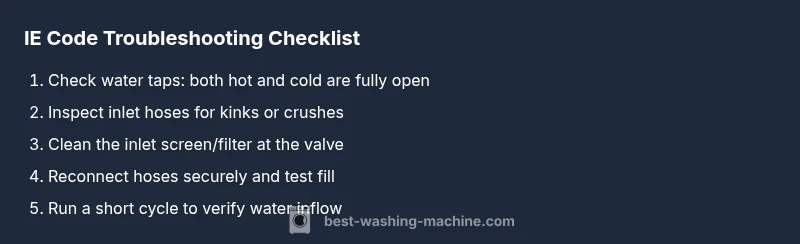
If you see the IE code, start with the simplest checks that don’t require tools. First, confirm both hot and cold water taps are fully open and the hoses are not kinked or crushed. Next, inspect the inlet filters/screens for debris and rinse them under running water. Reattach hoses securely, ensuring they are not cross-threaded. If you have a filter, remove any lint or sediment buildup that might restrict flow. After these steps, reset the washer by unplugging for 60 seconds and plugging back in, then select a short wash to observe if water fills normally. If the error remains, proceed with the diagnostic flow below. The goal is to rule out the easiest causes before moving to parts replacement.
Reading Model Variations: Does IE Look Different Across LG Models?
LG uses the IE designation across several series, but the symptoms and fixes can vary slightly by model. Some units display IE only during the initial fill, while others may show it after an attempted rinse. In high-efficiency (HE) models, even small reductions in flow can trigger IE due to stricter sensor thresholds. If your model has a dual inlet setup, check both valves and hoses, as one side may be blocked or slower to open than the other. Keep your model number handy when researching specific inlet valve locations and screen sizes. Cross-reference the user manual or the manufacturer’s website for the exact inlet screen size and recommended water pressure range. When in doubt, you can still apply the universal steps below, but knowing your model helps you locate the valve and screen quickly.
Step-by-Step Repair: Most Common Cause (Inlet Filter/Valve)
The most common IE cause is a restricted inlet path due to a clogged filter or a faulty inlet valve. Before you begin, unplug the machine and shut off both water supplies. Remove the lower front access panel if your model requires it to reach the inlet area. Detach the hose from the washer and inspect the filter. Rinse under running water and remove any sediment. Reassemble, then reconnect the hoses ensuring they are snug but not overtightened. If the filter is clear but IE persists, testing or replacing the inlet valve may be necessary. In some models, a diagnostic test can confirm valve operation without full disassembly. Always run a short test cycle to verify water inflow after each step. If the error repeats, move to the more advanced checks in the next section.
Other Causes If IE Persists
If the IE code remains after cleaning the filter and verifying hoses, consider other contributors. A partially closed water valve or a kinked supply line can dramatically reduce inflow. Low water pressure from the supply line or a home plumbing issue can also trigger IE. A damaged inlet valve or defective wiring to the valve can mimic a flow problem, requiring component replacement. Faulty pressure sensors or control boards may also cause intermittent IE readings. When you reach this stage, weigh the cost and risk of continued DIY fixes against a professional assessment. Some repairs involve specialized tools and precise calibration that are best left to a qualified technician.
Safety, Warnings, and When to Call a Pro
Electrical and plumbing work carry real risks. Always unplug the machine before touching electrical components, and shut off both water supplies when working on hoses. Do not run water through damaged hoses; replace them instead. If you notice persistent leaks, unusual hissing sounds, or the IE code reappears after cleaning and basic checks, a licensed technician should diagnose the inlet valve, wiring, or control board. Typical professional repairs for IE-related inlet faults involve valve replacement or valve-driver testing and can incur labor and parts costs. As a rule of thumb, professional service often falls in the mid-to-upper price range for washer inlet repairs, depending on your region and the model.
Maintenance Tips to Prevent IE Codes
Prevent future IE codes with simple maintenance. Inspect inlet hoses every 6–12 months for bulges, cracks, or wear; replace hoses every 5–7 years or as recommended by LG. Clean the inlet screen during each hose inspection to prevent buildup. Use an appropriate water pressure for your model, and avoid forcing hoses through tight fittings. If you have hard water, consider a brief descaling or water-softening solution periodically to prevent mineral buildup near the inlet. Finally, keep the area behind the washer clean and free of dust, which reduces the chance of sensor misreads that could trigger false IE codes.
Putting It All Together: Quick Diagnostic Flow
With an IE code, start with the least invasive checks: water supply, hose condition, and inlet screen. If those pass, run a controlled test fill and observe inflow rate. Use the diagnostic flow to categorize suspect causes and decide when a professional assessment is warranted. Developing a routine: monthly hose inspection, biennial valve checks, and annual filter cleaning will reduce the chance of IE disruptions and keep your LG washer running smoothly for longer.
Steps
Estimated time: 45-60 minutes
- 1
Power off and isolate water supply
Unplug the washer from the wall outlet and shut off both hot and cold water valves. This eliminates the risk of electric shock and water leaks while you inspect connections.
Tip: Take a photo of hose routing before disconnecting any parts for easier reassembly. - 2
Inspect hoses and connections
Carefully pull the washer back to access the inlet hoses. Look for kinks, bulges, or crushed areas. Re-seat hoses firmly to the water inlet ports without overtightening.
Tip: If a hose feels rigid or damaged, replace it rather than trying to bend it back into shape. - 3
Remove and clean the inlet screen
Locate the inlet screen or filter at the valve port. Gently pull it out, remove debris, and rinse under clean water. Use a soft brush if residue is stubborn.
Tip: Avoid using harsh tools that could damage the screen or valve. - 4
Reconnect and test the water inlet
Reinstall the screen and hoses, ensuring a snug fit. Restore water supply and plug the unit back in. Run a short test fill to observe if water enters the drum.
Tip: Listen for a steady hum or flow sound; a weak flow indicates a lingering restriction. - 5
Run a controlled wash cycle
Select a brief cycle and monitor water filling behavior. If IE reappears, stop the cycle and re-check valve operation and screen condition.
Tip: Document any repeated symptoms with timestamps for the technician if needed. - 6
Escalate if needed
If the IE persists after all above steps, the issue may involve a failing inlet valve, wiring, or control module. Schedule a professional inspection.
Tip: Cost range for professional inlet repairs varies; ask for a written estimate before work begins.
Diagnosis: IE code appears during wash or fill; machine won’t fill with water
Possible Causes
- highWater supply valve closed or blocked
- mediumKink or clog in inlet hoses
- mediumClogged inlet screen or filter
- lowFaulty inlet valve or control board
Fixes
- easyOpen taps and inspect hoses for kinks; straighten as needed
- easyRemove and clean inlet screen; rinse until clear
- mediumReplace inlet hose or valve if clogged or damaged
- hardIf symptoms persist after the above, have a licensed tech inspect control board/valve assembly
FAQ
What does the LG IE code mean on a washing machine?
IE is an inlet error indicating the washer cannot draw water properly. It usually points to the water supply path, such as valves, hoses, or the inlet screen, rather than the pump or the electronics.
IE means the washer isn’t getting water. Check taps, hoses, and the inlet screen first, then test a short fill to see if inflow improves.
Can I fix the IE code myself?
Yes, many cases are DIY-friendly. Start with water supply, hose checks, and inlet screen cleaning. If the code returns after these steps, the issue may require professional valve or control-board work.
You can try the basic checks yourself, but be ready to call a pro if the code repeats after you clean the screen.
Why does IE reappear after I fix it?
Reappearance usually means an underlying issue remains: a faulty inlet valve, reduced water pressure, or wiring to the valve can cause recurring IE codes.
If it keeps coming back after fixing the obvious parts, a professional check is advised.
How long does it take to repair IE code?
DIY steps typically take 30–60 minutes depending on access to the inlet valve. Professional service may take 1–2 hours plus parts.
Most DIY fixes are under an hour; professional repairs can take a couple of hours depending on parts.
Is there a safety risk when addressing IE?
Yes. Always unplug the machine and shut off water before touching electrical or plumbing components to avoid electric shock or leaks.
Yes, safety first: unplug first and shut water off before poking around the hoses.
What is the cost range to fix IE code?
DIY parts are generally inexpensive, while professional service can vary. Expect a broad range depending on the region and needed parts, typically with labor and parts in a combined estimate.
Costs vary; DIY parts are cheaper, but a pro may charge for parts and labor if the issue is valve or board related.
Watch Video
The Essentials
- Identify IE as inlet issue; prioritize water supply checks
- Start with simple fixes before replacing parts
- If the code remains, call a pro for valve/board inspection
- Regular hose and screen maintenance reduces future IE incidents