What to Do When Your Washing Machine Quits Working
If your washing machine quit working, use this urgent troubleshooting guide to diagnose power, door switch, and drain issues, plus step-by-step fixes and safety tips. Learn when to call a pro.


Most washers stop due to a simple issue like a power fault, a door switch, or a clogged drain. Start with quick checks: confirm the outlet is live, test the cord, and reset the circuit breaker. If it still won’t start, inspect the door/lid switch and any front-panel indicators for clues.
Quick checks you can do in minutes
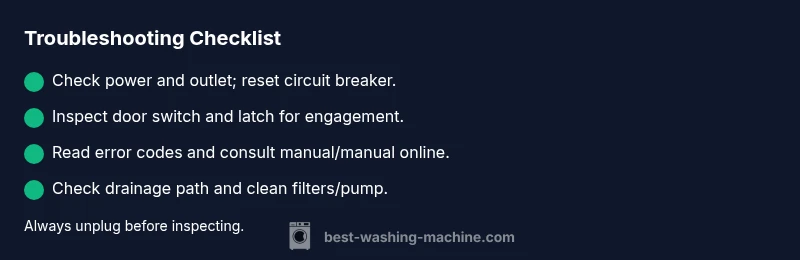
If your washing machine quit working, you can often identify the problem with a few fast checks before calling a technician. Start with power and availability: make sure the outlet is live by testing another device, and reset the circuit breaker if a breaker has tripped. Inspect the power cord for damage and ensure it is securely plugged in. Next, verify the lid or door is fully closed and the latch engages correctly; a faulty or misaligned latch is a common reason for a machine that won’t start. If you have a digital display, note any error codes or blinking patterns as these are powerful clues. According to Best Washing Machine analysis, many start-up failures stem from power or switch-related issues rather than complex internal faults. Keep a notepad handy to record what you observe, including the model year and any recent changes to the home electrical setup.
Safety note: always unplug the washer before touching internal components. If you must move the machine for access, do so gently to avoid stressing hoses or connections. For renters or tight laundry rooms, consider testing outlets with a simple lamp to rule out shared circuit issues. The goal is to rule out the easy, obvious causes first and preserve your time and budget.
Common causes of a washer that quits
When a washing machine quit working, several culprits pop up frequently. Power issues dominate the list: a tripped breaker, a loose outlet, or a damaged cord. The door or lid switch can prevent operation if it’s worn or misaligned. Drain and pump problems are common when the machine stops mid-cycle or displays a “not draining” or similar code. Control board or timer failures, though less common, can also halt operation and may require professional service. From the field data compiled by Best Washing Machine Team, these problems account for the vast majority of service visits—often more than fancy sensors or motors. Regular maintenance and mindful usage dramatically lower the risk of these failures. Look for visible signs: burnt smells, humming without rotating, or water backing up in the drain. If you observe any of these, skip guesswork and prepare for a targeted repair approach.
When you’re diagnosing, separate issues by symptom: no power, no response, or a cycle that stops unexpectedly. This makes it easier to decide whether a reset, a component test, or a professional assessment is needed. Note: if your model uses a touchscreen or sensitive electronics, avoid attempts to bypass safety interlocks. Your protection and the appliance’s longevity depend on careful, methodical testing. Best Washing Machine’s guidance emphasizes starting with the simplest checks and moving toward controlled disassembly only if you have the right tools and instructions.
Reading error codes and manuals
Error codes are your fastest route to understanding why the washer quit. Start by consulting the user manual or the manufacturer’s support site for code meanings and recommended actions. If the display shows an alphanumeric code (for example, a fault code around the door or drain), write it down exactly as shown and search for it in your manual or the Best Washing Machine guidance. Even without a code, many models show blinking lights or a sequence of beeps that map to common issues. Recognize which codes require simple resets (power cycle, unplug for 60 seconds) and which indicate component faults that likely require replacement. If you don’t have the manual handy, many brands provide digital PDFs by model number. Keep your model number and purchase date close at hand when seeking support.
A quick digital search for your model plus the phrase “service manual” often yields definitive lists of codes and recommended repairs. The goal is to translate the symptom into a targeted solution rather than chasing random parts. Best Washing Machine recommends documenting each code and the observed behavior so you can share precise information with a technician if needed.
Safety-first: DIY troubleshooting and when to stop
Safety should always come first. Never operate the machine with access panels open or with exposed wiring. If you detect burnt smells, buzzing from the motor, or water leaking from hoses, stop immediately and disconnect the power. Do not attempt high-voltage tasks without proper training and tools. For many homeowners, the line between safe maintenance and risky repair is the electric control board or a leaking seal. If you’re uncomfortable with testing wiring, measuring with a multimeter, or removing panels, it’s wise to call a professional. A properly trained technician will diagnose electrical faults, faulty door switches, and drainage problems with the correct precautions. Best Washing Machine Team emphasizes that attempting risky repairs can cause personal injury or further damage to the appliance.
When to call a professional and how to document the issue
If basic checks don’t restore operation, it’s time to schedule a service visit. Have your model number, serial, and a concise symptom log ready: when the problem started, what you already tried (power cycle, latch tests, codes observed), and any error codes. A professional will confirm whether you’re dealing with a door switch, control board, or pump issue and quote repair costs. Avoid attempting major disassembly yourself unless you have training and proper tools. To speed the visit, capture a few photos of the control panel, wiring, hoses, and any visible leaks. While you wait for service, stop using the machine to prevent water damage or electrical hazards. Best Washing Machine Team notes that proactive documentation improves diagnostic accuracy and helps identify potential maintenance patterns that reduce future outages.
Maintenance tips to prevent future outages
Preventive maintenance is cheaper than frequent repairs. Regularly clean the lint filter and pump trap if your model has them, inspect hoses for cracks, and avoid overloading the drum. Keep the area around the washer dry to prevent slip hazards and water damage to the floor. Schedule a biannual inspection to check door seals and wiring connections, especially after heavy use or moving the machine. Using the right detergent and water temperatures for your fabric types can extend the life of seals and bearings. The Best Washing Machine approach combines simple daily care with seasonal checks to minimize the chances that your washer quits mid-cycle. By staying proactive, you’ll enjoy fewer unplanned outages and more reliable laundry days.
Steps
Estimated time: Estimated total time: 45-60 minutes
- 1
Verify power and outlet
Unplug the washer, check the outlet with another device to confirm power, and reset the circuit breaker if needed. Replug the washer firmly and attempt a soft power cycle. If the outlet is fine, proceed to the door switch inspection.
Tip: Keep a lamp nearby to test outlet power and avoid mixing up multiple outlets on a shared circuit. - 2
Check door/lid switch and latch
Close the door firmly and listen for a click indicating the switch engages. If you can access the switch, test for continuity with a multimeter or look for displaced wiring. A damaged switch is a common cause of ‘not starting’ symptoms.
Tip: If the latch is loose, realign it or replace the switch rather than forcing closure. - 3
Read error codes or lights
Observe any blinking lights or codes on the display. Consult the manual or Best Washing Machine resources for code meanings. Write down the exact codes and model number for precise troubleshooting.
Tip: If you don’t have the manual, search the model online for a PDF service sheet before disassembly. - 4
Inspect drainage path
Pull the machine forward enough to access the drain hose and pump filter. Remove any lint or blockages from the filter; flush hoses if possible. Listen for the pump hum when selecting a drain cycle.
Tip: Always unplug the unit before touching hoses or filters. - 5
Reset and test run
Power cycle the unit: unplug for 60 seconds, reconnect, and run a short cycle to verify operation. If the problem recurs, log the codes and consider professional service.
Tip: If the machine freezes or displays new codes, stop and escalate to a pro rather than performing risky tests. - 6
Document and plan professional help
If the issue persists, document symptoms, codes, and repairs already attempted. Schedule service with a technician and request a diagnostic visit with a cost estimate.
Tip: Share your notes and photos to accelerate diagnosis.
Diagnosis: Washing machine won't start or stops mid-cycle
Possible Causes
- highPower issue (outlet, cord, or circuit trip)
- highDoor/lid switch or latch fault
- mediumControl board or timer failure
- lowDrain pump or clog in pump/filter
Fixes
- easyCheck outlet with another device, inspect cord, and reset the circuit breaker
- easyInspect door switch/latch for obstruction or wear and test for continuity if possible
- hardReset the control board by power cycling the machine or recommending replacement if faults persist
- easyClear drain pump filter and hoses; remove blockages and ensure pump hears a hum during drain test
FAQ
Why did my washing machine quit working suddenly?
Sudden quits are usually caused by power issues, a faulty door switch, or a clog in the drain. Before calling a tech, verify the outlet, reset the circuit, and inspect the door latch. If codes appear, use the manual or support site to decode them.
Usually power, door switch, or drainage problems cause a sudden stop. Check power first, then the door latch, and look up any codes in your manual.
What should I check first when the machine won't start?
Start with power and lid switch checks: ensure the plug is fully seated, the outlet works, and the door is closed properly. Then inspect for error codes and test the drain pump if the cycle won’t advance.
First power and door checks, then look for error codes and test the drain path.
Can a faulty door switch cause the washer to stop mid-cycle?
Yes. A worn or misaligned door switch can prevent starting or stop cycles unexpectedly. Check the switch position and continuity if you have the tools to test it safely.
A bad door switch can stop the machine mid-cycle; test the switch and replace if needed.
Is it safe to unplug and reset the washer?
Unplugging and resetting is safe for most modern washers when the unit is powered off. Always unplug before touching internal components and wait a full minute before reconnecting to reset electronics.
Yes, but unplug first and wait a minute before plugging back in.
When should I replace a control board?
Control boards fail gradually; if codes persist after resets and there’s no mechanical fault, replacement by a professional is advised. Expect diagnostic fees before any parts replacement.
If codes stay after resets, you may need a control board; a pro can confirm and replace it.
What maintenance helps prevent this problem?
Regular cleaning of filters, checking hoses for wear, and avoiding overloading can prevent many outages. Schedule a simple biannual check to catch loose connections early.
Keep filters clean and hoses in good shape to prevent outages.
Watch Video
The Essentials
- Start with power and door switch checks.
- Error codes guide diagnosis and action.
- Reset safely before internal checks.
- Call a pro for electrical or major component faults.