What OE Means on LG Washing Machines: Urgent Troubleshooting Guide
Discover what OE means on LG washing machines, the common causes, urgent fixes, and when to call a pro. This troubleshooting guide from Best Washing Machine helps you diagnose and resolve OE quickly to protect your home.


OE on an LG washing machine indicates an overfill or overflow condition, meaning the drum is taking on more water than expected. In most cases the issue stems from a faulty water level sensor or pressure switch, a stuck inlet valve, or a drainage problem causing water to back up. Quick checks can prevent unnecessary service.
What OE Means on LG Washing Machines
The short version is that OE is an error code signaling an overfill or drainage problem. For homeowners asking what does oe mean on lg washing machine, the answer is usually that the machine believes it is taking in too much water or cannot drain properly. This can trigger the drum to fill beyond the intended level, prompting the control board to halt operation to prevent flooding. In practice, OE often points to a sensor or valve issue rather than a dramatic mechanical failure. Acting quickly helps prevent leaks, mold growth, and water damage in laundry spaces. Throughout this guide, you’ll see practical, urgent steps from a brand you can trust: Best Washing Machine.
Common Causes Behind OE on LG Washers
OE is most often caused by a faulty water level sensor or pressure switch, a malfunctioning inlet valve, or a drainage bottleneck. Other contributing factors can include a blocked drain hose, a clogged filter, or a failing pump. In some models, a software hiccup or control board glitch can trigger OE even when the hardware is fine. To keep things actionable, start with the simplest checks and move toward more involved diagnostics if the error persists.
Key takeaways:
- Sensor or switch failure is common and inexpensive to diagnose.
- Drainage problems frequently masquerade as OE.
- A software reset can resolve transient faults in some models.
Quick Fixes You Can Try Right Away
Before you dive into more complicated repairs, try these fast, low-cost steps that address the most frequent OE triggers:
- Power cycle: unplug for 1–2 minutes, then plug back in and start a test cycle.
- Inspect the drain hose for kinks or blockages and ensure it’s positioned correctly.
- Check the lint filter and drain pump area for clogs; clean as needed.
- Confirm the inlet valve isn’t stuck open; listen for continuous water flow when off if accessible.
If OE returns after these quick fixes, proceed to the diagnostic steps below. Safety note: always unplug the machine before opening access panels.
Step-by-Step Diagnosis and Repair
This section walks you through a methodical check to identify the root cause of OE, starting from the simplest potential fault to more involved repairs. Always prioritize safety; if you’re unsure, stop and contact a professional.
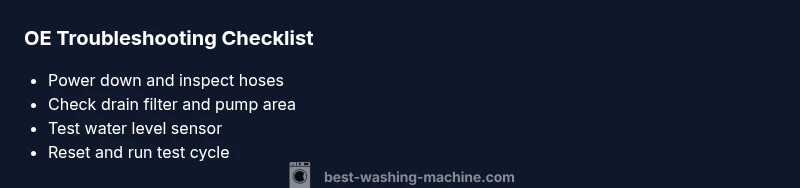
- Power down and unplug the machine. Allow the system to discharge.
- Inspect the water level sensor/pressure switch: look for loose hoses, clogs, or obvious damage. Re-seat or replace as needed.
- Examine the inlet valve and water supply hoses: ensure the valve isn’t stuck open and hoses aren’t kinked.
- Check the drain system: drain hose, filter, and pump for clogs. Clean or replace parts to restore proper drainage.
- Run a test cycle with no laundry to confirm the issue is resolved. If OE persists, the control board or wiring may require professional service.
Tip: If you don’t have the exact replacement parts on hand, document model and serial numbers and check with a repair supplier or an authorized tech.
Estimated repair time: about 45–90 minutes depending on parts availability.
Other Possible Causes and Their Fixes
Beyond the primary culprits, several other issues can trigger OE, often in combination:
- Faulty wiring or a loose connector between the sensor and the control board: reseat connections and inspect for damaged harnesses.
- Software glitch: perform a factory reset or firmware update if your model supports it.
- Drain pump failure: listen for a humming sound without moving water; a burned-out pump typically requires replacement.
- Overfilling due to external supply pressure issues: verify the household water pressure and ensure there are no external valves partially closed or regulators failing.
Addressing these issues often requires a cautious approach and, in some cases, professional repair to avoid further damage or warranty violations.
Safety Tips and When to Call a Pro
Working with electrical appliances near water carries risk. If you notice wet floors, sparking components, or a burning smell, stop immediately and unplug. When in doubt about sensor, valve, or pump replacements, or if the unit is still under warranty, contact a licensed technician. For a costly repair, request a written estimate that includes parts, labor, and potential additional charges. If you’re considering DIY, ensure you have the correct model-specific parts and tools, and follow manufacturer guidance to avoid voiding warranties.
Prevention Tips to Avoid OE in the Future
Proactive maintenance reduces the chance of OE returning. Implement these practices:
- Regularly clean the lint filter and drain pump area.
- Run a monthly maintenance cycle with a descaling solution or recommended cleaner.
- Inspect inlet hoses and connections for wear and replace as needed.
- Keep the washer level and avoid overloading drums; distribute loads evenly to minimize agitation strain.
- Schedule professional inspections if your unit is subject to hard water or frequent cycle interruptions.
Steps
Estimated time: 45-60 minutes
- 1
Power down and unplug
Shut off power and unplug the unit. This prevents shock and allows capacitors to discharge. Safety first before opening access panels.
Tip: Use a dry rag to dry any moisture around the control panel. - 2
Check water level sensor and hoses
Locate the pressure switch assembly and look for loose or cracked hoses. Re-seat hoses firmly and remove any debris that may block air pressure lines.
Tip: Take a photo before disconnecting hoses to ensure correct reassembly. - 3
Inspect inlet valve and water lines
Verify the inlet valve is not stuck open and that supply hoses are not kinked or leaking. If the valve is sticky, a replacement is recommended.
Tip: Turn off the home water supply before removing hoses. - 4
Assess drain system and pump
Remove the drain hose from the plumbing, inspect for kinks, and check the drain pump for obstructions. Clean or replace as needed to restore proper drainage.
Tip: Check for lint or coins that can jam the pump impeller.
Diagnosis: OE error code appears and water drains improperly or overfills
Possible Causes
- highFaulty water level sensor or pressure switch
- highClogged drain filter or blocked drain pump
- mediumInlet valve stuck open or leaking hose
Fixes
- easyReset the washer by unplugging for 1–2 minutes, then reboot
- easyInspect and clean drain hose, filter, and pump area; remove clogs
- mediumTest and replace faulty water level sensor/pressure switch
- hardReplace stuck inlet valve and damaged hoses; check water supply lines
FAQ
What does OE stand for on LG washers?
OE typically indicates an overfill/overflow or drainage issue in LG washers. It can be triggered by a faulty water level sensor or a blocked drain path. Start with sensor checks and drainage cleaning before pursuing professional service.
OE usually means an overfill or drainage issue. Check the sensor and drain path first, then reset if needed.
Is OE dangerous to ignore?
Ignoring OE can lead to water damage, mold growth, and possible electrical hazards. If flooding occurs or safety seems at risk, unplug the machine and call a technician promptly.
Yes, OE can cause water damage and hazards, so don’t delay and contact a professional if needed.
Can I fix OE without a professional?
Many OE issues can be resolved with quick checks: reset power, inspect hoses, clean filters, and test sensors. If the problem persists or you’re uncomfortable, seek professional help to avoid further damage.
Some OE fixes are DIY, but if it keeps coming back, call a pro.
What parts might need replacement for OE?
Common replacements include the water level sensor, pressure switch, inlet valve, drain pump, or related hoses. Costs vary by model and part availability, often ranging from $20 to $200 for parts, plus labor if you hire a tech.
Parts that wear out include the sensor, valve, or pump, with costs that vary.
Should I run a test cycle after fixes?
Yes. After completing fixes, run a short, empty cycle to confirm OE no longer appears and that water flows and drains normally.
Run a test cycle to confirm the fix worked.
Will OE void my warranty?
Interventions by a qualified technician generally preserve warranty; do-it-yourself repairs might affect coverage. Check your manufacturer terms and consult support before making major replacements.
Check warranty terms; some DIY fixes could affect coverage.
Watch Video
The Essentials
- Identify OE triggers quickly, start with the easiest fixes.
- Drainage and sensor faults are the most common OE causes.
- Unplug before opening and call a pro if uncertain.
- Prevention reduces recurrence and costly repairs.