What to Do When Washing Machine Door Is Locked
Urgent troubleshooting guide for a locked washing machine door. Learn safe steps, diagnostic flow, and practical fixes to regain access quickly and prevent future lockouts. Easy, actionable instructions for homeowners and renters.


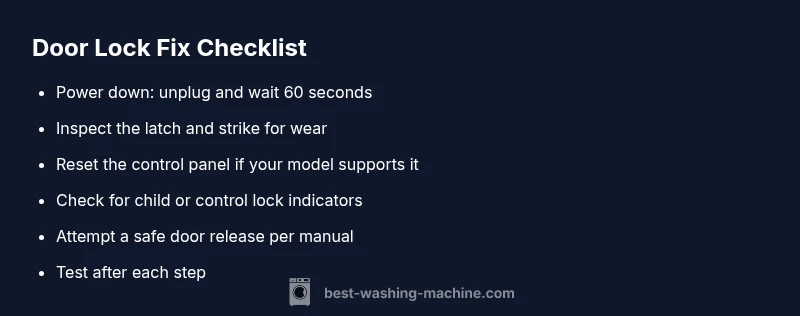
The most likely cause is a safety latch or electronic lock engaged by a fault. Quick fix: 1) unplug and wait 60 seconds, 2) reseat the latch by gently wiggling the door, 3) plug back in and run a short drain/test cycle. If it still stays locked, continue with the full troubleshooting below or call for service.
Why the door might be locked in a washing machine
Washer doors lock during cycles for safety, but getting locked randomly is alarming. The common culprits are a misaligned door latch, a faulty door switch, a stuck microcontroller, or a debris build-up on the strike. In some models, a child lock or control lock prevents opening until a reset finishes. When the door remains locked after a cycle completes, it can indicate a sensor didn't register the drum's idle state or a relay stuck in 'lock' mode. According to Best Washing Machine, most lockouts are solvable without specialist tools, especially when you catch them early. Start by unplugging the machine to cut power and avoid electric shock, then visually inspect the latch and strike for obvious damage. If you see wear, replace the latch or call for service. If you do not see an obvious fault, move to the diagnostic flow below to isolate the issue.
In many cases, the door lock is a safety feature designed to prevent water leakage and injuries. Being patient and methodical reduces the risk of making a minor issue worse. Best Washing Machine analysis shows that most lockouts stem from latch wear, control glitches, or user operations like an unintended lock command. Always avoid prying the door open; instead, follow the steps in this guide to safely regain access and protect your appliance.
A cautious approach also helps protect the surrounding area from potential water spills. If the door remains stubborn, your model’s user manual often lists model-specific unlock procedures. If you’re unsure, contacting a technician is the safest path to prevent further damage and ensure your warranty remains valid.
Steps
Estimated time: 45-60 minutes
- 1
Power down safely
Unplug the washer and switch off any nearby outlets or breakers. If you have a power disconnect switch, use it. Wait 60-90 seconds to discharge residual power.
Tip: This reset is often enough to clear minor control glitches. - 2
Check the door latch visually
Inspect the latch housing and the strike for visible damage, debris, or misalignment. Remove any foreign objects that could be jamming the latch.
Tip: Do not force the door; look for wear rather than obstruction. - 3
Reconnect power and test a reset
Plug the machine back in. If your model has a reset procedure, perform it as described in the user manual. Run a short wash cycle or a drain-test to verify the door unlocks.
Tip: If the door unlocks during the test, proceed with a full cycle to confirm stability. - 4
Attempt a manual unlock method (model-specific)
Some models offer a manual unlock under the access panel or near the door latch. Refer to your manual for the exact steps and ensure you have appropriate tools.
Tip: Only use model-approved methods; improper attempts can void warranties. - 5
Assess for persistent lock or unusual symptoms
If the door remains locked, note any unusual indicators (LED codes, beeps, or display messages) and document them for service.
Tip: Take photos of error codes to speed up diagnosis. - 6
Call a professional if needed
If you suspect a faulty latch, sensor, or control board, hire an appliance technician. Do not attempt to disassemble beyond your comfort zone.
Tip: Check your warranty status before booking service.
Diagnosis: Door won't unlock after a cycle completes
Possible Causes
- highPower issue or control panel reset needed
- highStuck or worn door latch
- mediumChild lock or control lock active
- lowWater ingress or sensor fault
Fixes
- easyUnplug the machine and wait 60-120 seconds, then reconnect and test the door
- easyInspect latch and strike for damage; replace latch if worn or misaligned
- mediumReset the control board by performing a power cycle and, if supported by the model, a master reset sequence
- mediumConsult the manual or a professional if a sensor or board fault is suspected
FAQ
What causes a washing machine door to lock during a cycle?
Locks are safety features designed to prevent water leakage and injury. They activate during cycles and can stay engaged if a fault occurs in the latch, control board, or sensor. A quick power reset often resolves minor faults.
Door locks are safety features that can engage during cycles; a reset often clears minor faults. If it persists, check the latch and consult the manual.
Is it safe to unplug and reset the washer to unlock the door?
Yes. Unplugging, waiting 60 seconds, and plugging back in can clear many lock issues caused by temporary software glitches. Always ensure the area is dry and power is off before handling.
Unplug it, wait a minute, then plug back in. Most lock issues clear with a simple reset.
Could child lock cause the door to stay locked?
Yes. If a child lock or control lock is active, the door may remain locked until you disable it per the manual. Look for a lock icon or dedicated button sequence.
Child or control lock can keep the door closed; disable it as described in your manual.
When should I call a professional?
Call a professional if you hear abnormal beeps, see error codes beyond basic resets, observe water leakage, or cannot safely access the latch. Persisting lockouts after a reset often indicate a faulty latch or control board.
If resets don’t help or you notice leaks or error codes, a technician is best.
Will warranty cover door lock issues?
Warranties vary; some cover door latch faults or control board failures within the period. Check your warranty terms and contact the manufacturer or retailer for authorization before any paid service.
Warranties can cover latch or board faults; verify terms with the manufacturer.
What should I do if the door lock is hot to the touch?
A hot lock or latch indicates an electrical fault or heavy resistance. Unplug immediately and do not operate the machine until a professional inspects it to avoid fire risk.
If the lock is hot, unplug and call a technician; don’t use it until checked.
Watch Video
The Essentials
- Unplug and reset first before any inspection.
- Inspect latch, strike, and panel for wear or damage.
- Use model-specific reset or manual unlock methods if available.
- Call a professional for complex faults or warranty considerations.