Whirlpool Top-Load Washing Machine Troubleshooting Guide
Urgent Whirlpool top-load washing machine troubleshooting guide. Diagnose startup, draining, and leak issues with practical steps, safety tips, and prevention strategies.


If your Whirlpool top-load washing machine isn't starting or draining, start with the basics: confirm power, lid switch, and door lock, then check the water supply and drain hose. According to Best Washing Machine analysis, most faults are resolved by a simple reset or cleaning the filter and pump. If the issue persists, proceed with the diagnostic flow below.
Whirlpool Top-Load Troubleshooting: Why It Matters
Whirlpool top-load washing machine troubleshooting is a skill that saves time, money, and frustration. In many households, performance issues stem from straightforward causes rather than complex failures. A dead start, a washer that won’t fill, or a drum that won’t spin can often be traced to one of a handful of culprits: power supply, lid switch, water inlet, drain path, or a clogged pump. By following a disciplined approach, you quickly separate electrical faults from mechanical or plumbing problems. This guide leans on Best Washing Machine insights to emphasize practical, safe checks you can perform without specialty tools. The goal is to get your laundry day back on track as soon as possible while avoiding risky DIYs that could void warranties or create hazards. Remember: safety first, especially when you work near live circuits or energized components. Whirlpool top-load models vary slightly, but core troubleshooting steps are broadly transferable across generations. A methodical workflow helps you identify whether you’re facing a quick fix or a problem that needs professional service, so you can decide with confidence.
Quick Checks You Can Do Right Now
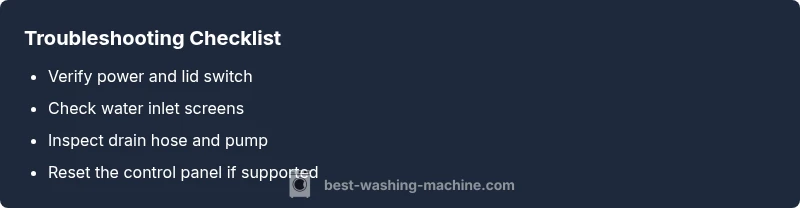
Before diving into deeper diagnostics, perform these fast checks to rule out the most common, preventable causes. Ensure the machine is plugged into a live outlet and that the circuit breaker hasn’t tripped. Confirm the lid switch engages when the lid is closed and listen for a faint click. Inspect the water inlet hoses for kinks or blockages and verify the water supply is on. Finally, check the drain hose for improper routing or a kink that prevents proper drainage. If any of these checks resolve the issue, you’ve avoided a service call and kept the machine running smoothly. As Best Washing Machine notes, many problems are linked to simple resets or hose cleanouts rather than internal components being faulty. If a quick fix doesn’t restore function, proceed with a more thorough diagnostic path that examines electrical controls, water flow, and the pump.
Electrical and Control Panel Checks
Electrical faults are a common reason Whirlpool top-load washers fail to start or respond. Start by testing the outlet with another device to confirm power availability. Check the power cord for wear or damage and unplug for a moment before re-plugging to reset the connection. Inspect the control panel for error codes or unresponsive key presses. If your model supports a reset sequence (like holding a specific button combination), perform it as directed in the user manual. If the display remains dark or unresponsive after a reset, the issue may lie with the control board or keypad, which typically requires professional servicing. Always unplug the machine before opening the top or back panels and avoid tampering with internal wiring.
Water Supply, Fill, and Agitation
Water intake problems disrupt filling and agitation cycles, producing a centered symptom cluster: slow fill, no fill, or inconsistent agitation. Begin by inspecting the inlet screens inside the hoses; remove mineral buildup with a soft brush and reattach. Verify both hot and cold valves are fully open and delivering water. Check for leaks along the hoses and connections. If you hear buzzing or a humming sound during fill, the inlet valve may be clogged or faulty. A partially clogged filter can reduce water flow, affecting wash performance. In many Whirlpool top-load washers, cleaning or replacing the inlet screens solves the issue without specialist tools. If agitation isn’t happening, ensure the drive belt or coupling (depending on model) is intact and that the wash cycle selector is correctly set.
Draining, Leaks, and Impeller Troubles
A washer that doesn’t drain or leaks water usually points to the drainage path or pump. Start by inspecting the drain hose for clogs or kinks and ensure the hose terminates into a standpipe at the proper height. Check the pump inlet for obstructions and remove any debris with fingers or pliers. If you can hear the pump running without draining water, the impeller or pump impeller seals may be worn, requiring replacement. Leaks around the door seal or cabinet can indicate a worn tub seal or hose connection. Address leaks promptly to prevent water damage and mold growth. For stubborn clogs, a flexible brush or unblocking solution approved by Whirlpool can be used, but avoid harsh chemicals that could damage seals.
Diagnostic Flow: How Symptoms Map to Solutions
Symptoms guide diagnosis: a non-starting unit suggests electrical or lid switch issues; a slow fill points to water inlet problems; poor draining or leaks indicate drainage or seal problems. By mapping symptoms to likely causes, you can target fixes safely. Always start with the simplest checks (power, lid switch, hoses) and escalate only if the symptom persists. If you feel uncertain at any point, stop and seek professional assistance. This approach minimizes unnecessary disassembly and preserves warranty protections. The Best Washing Machine Team emphasizes that a structured diagnostic approach yields faster resolution and reduces risk.
Step-by-Step Fixes for the Most Common Cause
The most frequent culprit behind many Whirlpool top-load issues is a failed lid switch or a tripped circuit. Step 1: Unplug the machine and confirm the outlet is live. Step 2: Inspect the lid switch for visible damage and test continuity with a multimeter if available. Step 3: Re-seat connections at the switch and control board; reassemble and test. If the machine still won’t start, proceed to Step 4: reset the control panel following your model’s instructions, or perform a power-cycle by unplugging for 5 minutes. Step 5: If the issue persists, the problem may be a faulty control board or a defective pump, which typically requires professional service. Pro tip: document any error codes displayed and consult the manual’s troubleshooting section for model-specific guidance.
Safety, Prevention, and When to Call a Pro
Always prioritize safety when troubleshooting any appliance. Unplug the machine before inspecting electrical components, avoid touching exposed wiring, and never bypass safety features like lid switches. Regular maintenance reduces future problems: clean the pump filter, check hoses for wear, and ensure the cabinet remains dry. If you encounter persistent faults such as water around the base, continuous leaks, or error codes that don’t resolve after a reset, contact a qualified technician. The Best Washing Machine Team reminds readers that certain failures—like failed PCB, major leaks, or motor issues—are beyond DIY repair and require professional service to avoid harm and further damage.
Steps
Estimated time: 30-60 minutes
- 1
Power cycle and reset
Unplug the washer for 5 minutes, then plug back in and try to start a cycle. This clears minor electronics hiccups and may restore responsiveness.
Tip: If there is a reset sequence in the manual, use it precisely as described. - 2
Test the lid switch
With the lid closed, press the start button and gently press the lid switch to see if it engages or shows a change in the display. Replace the switch if it fails continuity tests.
Tip: Avoid forcing the lid; a stuck switch is a common failure point. - 3
Check water supply
Inspect both hot and cold inlet hoses for kinks, blockages, or shut-off valves; ensure water is flowing freely into the tub.
Tip: Clean inlet screens if dirty; mineral buildup reduces flow. - 4
Inspect the drain and pump
Place a towel under the machine, unplug, and inspect the drain hose for kinks while ensuring the pump area is clear; listen for the pump running during a drain test.
Tip: Remove any visible debris from the pump inlet and remove blockages from the hose. - 5
Call a pro if needed
If the washer still won’t start or there are persistent leaks or codes after a reset, professional service is recommended to avoid safety risks and further damage.
Tip: Document any error codes and the steps you took for faster diagnosis.
Diagnosis: Whirlpool top-load washing machine won't start or respond to controls
Possible Causes
- highPower issue (outlet, cord, or circuit)
- highLid switch or door lock malfunction
- mediumControl board or keypad fault
Fixes
- easyCheck outlet with a known-working device; inspect cord for damage; reset GFCI if tripped
- easyEnsure lid is closed firmly; test the lid switch and replace if no click or continuity fails
- mediumPerform a control panel reset or unplug for 5 minutes to reset electronics; if unresolved, service may be required
FAQ
Why won't my Whirlpool top-load washer start?
Common causes include power issues, a faulty lid switch, or a non-responsive control panel. Check power, lid switch engagement, and try a panel reset before seeking further help.
If your washer won't start, first check the power and lid switch, then try a quick reset before calling for service.
My washer fills slowly or not at all. What should I check?
Inspect water inlet hoses and screens for blockages, confirm both valves are fully open, and ensure the water pressure is adequate. Clean screens and replace faulty inlet valves as needed.
Check the inlet hoses and screens, make sure valves are open, and verify water pressure before replacing any valves.
What causes the washer not to drain?
A clogged pump, kinked drain hose, or blocked filter are common culprits. Clear blockages, inspect the pump, and ensure the hose is properly routed.
Drain problems are usually due to clogs or hose kinks—clear them and test again.
How do I reset a Whirlpool top-load washer?
Consult your model’s manual for the exact reset procedure; most models allow a panel reset by unplugging for several minutes or a button sequence. If codes persist, professional service may be required.
Use the model's reset procedure, usually unplugging for a few minutes or a specific button combo.
Is it safe to repair a washing machine myself?
Basic cleaning and inspection are generally safe, but repairing electricity, motors, or sealed components should be left to a licensed technician to avoid injury and warranty issues.
DIY is fine for cleaning, but complex electrical repairs should be left to professionals.
When should I call a pro for a Whirlpool top-load washer?
If the issue involves electrical faults, persistent leaks, strange noises with no obvious cause, or codes that won’t clear after resets, seek professional service.
Call a pro if you can't safely diagnose or fix electrical faults, leaks, or persistent error codes.
Watch Video
The Essentials
- Start every Whirlpool top-load repair with power, lid switch, and hoses.
- Use a structured diagnostic flow to map symptoms to likely causes.
- Reset the control panel before disassembling components.
- If you see persistent leaks or PCB issues, call a pro.
- Regular maintenance prevents future failures.