Why Is LG Washing Machine Not Draining?
Diagnose and fix LG washers not draining with a clear, step-by-step guide covering common causes, safe checks, and prevention tips for homeowners and renters.


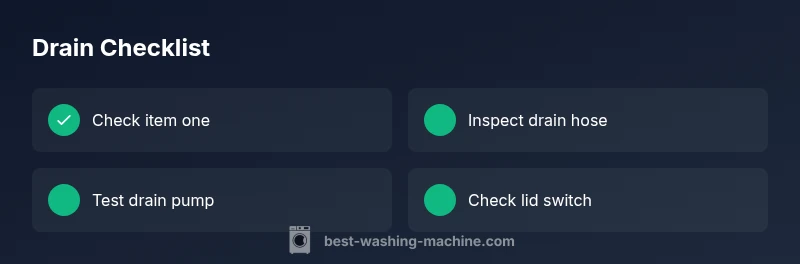
Most LG washing machines not draining are caused by a clog in the pump filter or a kinked/blocked drain hose. Quick fix: unplug the machine, remove and clean the pump filter, inspect the drain hose for bends or blockages, and run a short drain cycle. If water remains, the pump may be failing; check the lid switch as well.
Common causes of LG washing machine not draining
Not draining can stem from several culprits. According to Best Washing Machine analysis, the most frequent issues involve a clogged pump filter and a blocked or kinked drain hose. Debris like coins, lint, hair, or fabric fibers can accumulate in the pump and prevent water from exiting. A faulty drain pump or a defective lid switch can also stop drainage. In rare cases, overloads or unusual loads can cause balancing problems that interfere with draining. Identifying the exact cause requires a methodical approach: start with the simplest checks and progress to the more involved repairs.
When LG models fail to drain, it’s common to see standing water after a cycle, a drum that only fills without draining, or an error code related to drainage. This block will guide you through safe checks and practical fixes you can perform before calling for service, keeping you in control of the repair and saving time.
Safety first: unplug and prepare for checks
Drainage work involves electricity and water. Before touching any components, unplug the washer and turn off the water supply if accessible. If the machine is located in a wet area, wear rubber-soled shoes and keep a bucket nearby. Have towels ready to catch any residual water. Avoid opening electrical panels unless you are comfortable with basic electronics; if in doubt, stop and move to the next step.
Understanding LG drain system basics
Most LG washers drain through a controlled flow initiated by the drain pump. Water exits through a drain hose connected to your plumbing. Debris can collect in the pump housing or filter, creating a bottleneck. If the hose is crushed, kinked, or routed too low, gravity cannot assist drainage. Understanding where these parts live and how they interact helps you diagnose without guesswork.
Quick DIY checks you can perform
Start with the simplest checks to quickly identify obvious issues. Look for loose hoses, visible kinks, clogs at the hose ends, or a blocked pump cover. Listen for the pump motor during the drain phase; a silent motor after a cycle can point to a pump problem. If safe, remove the pump filter and inspect for debris, paying attention to small coins, threads, or lint that could block the impeller.
How to clean the pump filter
The pump filter catches debris that would otherwise circulate through the pump. Access varies by model, but most LG washers have a small door or panel near the bottom front. Place a towel and shallow container to catch water. Remove the cover, pull out the filter, and rinse under warm water. Use a soft brush if needed to dislodge stubborn grime. Reinstall securely and run a test drain.
How to inspect and clear the drain hose
Disconnect the drain hose from the wall connection only after unplugging the unit and clamping off the hose ends to prevent spills. Inspect the length for kinks, folds, or crushed sections. Detach the hose from the machine end to check for blockages inside the hose and at the elbow. Clear with a flexible brush or run water through from the end to verify it’s free-flowing.
Diagnosing a faulty drain pump or control board
If basic checks fail, your washer may have a failing drain pump or an intermittent control board issue. Test the pump for continuity with a multimeter and listen for engagement during the drain cycle. A pump that hums but doesn’t move or shows open circuit resistance is a candidate for replacement. If power signals reach the pump but it does not operate, wiring or control-board faults may be involved.
When to call a professional and prevention tips
Professional service is recommended if you notice burnt smells, abnormal wiring, or if the pump and control board tests indicate faults. Regular maintenance reduces future drainage problems: clean the pump filter monthly, avoid overloading, and use proper detergents to limit residue buildup. If you’re unsure about electrical testing, a licensed technician should handle it to ensure safety and warranty compliance.
Maintenance to prevent future drainage problems
Create a simple maintenance routine to keep drainage clear. Check the pump filter every month, inspect the drain hose for signs of wear, and keep the area around the machine dry to prevent rust or corrosion. When replacing hoses or fittings, choose parts compatible with your LG model and ensure all connections are snug. A small, proactive habit can prevent larger drainage issues down the line.
Steps
Estimated time: 60-90 minutes
- 1
Power down and prep
Unplug the washer and move it to a dry area. Have a towel handy for leaks and a shallow tray to catch water.
Tip: Label screws if you remove panels so reassembly is simple. - 2
Access the pump filter
Locate the pump filter access door, pop it open, and prepare to remove debris.
Tip: Work slowly to avoid damaging the seal. - 3
Clean the filter
Remove the filter, rinse under running water, and clear lint, coins, and hair.
Tip: Use a soft brush for stubborn grime. - 4
Inspect the drain hose
Check for kinks or blockages along the hose and at the connection point to the wall.
Tip: Avoid bending or crushing the hose during reassembly. - 5
Test drainage
Run a short drain cycle to see if water exits the drum cleanly.
Tip: If water remains, proceed to pump testing. - 6
Test the drain pump
If safe, test the pump’s continuity with a multimeter or listen for a humming sound when draining.
Tip: A pump that hums but won’t move may need replacement. - 7
Check the lid switch
Ensure the lid/door switch engages during drainage; a faulty switch can prevent draining.
Tip: If unsure about electrical testing, seek professional help. - 8
Reassemble and test
Reconnect hoses, secure panels, and run a full wash to confirm drainage.
Tip: Check for leaks after reassembly.
Diagnosis: LG washing machine not draining
Possible Causes
- highClogged pump filter
- highBlocked or kinked drain hose
- mediumFaulty drain pump
- lowDefective lid/door switch
Fixes
- easyClean or replace the pump filter
- easyUnblock and straighten the drain hose
- mediumTest or replace the drain pump
- mediumInspect lid switch and wiring
FAQ
Why is my LG washing machine not draining?
Common causes include a clogged pump filter, a blocked drain hose, or a faulty drain pump. Follow a diagnostic flow to confirm the culprit.
Common causes are clogged filters, blocked hoses, or a bad pump. Follow the diagnostic steps to identify the exact issue.
Can a clogged pump filter prevent drainage?
Yes. The pump filter traps debris; if blocked, water cannot exit the drum. Clean it regularly.
Yes, a clogged pump filter blocks drainage; clean it regularly.
What if the drain hose is kinked?
Kinks restrict flow; straighten the hose and ensure it's clear of obstructions.
A kinked drain hose can stop draining; straighten and clear it.
Should I run a cleaning cycle to fix drainage?
A cleaning cycle helps with residue but may not clear a mechanical blockage. Use it after basic checks.
A cleaning cycle might help, but don't rely on it for a mechanical blockage.
When should I call a professional?
If the pump, lid switch, or control board seems faulty or you lack the tools to test electrical components.
Call a professional if you suspect a faulty pump or control board.
Is it safe to repair an LG washer drain pump myself?
DIY repairs are possible for simple tasks like cleaning filters, but electrical components should be handled by a pro.
You can clean filters, but beware of electrical components; seek professional help if unsure.
Watch Video
The Essentials
- Unplug before inspecting.
- Clean pump filter and drain hose regularly.
- Use the diagnostic flow for stubborn drainage issues.
- Call a professional for electrical or control-board problems.