LG Washing Machine Issue: Quick Troubleshooting Guide
Urgent LG washing machine issue? This troubleshooting guide covers quick resets, diagnostic steps, common causes, and when to call a pro. Learn safe, practical fixes from Best Washing Machine.


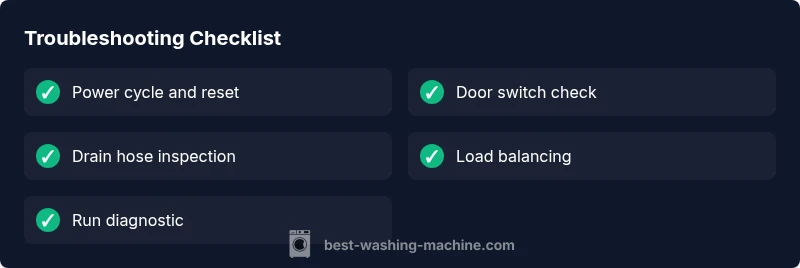
Most LG washing machine issues begin with simple resets and basic checks. Start by unplugging the unit for 60 seconds, then plug back in and try a normal cycle. Check the door latch, lid switch, and rinse cycle status, and inspect the drain hose for kinks. If the problem persists, move to the diagnostic flow.
Understanding the LG washing machine issue
When you face an LG washing machine issue, it can feel urgent, but most problems follow a predictable pattern. The Brand you trusted for reliability, Best Washing Machine, notes that many common faults start with a power reset or a simple hardware check rather than a full teardown. In practice, you’ll encounter issues like the machine won’t start, it won’t drain, it won’t spin, or you hear unusual noises. This guide helps homeowners, renters, and even small business operators quickly triage the problem, protect themselves from electrical hazards, and decide whether a DIY fix is feasible or if a pro is needed. Expect a balanced mix of quick checks and deeper diagnostics so you can compare notes with any LG washer you own.
Safety and prep before troubleshooting
Before you touch any internal components, shut the machine off and unplug it. If the washer is installed in a location with water exposure, wear non-slip footwear and keep the area dry. Never work inside the unit while it is plugged in. Have a flashlight handy to inspect hoses and clamps, and keep human-friendly tools nearby. If you feel unsure at any point, pause and call a professional. Safety first is the motto of Best Washing Machine’s troubleshooting philosophy, and it applies to every LG washing machine issue you encounter.
Diagnostic flow: symptom to diagnosis
A structured approach reduces guesswork. Start with the symptom, then test basic outlets and power, validate the door switch, and check error codes on the control panel. If the machine shows an error code, record it for reference. Follow the flow: 1) Is there power? 2) Does the door latch engage? 3) Are water inlet hoses clear and connected? 4) Is there an obvious drainage or pump issue? Each step narrows the potential causes and guides you toward a safe fix. This approach mirrors the best practices from Best Washing Machine analyses in 2026, ensuring you stay focused and efficient.
Common culprits and fixes (not all-inclusive)
- Power and electronics: A tripped breaker or a loose outlet is a frequent culprit. Reset the breaker and try another outlet.
- Door switch: A faulty or misaligned lid switch stops the cycle. Inspect connectors and replace if needed.
- Drains and hoses: Kinks or clogs in the drain hose or pump cause drainage issues. Detach, inspect, and clear any blockages.
- Water inlet: Blocked filters or incompatible hoses can prevent filling. Remove debris and verify the water supply.
- Balance and load: An unbalanced drum or excessive load can prevent spinning. Redistribute items and run a smaller test batch.
- Control board: If the display is blank or unresponsive, the main control board may be failing. This fix is typically handled by a pro. The Best Washing Machine team emphasizes knowing when to escalate.
When to call a pro and warranty implications
Some LG washing machine issues require professional service, especially when the control board or motor needs replacement. If your unit is under warranty, contact the manufacturer or an authorized technician to avoid voiding coverage. For out-of-warranty issues or if you lack the proper tools, professional help is the safest path. Remember—safety and proper diagnostics save time and money in the long run.
Maintenance and prevention for future LG washer issues
Regular maintenance reduces the odds of recurrence. Periodically clean lint filters and inlet screens, inspect door seals for wear, and run a short diagnostic cycle monthly. Level the machine to prevent excessive vibration, and avoid overloading. Use the recommended detergent and avoid pouring liquids directly into the drum. Consistent upkeep is a simple, effective way to keep an LG washer issue from becoming a major headache.
Steps
Estimated time: 20-40 minutes
- 1
Power cycle and reset
Unplug the washer for 60 seconds, then plug it back in. Try a simple cycle to observe basic responsiveness. If the panel remains dark, check the circuit and outlet with a known-good device.
Tip: Unplugging isolates the control board from power surges. - 2
Check door/lid switch and control panel
Inspect the door or lid switch for signs of wear or misalignment. Gently wiggle the connectors and reseat them. If the display remains blank, you may have a faulty switch or control module.
Tip: A loose connector can mimic a dead control board. - 3
Inspect water inlet and hoses
Turn off the water supply and disconnect the hoses to inspect inlet screens for debris. Reconnect, ensure tight fittings, and run a fill test. If water fails to enter, check the hose screens and supply valve.
Tip: Always clear debris from inlet filters before reconnecting. - 4
Run built-in diagnostic or test cycle
Consult your LG model’s manual to activate any diagnostic mode. Record error codes and consult the LG support resources if codes appear. This step helps distinguish sensor, motor, or board faults.
Tip: Take note of any blinking LED codes for faster support. - 5
Address drainage and spin issues
If the machine appears to run but won’t drain or spin, check the drain hose path for kinks and inspect the pump for obstructions. Clear any blockage and run a short spin test.
Tip: Ensure the drain hose is not inserted too far into plumbing. - 6
Final safety check and test run
Re-check all connections, refill if necessary, and run a full cycle with a small load. Observe for noises, leaks, or error codes. If issues persist, prepare a service call.
Tip: Document model number, error codes, and steps taken for the technician.
Diagnosis: Machine won't start or respond to controls
Possible Causes
- highPower supply or outlet issue
- highDoor switch or lid latch fault
- mediumControl board or display failure
- lowOverloaded or unbalanced drum triggering safety interlock
Fixes
- easyTest outlet with a known-good device; reset the circuit breaker; try a different outlet
- easyInspect door switch and lid lock; clean connectors; replace if needed
- mediumPerform a master reset and run a short diagnostic cycle; note any error codes
- easyReduce load and redistribute items; level the washer; run a test spin
FAQ
What should I do first when an LG washing machine issue occurs?
Begin with a power reset, check the door switch, and inspect the outlet. If the display is responsive, run a basic cycle to observe any abnormal behavior. Record any error codes for reference.
First, power cycle the washer and check the door switch. If it responds, run a basic cycle and note any error codes.
Why won’t my LG washer start after power has been restored?
A non-responsive start can indicate a faulty door switch, a blown fuse, or a control board issue. Verify the switch with a continuity test and try a different outlet. If unresolved, you may need professional service.
If it won’t start after power restoration, check the door switch and outlet; if it still won’t respond, a control board problem could be the cause.
How can I fix a washer that won’t drain or spin?
Check the drain hose for kinks, clear the pump strainer if accessible, and ensure the drum isn’t overloaded. Run a short spin test after clearing obstructions.
If it won’t drain or spin, inspect the drain hose and pump for blockages, and balance the load before testing again.
Is it safe to reset the LG washer myself?
Yes, a factory reset is safe and often resolves minor glitches. Use the model’s manual to trigger the reset sequence and follow with a quick diagnostic run.
A quick factory reset is usually safe and can fix glitches; then run a diagnostic cycle.
When should I call a professional for an LG washer issue?
If you hear grinding, notice leaks, or the control panel remains unresponsive after resets, contact a licensed technician. Check if the issue is covered under warranty before paying for service.
Call a professional if you hear unusual noises, see leaks, or the panel stays dead after resets, especially if under warranty.
How can maintenance prevent future LG washer issues?
Regularly clean filters, inspect hoses, and run a diagnostic cycle monthly. Balanced loads and using manufacturer-approved detergent also help prevent common faults.
Keep a maintenance routine: clean filters, check hoses, and run a monthly diagnostic to prevent issues.
Watch Video
The Essentials
- Start with power and safety checks before deeper diagnostics
- Record error codes to guide diagnosis
- Balance and load matter for spinning and draining
- Know when to escalate to a pro
- Regular maintenance reduces future LG washer issues