Troubleshooting a Problem with LG Washing Machine: Quick Fixes and Safety Steps
This guide helps homeowners diagnose and fix common LG washing machine problems quickly and safely with step-by-step checks, practical tips, and prevention strategies. Learn to triage, perform safe fixes, and know when to call a professional for complex issues.


Facing a problem with lg washing machine? The most common culprits are power glitches or drainage obstructions. Start with a quick power check, confirm the door is latched, and inspect the drain pump and hose. If these basics don’t fix it, follow the step-by-step guide below for deeper diagnostics.
Why LG Washing Machines Face Problems
LG washing machines are designed for durability, but even the best units encounter faults. If you’re facing a problem with lg washing machine, the root causes are often straightforward and fixable. According to Best Washing Machine, many issues start with power supply glitches, blocked drains, or worn door latches. The Best Washing Machine team found that improper installation, dirty filters, and mineral buildup can reduce performance over time. By recognizing common failure modes—no power, no drain, no spin—you can triage quickly and avoid unnecessary service visits. This section explains the core reasons, how to verify them, and safe fixes you can attempt before calling for help.
Common Symptoms Indicating a Problem with LG Washing Machine
Watch for signs that something is wrong, such as the unit failing to start, not draining, not spinning, or leaking water. Not all symptoms require a full replacement; many LG washers have simple, reversible faults. Pay attention to any error codes shown on the display, which can narrow the field to a few likely causes. Remember that safety is paramount: never force a part or disassemble components beyond your skill level. The following sections break down the most frequent faults and how to verify them.
Quick Fixes to Try Before Deep Diagnosis
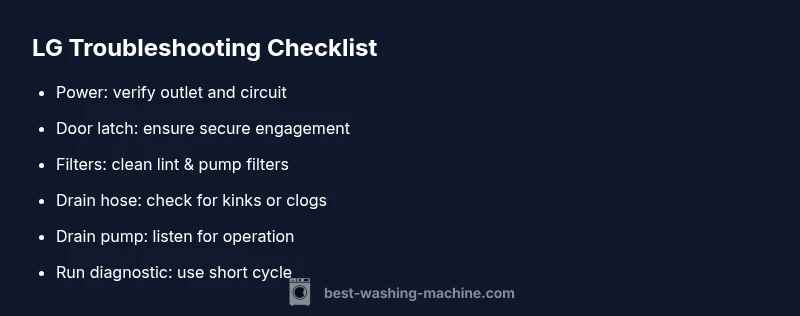
Start with the two or three fixes that require no tools. Check the power outlet and ensure the machine is plugged in and receiving electricity. Confirm the door latch is properly engaged and the door seal is intact. Inspect the drain hose for kinks or a clog, and clean the lint/pump filter if accessible. If the washer still won’t operate, reset the machine by unplugging for 1–5 minutes and performing a soft reboot. If safe fixes don’t resolve the issue, move to the diagnostic flow outlined later in this guide.
Diagnostic Flow Overview
This guide uses a simple, symptom-to-diagnosis-to-solution approach. Start with the most likely issues (power, door latch, drainage), then verify each with quick tests. If a symptom persists after simple checks, follow the deeper diagnostic steps. Always consider safety; never bypass safety switches or operate damaged parts. When in doubt, consult a professional to avoid injury or water damage.
Not Draining: Step-by-Step Troubleshooting
If your LG washer isn’t draining, begin with the drain hose and pump filter. Clear any kinks or obstructions, then remove and clean the filter screen. Listen for the drain pump motor running; if you hear grinding or no sound, the pump may be faulty. Check the lid switch or door latch as some models won’t drain unless the lid is detected as closed. Reassemble and run a test cycle to confirm.
Not Spinning: Step-by-Step Troubleshooting
A washer that won’t spin is usually caused by a stalled motor, a worn belt (older top-loaders), or an imbalanced load. Ensure the load isn’t too large or evenly distributed. Inspect the drive belt (if accessible) and replace if stretched or cracked. Check the lid switch and the motor coupling for LG models; a faulty switch prevents spinning. Run a spin test with a small load to observe rotor action.
Leaks, Noise, and Safety Checks
Leaking water can stem from loose hoses, a faulty door seal, or a cracked tub. Tighten hose fittings and inspect the door seal for tears. Unusual banging or grinding noises may indicate a worn drum bearing or a failing pump. Always unplug the unit before inspecting internal components. If you notice burning smells or the unit vibrates excessively, discontinue use and consult a technician.
Routine Maintenance to Prevent Future Problems
Regular maintenance keeps LG washing machines performing at their best. Clean the filters every month, run a maintenance cycle with a washing machine cleaner, and check hoses for wear. Use the recommended detergent type and avoid overloading the drum. Keep the area around the machine dry to prevent mold and electrical hazards. Proper installation and level placement also reduce future issues.
Steps
Estimated time: 30-45 minutes
- 1
Check power source
Unplug the washer, inspect the outlet, and test with a known-working appliance. Plug back in and try a basic wash cycle to confirm voltage delivery.
Tip: If the outlet is on a shared circuit, test other devices to rule out a breaker trip. - 2
Verify door latch
Ensure the door is fully closed and the latch engages. Some LG models require a solid click to enable start.
Tip: Listen for the latch click when closing the door. - 3
Inspect drain hose
Check for kinks or bends that restrict drainage. Detach and straighten if necessary, and look for visible clogs.
Tip: Run water through the hose to confirm clear flow. - 4
Clean filters
Access the lint/pump filter (per user manual), remove debris, and rinse thoroughly. A clogged filter can stop draining and spinning.
Tip: Always reinstall seals properly to prevent leaks. - 5
Test the drain pump
With power off, gently shake the pump area to listen for movement. Reconnect hoses and power, then run a short drain test.
Tip: Unplug before any inspection near the motor. - 6
Check for imbalanced load
Very unbalanced loads can stop spinning. Redistribute items evenly and try a short cycle.
Tip: Avoid washing heavy items together; balance the drum. - 7
Reset the machine
Power cycle by unplugging for 1–5 minutes, then plug back in and reset to factory settings if available.
Tip: Document any error codes before resetting. - 8
Call a professional if needed
If the issue remains after these steps, a licensed technician should assess electrical or motor problems.
Tip: Do not attempt high-voltage repairs yourself.
Diagnosis: Machine won't start, won't drain, or won't spin
Possible Causes
- highPower issue (outlet, cord, or circuit trip)
- mediumDoor latch/lock not engaged or faulty switch
- mediumClogged drain pump or filter
- lowKinked or blocked drain hose
- lowControl board or motor fault
Fixes
- easyCheck outlet, reset circuit, and ensure power to the unit
- easyInspect door latch/lock and door switch for engagement and wear
- easyClear and clean the pump filter, remove blockages in the drain pump
- easyStraighten drain hose and remove clogs in hose or pump inlet
- mediumIf issues persist, contact a licensed technician for advanced diagnostics
FAQ
Why won't my LG washing machine start?
Power issues, a tripped circuit, or a faulty door latch are common reasons. Start with the outlet, reset the circuit, and ensure the door is securely closed before testing again.
Power and door latch problems are the most common causes. Check outlet, reset circuit, and verify the door is fully closed.
What should I do if my LG washer isn’t draining?
Inspect the drain hose for kinks, clear the pump filter, and ensure the pump operates. If water remains, the pump may be faulty and require professional service.
Check the hose and filter for clogs, listen for the pump, and consider professional help if the pump seems weak.
How do I reset an LG washing machine?
Unplug the machine for 1–5 minutes, then plug it back in and run a test cycle. Some models have a specific reset sequence; consult the manual if needed.
Power cycle by unplugging briefly, then reconnect and retry a cycle.
Is it safe to open the washer during a cycle?
No. Opening mid-cycle can cause water spray, electrical hazards, and motor damage. Wait for the cycle to finish or use a pause function if available.
Not safe to open during a cycle—wait until it ends or pause if your model allows.
When should I call a professional for a problem with LG washing machine?
If basic checks don’t resolve the issue or you suspect electrical, motor, or control-board faults, contact a licensed technician for safety and proper repair.
If simple fixes fail or you suspect electrical or board issues, call a professional.
Watch Video
The Essentials
- Start with power and door checks before deeper fixes
- Clean filters and inspect the drain system regularly
- Follow a safe, step-by-step diagnostic flow
- Call a technician for electrical or motor issues