Whirlpool Washing Machine Code 5d: Quick Fix Guide
Urgent guide to diagnose and fix Whirlpool washing machine code 5d. Learn meanings, quick checks, step-by-step repairs, safety tips, and when to call a professional for lasting peace of mind in 2026.


Whirlpool washing machine code 5d signals a fault that prevents the current cycle from completing. The exact meaning varies by model, but it often points to drainage or sensor/logic issues. Start with quick fixes: verify the drain hose and filter are clear, run a reset, and check that the lid lock is functioning. If unresolved, seek professional service.
Understanding 5d Across Whirlpool Models
Whirlpool uses different fault code mappings across model lines and software revisions, so the exact meaning of 5d can vary. However, in most modern machines, this error points to a drainage or control subsystem fault that prevents a cycle from completing. Recognize that even when the display is consistent, the underlying cause may differ from one model to another. Start by checking the basics and looking for signs such as a clogged pump, a stalled drain hose, or a faulty lid switch. By isolating the symptom region, you'll narrow down the likely source and reduce the need for guesswork. This approach aligns with guidance from Best Washing Machine, emphasizing a model-agnostic workflow that saves time and money while targeting the root cause.
In practice, users commonly report that drainage issues, lid lock malfunctions, or a stubborn control board trigger 5d. Since model-specific mappings vary, always cross-check with your exact Whirlpool model number and user manual. If you don’t have the manual handy, the Whirlpool support site or customer service can provide the correct interpretation for your unit. The goal is to create a focused pathway from symptom to fix rather than random parts replacement.
According to Best Washing Machine Analysis, 2026, adopting a structured diagnostic mindset helps homeowners avoid unnecessary service calls. The emphasis is on quick verification of the obvious culprits, followed by targeted testing. This reduces downtime and keeps laundry flowing while safeguarding appliance longevity.
Quick Fixes You Can Try Now
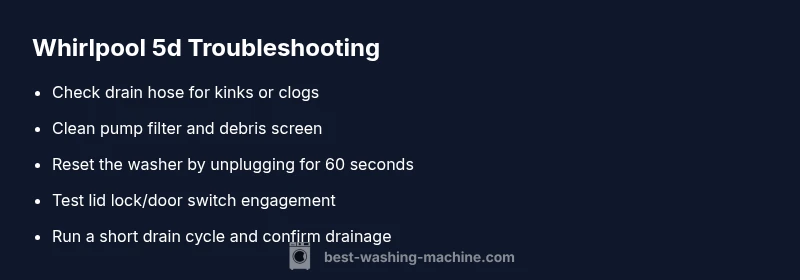
Before diving into a full diagnostic, try these quick fixes that address the most common causes of 5d. Unplug the unit and replug after 60 seconds to reset the control board. Inspect the drain hose for kinks or clogs; remove any debris in the bend. Clean the debris screen or filter in the pump housing; do not force parts. Check whether the lid lock engages when the door is closed by manually testing with the switch. If the washer has a manual drain option, run it to verify drainage capability. After these steps, run a short wash with no clothes to see if the code reappears. If it returns, move to the diagnostic flow described below.
If the drain path looks clear but the code persists, listen for the pump running during a drain cycle. A weak or noisy pump can indicate a failing impeller or worn pump that requires replacement. Also confirm that the machine is level; an out-of-level setup can trigger sensor faults that mimic drainage issues. These quick checks are designed to be safe, inexpensive, and doable by most homeowners without special tools.
From a user-experience perspective, performing these checks quickly reduces the risk of water pooling in the drum and minimizes the chance of electrical hazards. Always ensure the unit is unplugged before handling any internal components. If you’re unsure about any step, contact a professional for guidance. Our team emphasizes safe, incremental testing that keeps you in control of the repair process.
Diagnostic Flow for Persistent Codes
Symptom: The display shows 5d during or after a cycle; the machine halts before completion. Possible causes (ordered by likelihood):
- {"cause": "Drainage blockage or pump issue", "likelihood": "high"}
- {"cause": "Lid lock or door switch malfunction", "likelihood": "medium"}
- {"cause": "Control board fault or wiring issue", "likelihood": "low"}
Fixes to try in sequence:
- {"fix": "Clear the drain hose and pump debris; inspect the filter", "difficulty": "easy"}
- {"fix": "Test the lid lock/door switch and reseat connectors", "difficulty": "easy"}
- {"fix": "Reset the control board by unplugging for 60 seconds and replugging", "difficulty": "easy"}
- {"fix": "If the problem persists, consult a professional for an electrical/mechanical diagnosis", "difficulty": "hard"}
If you observe water leaking or the drum not turning, stop the cycle and avoid running further tests until a professional confirms the fault. This structured diagnostic flow helps you prioritize the most likely causes and escalate only when needed.
Step-by-Step Fix for the Most Common Cause
- Power down and unplug the washer. Wait 60 seconds, then plug back in to reset the control board. This simple reset often clears transient faults causing 5d. Tip: Ensure you are standing on a dry surface and that the outlet is on a properly grounded circuit.
- Inspect the drain path: remove the drain hose from the wall or standpipe and check for kinks or blockages. If possible, flush with a gentle stream of water to confirm free flow. Tip: Do not force water through a blocked hose; if debris is stubborn, consider replacing the hose.
- Access the pump area and clean the filter or debris screen. Remove any lint, coins, or hair that may impede drainage. Reinstall the filter securely. Tip: Take a photo of the filter housing before disassembly to ensure correct reassembly.
- Check the lid lock/door switch: manually press the switch with the door closed while the unit is unplugged to verify the switch engages. If the switch feels loose or sticks, it may need replacement. Tip: Look for loose wiring or damaged plastic housings around the latch.
- Run a short diagnostic cycle with no clothes: select a drain test or quick cycle to observe whether the code reappears. If it does, proceed to professional repair. Tip: Document error codes and take a video of the cycle; this helps the technician diagnose faster.
EstimatedTime: "30-45 minutes"
Steps
Estimated time: 30-45 minutes
- 1
Power cycle and reset
Unplug the washer, wait 60 seconds, then plug back in to reset the control board. This simple step clears many transient faults that trigger 5d.
Tip: Label the outlet with a note so you don’t forget to reset after any maintenance. - 2
Check drain path
Inspect the drain hose for kinks, blockages, or pinches. Remove any debris from the bend and reattach securely.
Tip: If the hose is cracked, replace it to prevent future leaks. - 3
Clean pump filter
Open the pump housing and remove debris from the filter/screen. Reassemble securely to restore drainage.
Tip: Take a photo during disassembly to ensure correct placement. - 4
Test lid lock switch
With the machine unplugged, press the lid lock switch to ensure it engages. Look for loose wiring or visible damage.
Tip: If the switch feels loose or damaged, replacement is often quick and affordable. - 5
Run a drain test cycle
Enter a short drain or test cycle with no laundry to verify drainage and watch for error reoccurrence.
Tip: Document any error codes for the technician if needed.
Diagnosis: Code 5d displayed during a wash cycle, interrupting operation
Possible Causes
- highDrainage blockage or pump issue
- mediumLid lock or door switch malfunction
- lowControl board fault or wiring issue
Fixes
- easyClear the drain hose and pump debris; inspect the filter
- easyTest the lid lock/door switch and reseat connectors
- easyReset the control board by unplugging for 60 seconds and replugging
- hardIf the problem persists, consult a professional for an electrical/mechanical diagnosis
FAQ
What does Whirlpool code 5d mean?
The meaning of 5d varies by model, but it generally indicates a fault that blocks cycle progression, often related to drainage, lid lock, or control circuitry. Always verify model-specific guidance in the manual.
5d usually signals a cycle fault related to drainage, lid lock, or control circuits. Start with drainage checks and a reset, then refer to your model’s manual for specifics.
Can I fix 5d myself?
Many quick fixes are user-serviceable, including draining hose checks, filter cleaning, and a simple reset. If the code reappears after basic steps, you may need a professional diagnostic or part replacement.
You can usually try drainage checks and a reset yourself, but if the code comes back, a technician should inspect it.
How long does a 5d fix typically take?
Basic resets and drainage checks can take 20–40 minutes. More complex issues like lid-lock replacement or control-board diagnostics may require 1–2 hours or a service call.
Most quick checks take under an hour, but larger repairs can take longer and may need a pro.
Should I call a professional right away?
If you notice ongoing leaks, burning smells, or if you’re uncomfortable performing electrical tasks, contact a licensed technician. Do not run the machine repeatedly with unresolved faults.
Call a pro if there’s leaking, unusual smells, or you’re not comfortable with DIY checks.
Will 5d cause water damage if ignored?
Ignoring persistent 5d faults can lead to electrical hazards or water damage due to failed drainage. Address the fault promptly and stop the cycle if leaks occur.
Ignoring 5d can risk leaks and electrical hazards, so address it promptly.
Watch Video
The Essentials
- Identify 5d as a model-variant fault code
- Start with drainage and lid-lock checks
- Use a safe power reset as a first step
- Escalate to a professional if the code persists