Whirlpool Washing Machine Code LF: Urgent Troubleshooting and Fixes
Urgent guide to diagnose and fix Whirlpool washing machine code LF. learn common causes, quick checks, step-by-step repairs, safety tips, and when to call a pro to minimize downtime.


whirlpool washing machine code lf indicates a low water level or fill fault. This urgent error can pause cycles and prevent washing until the issue is fixed. Quick checks include verifying the water supply is fully open, hoses aren’t kinked, and the inlet screens are clean. Best Washing Machine analysis shows LF most often stems from water-supply or sensor problems rather than a fatal component failure.
What LF Means on Whirlpool Washing Machines\n\nThe whirlpool washing machine code lf is a fault that appears when the washer or user interface detects an abnormally low water level or a failure to fill during the cycle. This is a high-priority issue because it can halt the wash, potentially waste water, and prolong laundry days. According to Best Washing Machine, LF is most often tied to water-supply or sensor-related problems, not a catastrophic motor failure. If you see LF, don’t ignore it—address it now to restore normal operation and prevent mold or stale-water concerns from a stalled cycle. Understanding LF in your model helps you target the fix without unnecessary disassembly and cost.\n
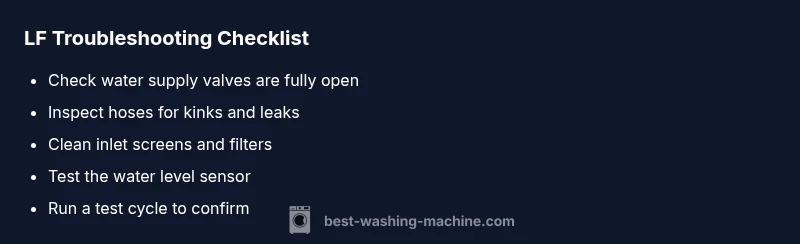
Quick Checks You Can Do Right Now\n\n- Check that the main water supply valve is fully open and that both hot and cold taps are providing water. A partially closed valve or a kinking hose can mimic a fill fault.\n- Inspect inlet hoses for kinks, blockages, or leaks. A restricted flow can trigger the LF fault.\n- Remove and clean the inlet screens at the end of each hose; mineral buildup or debris reduces flow and can fool the sensor into a low-water reading.\n- Verify the door or lid switch is engaged and the machine is properly seated; some models require a secure lid for the fill to proceed.\n- Run a short cold-water fill test without a load to confirm water flows smoothly. If you notice poor flow, repair or replace the valve or hoses as needed.\n- If your model supports a software reset, perform a basic reset to clear false LF readings after confirming water supply and hoses are OK.\n
Diagnose the Most Likely Causes (LF)\n\n- Water supply issues (high likelihood): Inadequate water flow from taps or blocked hoses. This is the most common LF trigger.\n- Clogged or restricted inlet screens (high likelihood): Sand and mineral deposits can obstruct flow, triggering a fill fault even when taps are on.\n- Faulty water level sensor or pressure switch (medium likelihood): A bad sensor can misread the water level and flag LF.\n- Control board or software glitch (low likelihood): Rare but possible; a reset or update may help.\n
Other Possible Causes to Consider\n\n- Faulty lid switch or door lock: Some models won’t fill if the lid isn’t detected as closed.\n- Faulty drain or vent path: If the system can’t sense the correct level due to a leak or trapped air, LF can appear unexpectedly.\n- Hard water scale on valves: Severe mineral buildup can impede valve operation and trigger LF.\n
Safety Precautions and When to Call a Pro\n\n- Unplug the washer and shut off water supply before inspecting hoses or removing panels. Water and electricity are a dangerous combination; use dry hands and insulated tools if needed.\n- If you must access electrical components, follow the model’s service manual and avoid touching live connectors.\n- If the LF persists after basic checks (water supply, hoses, screens, and lid switch), or if you notice leaks, pooling, or burn smells, call a licensed appliance technician. Expect typical repair ranges to cover parts and labor, depending on the exact fault, model, and region.\n- Regular maintenance is the best defense; neglecting it can lead to more expensive repairs down the line. Best Washing Machine’s guidance emphasizes timely checks rather than waiting for a full breakdown.\n
How to Verify After Fix\n\n- Run a full wash cycle with a small load and observe the fill and drain.\n- Confirm that water enters quickly and stops promptly when the cycle begins, with no reoccurrence of LF.\n- Check for error codes on the display during and after the cycle; a clean run with no faults indicates success.\n- If available, monitor the water level reading during fill to ensure the sensor reads consistently and doesn’t drift or bounce.\n
Steps
Estimated time: 25-40 minutes
- 1
Power down and safety check
Unplug the washer, shut off the main water supply, and disconnect the power cord before touching internal components. Ensure the area is dry and free of standing water to minimize shock risk.
Tip: Always test water supply and power separately before attempting any disassembly. - 2
Check the water supply and hoses
Inspect both hot and cold supply lines for leaks, kinks, or blockages. Replace any damaged hoses and ensure the valves are fully open to restore proper flow.
Tip: If you hear whistling or feel reduced flow, test the water supply with a separate faucet to confirm pressure is adequate. - 3
Clean inlet screens and filters
Detach the hoses from the back of the machine and locate the metal or plastic inlet screens. Rinse them under running water until debris is removed; reattach securely.
Tip: Use a soft brush to remove mineral buildup without bending the screen. - 4
Test the water level sensor
With hoses reconnected, run a no-load fill cycle and observe the sensor readings. If the machine still reports LF or the level seems off, the sensor or its tubing may need replacement.
Tip: Document readings with the display during the test to compare against expected values. - 5
Run a test cycle and verify
After reassembly, run a short wash to confirm proper fill, no leaks, and no repeated LF fault. If the fault returns, escalate to professional service.
Tip: Keep a log of any error codes that appear for the technician.
Diagnosis: Washing machine displays LF code and stops mid-cycle
Possible Causes
- highInadequate water supply or closed valve
- highClogged inlet screens or restricted hoses
- mediumFaulty water level sensor or pressure switch
- lowControl board fault or software glitch
Fixes
- easyOpen all water valves fully and straighten any kinks in hoses
- easyClean or replace clogged inlet screens and ensure hoses are free of debris
- mediumTest and replace the water level sensor or pressure switch if readings are inconsistent
- hardReset the control board or replace it if software issues persist
FAQ
What does LF mean on Whirlpool washing machines?
LF generally indicates a low water level or fill fault. It’s commonly caused by water-supply issues or sensor problems. A few quick checks often resolve the fault without professional help.
LF means a low water level or fill fault; check water supply and sensors. Many times, quick checks resolve it.
Can I fix LF myself?
Yes, for many models you can address LF by verifying water supply, clearing inlet screens, and inspecting hoses. If the fault persists after basic checks, consult the manual or a pro. Avoid opening high-voltage parts without guidance.
Yes, you can often fix LF with basic checks like water supply and screens. If it persists, call a pro.
Is LF dangerous to ignore?
Ignoring LF can lead to repeated cycle interruptions and potential mold from standing water. It’s safer to diagnose and fix promptly rather than running the machine on repeat error.
Ignoring LF can cause repeated failures and mold from standing water, so fix it promptly.
Will LF cause damage to clothes or the washer?
LF itself doesn’t typically damage clothes, but repeated fills and drains can stress components. Prompt repair minimizes the risk of further issues and keeps laundry days on track.
LF usually won’t ruin clothes, but repeated faults can stress parts. Fix it quickly to avoid bigger problems.
When should I replace versus repair for LF?
If the LF fault recurs after all common fixes, or the control board shows instability, replacement parts or a professional assessment may be needed. Costs vary by model and region, so weigh the repair estimate against a new unit.
If fixes don’t hold, or the board is faulty, consider professional repair or replacement depending on cost.
Watch Video
The Essentials
- Check water supply first and foremost
- Inlet screens and hoses are common LF culprits
- Sensor or control faults are less common but possible
- Test after fixes to confirm resolution